


All posts
 Mesh vs Foam Office Chair: Which Is Better for Long Hours?
Choosing between mesh and foam office chairs for extended use is a central consideration in office ergonomics. Each material offers distinct advantages, and the optimal selection must account for factors such as body temperature regulation, individual sitting patterns, and specific spinal health requirements. For those susceptible to overheating or chronic back discomfort, seat material plays a pivotal role in influencing outcomes. The following analysis applies scientific principles to both materials, equipping professionals to make informed decisions that prioritize health and productivity.
Breathability and Thermal Comfort
The principal distinction between mesh ergonomic chairs and cushioned office chairs is their approach to temperature regulation. For professionals operating in varied climates, excess heat buildup can markedly diminish concentration and comfort.
The Advantage of Airflow
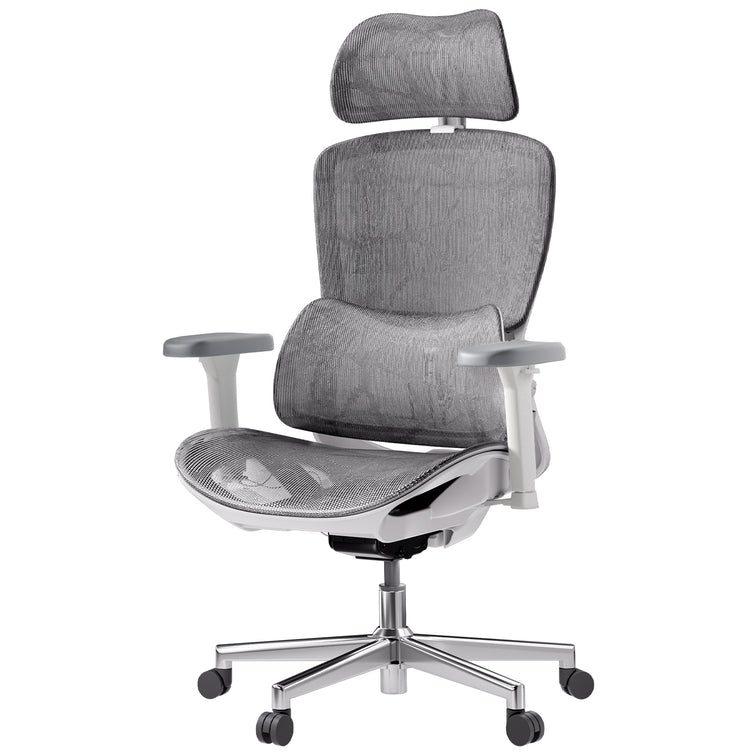
A mesh office chair is specifically engineered to maximize airflow surrounding the user. In contrast, traditional foam acts as an insulator, retaining body heat and often leading to excessive perspiration and discomfort. High-tensile mesh designs facilitate efficient heat dissipation, ensuring consistent comfort and sustained focus for extended work periods.
When Foam Falls Short
Although high-density foam office chairs initially yield a plush sensation, foam inherently insulates, resulting in heat retention during prolonged use. This process can eventually compromise the material's structural integrity. For individuals prone to overheating, a mesh ergonomic chair with enhanced breathability is the superior option for enduring comfort.
Support, Pressure Distribution, and Spinal Health
When discussing whether a mesh chair is better than a foam chair for back pain, we have to consider how each material distributes your weight.
Mesh and Spinal Alignment
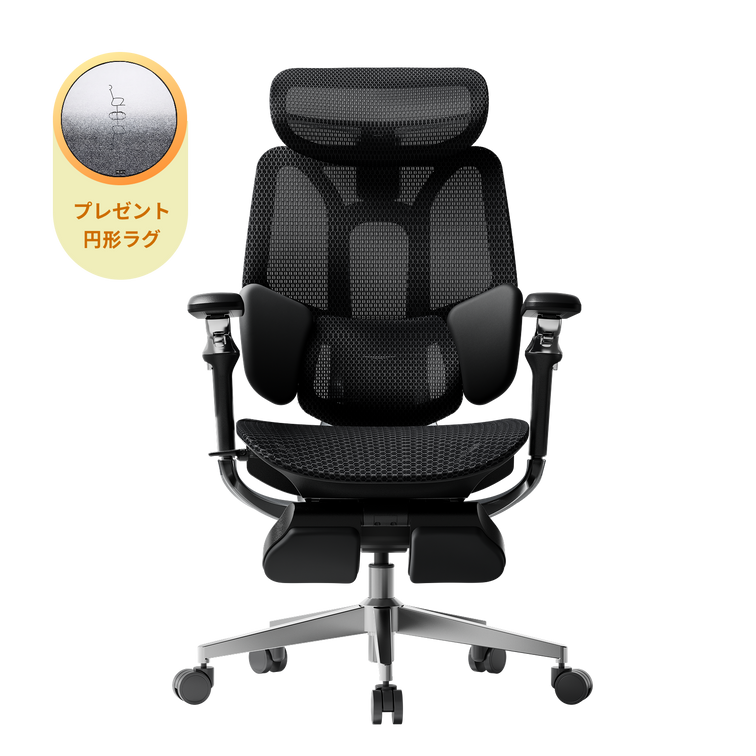
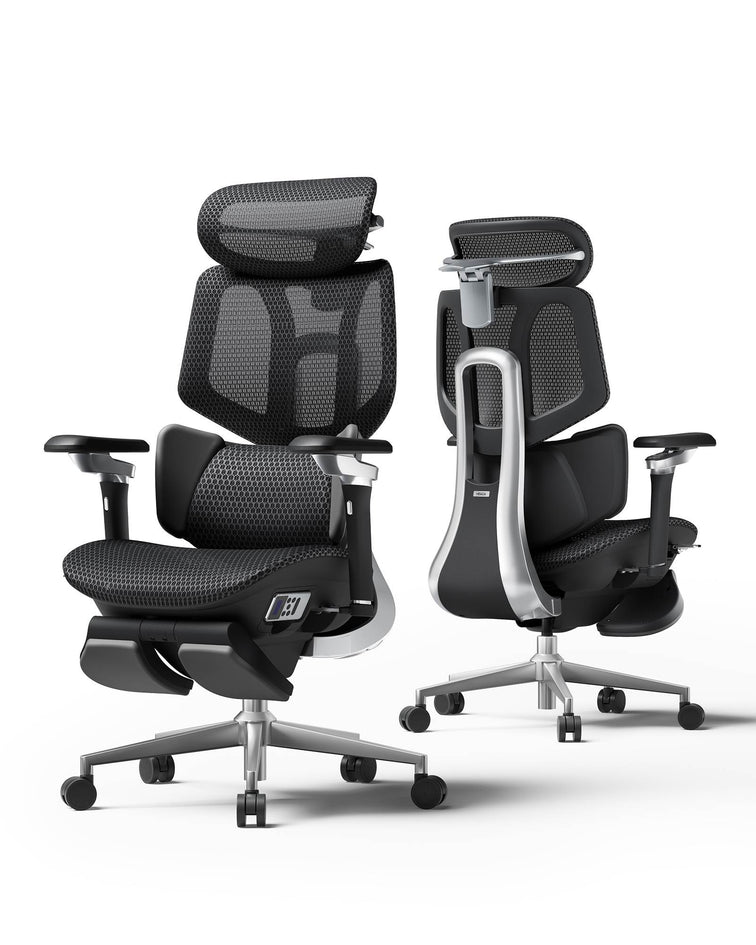
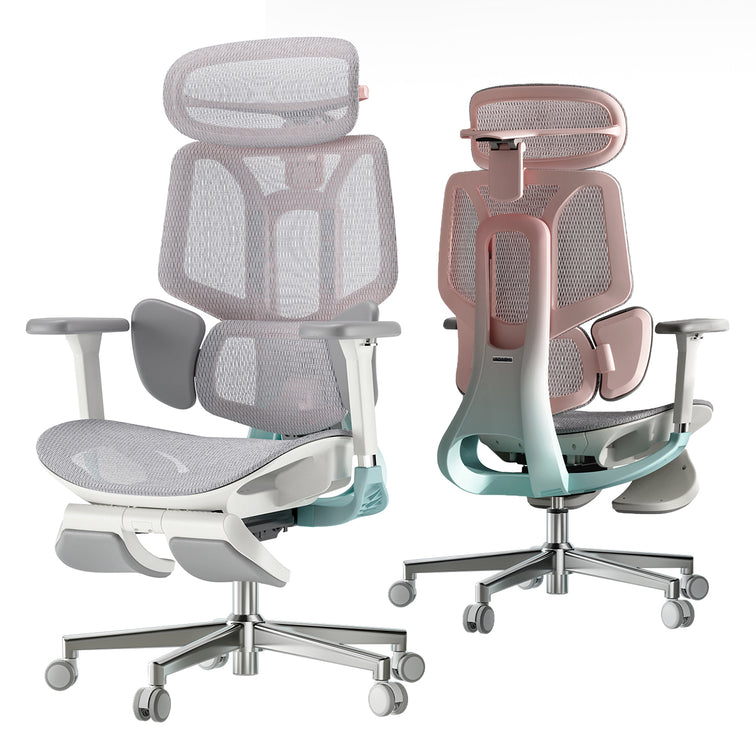
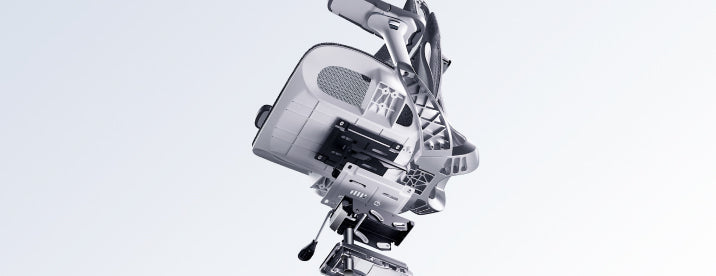
A mesh chair for posture correction supports you without letting you sink in. The mesh adapts to your body but stays firm to help prevent slouching. Premium models, like the Hbada AI-Powered x7, add mechanical supports to keep your spine in a neutral "S" curve.
Foam and Pressure Points
A memory foam office chair for desk work is frequently recognized for its "cradling" sensation and its ability to distribute pressure across the sit-bones—beneficial for very thin users. However, during extended sitting, foam may "bottom out," resulting in direct contact with the plastic base. Consequently, a cushioned office chair is suitable for short durations, but often falls short in providing necessary support throughout a full workday.
Durability and Long-Term Performance
The best office chair material for long-term use must retain its shape.
Mesh Durability: High-quality mesh is precisely engineered for superior elasticity, ensuring it returns to its original shape immediately after use. Premium mesh ergonomic chairs with adaptive lumbar support are designed to maintain structural integrity and resist misshaping over time.
Foam Durability: Foam can sag or lose shape over time. As this happens, the chair's support decreases. Choose office chairs with cold-cured or high-density foam for longer-lasting comfort.
Why the Hybrid Approach Often Wins
By 2026, selecting exclusively between mesh and foam will no longer be required. Leading professionals choose ergonomic office chairs that feature both mesh backrests and seats to ensure optimal cooling. Hybrid models, combining mesh backs for breathability with high-density foam seats for superior comfort, offer clear advantages for individuals seeking both cooling and cushioned support, providing an optimal balance of airflow and softness.
The Hbada Solution
For those seeking the absolute best ergonomic chair for long hours, our lineup focuses on the synergy between materials and mechanics, with a breathable design.
Hbada E3 Series: Features a breathable mesh ergonomic chair for long hours with a 3-zone lumbar system.
Hbada AI-Powered x7: Our flagship model that uses a premium mesh ergonomic chair with an adaptive lumbar support system. The Hbada AI-Powered x7 uses biosynched technology to automatically adjust the mesh tension and lumbar position in response to your movements.
Summary Table: Mesh vs. Foam Comparison
Feature
Mesh
Foam
Cooling
Excellent (Active Airflow)
Poor (Heat Retention)
Support Feel
Firm / Suspended
Soft / Cradled
Posture
High Correction
Low Correction
Maintenance
Easy to Clean
Traps Dust/Odors
Ideal For
Long hours and comfort
Short sitting duration
Frequently Asked Questions (FAQ)
Q: Is mesh or foam better for lower back pain? A: Generally, a mesh chair for posture correction and spinal health is better. Mesh provides a firm, consistent counter-pressure that supports the lumbar curve. Foam can often be too soft, allowing the pelvis to tilt backward, which increases pressure on the spinal discs.
Q: Does mesh wear out faster than foam?
A: No, provided it is the best ergonomic chair with a mesh support system. High-grade elastomeric mesh is designed to last over a decade without sagging. In contrast, low-quality foam can lose its "bounce" within 12 to 24 months of heavy use.
Q: Is a mesh seat uncomfortable for thin people?
A: Some thin users find mesh seats feel "firm." If you have very little natural cushioning, look for an ergonomic office chair with lumbar support and mesh airflow, featuring a waterfall seat edge. This reduces pressure on the back of the legs. Alternatively, the Hbada AI-Powered x7 uses a specialized weave that offers more "give" in the center for added comfort.
Q: Can I clean a mesh chair easily?
A: Yes! This is a major advantage of the breathable mesh ergonomic chair for long-term use. Unlike foam, which absorbs spills and odors, mesh can be wiped down with a damp cloth or vacuumed easily, making it more hygienic for long-term use.
Conclusion
The comparison between foam and mesh chairs for posture correction ultimately hinges on environmental and health priorities. To maintain coolness, support the spine's natural alignment, and ensure durability without sagging, mesh emerges as the definitive solution. Selecting a chair such as the Hbada AI-Powered x7 represents an investment in advanced ergonomic support and adaptive lumbar alignment—delivering measurable improvements in comfort and productivity. Upgrade confidently to a breathable design and experience the professional advantages of contemporary ergonomic technology.
Jul 21, 2026
Mesh vs Foam Office Chair: Which Is Better for Long Hours?
Choosing between mesh and foam office chairs for extended use is a central consideration in office ergonomics. Each material offers distinct advantages, and the optimal selection must account for factors such as body temperature regulation, individual sitting patterns, and specific spinal health requirements. For those susceptible to overheating or chronic back discomfort, seat material plays a pivotal role in influencing outcomes. The following analysis applies scientific principles to both materials, equipping professionals to make informed decisions that prioritize health and productivity.
Breathability and Thermal Comfort
The principal distinction between mesh ergonomic chairs and cushioned office chairs is their approach to temperature regulation. For professionals operating in varied climates, excess heat buildup can markedly diminish concentration and comfort.
The Advantage of Airflow
A mesh office chair is specifically engineered to maximize airflow surrounding the user. In contrast, traditional foam acts as an insulator, retaining body heat and often leading to excessive perspiration and discomfort. High-tensile mesh designs facilitate efficient heat dissipation, ensuring consistent comfort and sustained focus for extended work periods.
When Foam Falls Short
Although high-density foam office chairs initially yield a plush sensation, foam inherently insulates, resulting in heat retention during prolonged use. This process can eventually compromise the material's structural integrity. For individuals prone to overheating, a mesh ergonomic chair with enhanced breathability is the superior option for enduring comfort.
Support, Pressure Distribution, and Spinal Health
When discussing whether a mesh chair is better than a foam chair for back pain, we have to consider how each material distributes your weight.
Mesh and Spinal Alignment
A mesh chair for posture correction supports you without letting you sink in. The mesh adapts to your body but stays firm to help prevent slouching. Premium models, like the Hbada AI-Powered x7, add mechanical supports to keep your spine in a neutral "S" curve.
Foam and Pressure Points
A memory foam office chair for desk work is frequently recognized for its "cradling" sensation and its ability to distribute pressure across the sit-bones—beneficial for very thin users. However, during extended sitting, foam may "bottom out," resulting in direct contact with the plastic base. Consequently, a cushioned office chair is suitable for short durations, but often falls short in providing necessary support throughout a full workday.
Durability and Long-Term Performance
The best office chair material for long-term use must retain its shape.
Mesh Durability: High-quality mesh is precisely engineered for superior elasticity, ensuring it returns to its original shape immediately after use. Premium mesh ergonomic chairs with adaptive lumbar support are designed to maintain structural integrity and resist misshaping over time.
Foam Durability: Foam can sag or lose shape over time. As this happens, the chair's support decreases. Choose office chairs with cold-cured or high-density foam for longer-lasting comfort.
Why the Hybrid Approach Often Wins
By 2026, selecting exclusively between mesh and foam will no longer be required. Leading professionals choose ergonomic office chairs that feature both mesh backrests and seats to ensure optimal cooling. Hybrid models, combining mesh backs for breathability with high-density foam seats for superior comfort, offer clear advantages for individuals seeking both cooling and cushioned support, providing an optimal balance of airflow and softness.
The Hbada Solution
For those seeking the absolute best ergonomic chair for long hours, our lineup focuses on the synergy between materials and mechanics, with a breathable design.
Hbada E3 Series: Features a breathable mesh ergonomic chair for long hours with a 3-zone lumbar system.
Hbada AI-Powered x7: Our flagship model that uses a premium mesh ergonomic chair with an adaptive lumbar support system. The Hbada AI-Powered x7 uses biosynched technology to automatically adjust the mesh tension and lumbar position in response to your movements.
Summary Table: Mesh vs. Foam Comparison
Feature
Mesh
Foam
Cooling
Excellent (Active Airflow)
Poor (Heat Retention)
Support Feel
Firm / Suspended
Soft / Cradled
Posture
High Correction
Low Correction
Maintenance
Easy to Clean
Traps Dust/Odors
Ideal For
Long hours and comfort
Short sitting duration
Frequently Asked Questions (FAQ)
Q: Is mesh or foam better for lower back pain? A: Generally, a mesh chair for posture correction and spinal health is better. Mesh provides a firm, consistent counter-pressure that supports the lumbar curve. Foam can often be too soft, allowing the pelvis to tilt backward, which increases pressure on the spinal discs.
Q: Does mesh wear out faster than foam?
A: No, provided it is the best ergonomic chair with a mesh support system. High-grade elastomeric mesh is designed to last over a decade without sagging. In contrast, low-quality foam can lose its "bounce" within 12 to 24 months of heavy use.
Q: Is a mesh seat uncomfortable for thin people?
A: Some thin users find mesh seats feel "firm." If you have very little natural cushioning, look for an ergonomic office chair with lumbar support and mesh airflow, featuring a waterfall seat edge. This reduces pressure on the back of the legs. Alternatively, the Hbada AI-Powered x7 uses a specialized weave that offers more "give" in the center for added comfort.
Q: Can I clean a mesh chair easily?
A: Yes! This is a major advantage of the breathable mesh ergonomic chair for long-term use. Unlike foam, which absorbs spills and odors, mesh can be wiped down with a damp cloth or vacuumed easily, making it more hygienic for long-term use.
Conclusion
The comparison between foam and mesh chairs for posture correction ultimately hinges on environmental and health priorities. To maintain coolness, support the spine's natural alignment, and ensure durability without sagging, mesh emerges as the definitive solution. Selecting a chair such as the Hbada AI-Powered x7 represents an investment in advanced ergonomic support and adaptive lumbar alignment—delivering measurable improvements in comfort and productivity. Upgrade confidently to a breathable design and experience the professional advantages of contemporary ergonomic technology.
Jul 21, 2026
 Your First 30 Days With HBADA: Tips for 2026 New Users
Congratulations on choosing HBADA to upgrade your workspace. Unboxing your new chair is just the start—getting used to better ergonomics takes some time. If you’re used to regular chairs, your body will need about a month to adjust. This guide will help you get the most out of your new chair by showing you how to use it properly and what to expect in your first 30 days.
Week 1: The Setup and Initial Calibration
The first week is focused on setting up your chair correctly. Before you start working, follow the HBADA chair setup guide for new users. Adjusting your chair properly helps features like the 3-zone dynamic lumbar support work with your body, not against it.
Step-by-Step Adjustment Guide for Beginners
Begin with the “Rule of 90.” Make sure your knees, hips, and elbows are all at 90-degree angles. Follow this step-by-step adjustment guide for beginners:
Seat Height: Adjust the lever until your feet are flat on the floor. If you are petite, you may need a footrest to keep your knees level with your hips.
Seat Depth: Use the slider to leave a 5 cm gap between the seat edge and the back of your knees.
Lumbar Height: Position the lumbar support so it fits the natural inward curve of your lower back.
Armrests: Raise them until your shoulders are relaxed and your elbows are supported at desk height.
Why the First Week Might Feel “Different”
It’s normal if your ergonomic chair feels uncomfortable at first. If you’ve spent years sitting in regular chairs, your muscles have adapted to a slouched, “C-shaped” posture. A chair like the HBADA AI-Powered x7 helps your spine return to its natural “S-curve.” As your muscles stretch and adjust, you might feel some mild soreness, much like after starting a new workout.
Week 2: Mastering the Lumbar and Motion
By the second week, any soreness from your new chair should start to go away. This is a good time to fine-tune your lumbar support. Unlike regular chairs, our premium models have an adaptive lumbar tracking system that adjusts as you move.
How to Set Lumbar Support for Correct Sitting Posture
To get the best support, sit all the way back in your chair. You should feel the 3-zone dynamic lumbar support gently holding your waist from the center and sides. In models like the HBADA AI-Powered x7, sensors track your small movements. Feel free to move—the chair is built to adjust with you. Adjust the lumbar support until it feels firm but not uncomfortable against your spine.
Correct Sitting Posture on a Chair with Proper Fit
In the second week, focus on your head and neck position. Adjust the headrest so it supports the base of your skull, not your neck. This helps you avoid leaning forward and developing “Tech Neck.” Building these habits early will protect your neck and spine in the long run.
Week 3: Adapting to Long-Duration Work
By the third week, your chair should feel more comfortable as the mesh adapts to your weight and your body gets used to the new alignment. This is when you’ll start to notice the benefits, especially if you sit for long periods (6 to 10 hours).
Transitioning from a Regular Chair to an Ergonomic Chair
To get comfortable during long hours, use your chair’s recline features. Sitting at a 90-degree angle for long periods can strain your spine. Try tilting back to 110 or 120 degrees during calls. This shifts your upper-body weight to the backrest, taking pressure off your lower back.
Posture Correction and Spinal Alignment
Over time, you’ll notice your chair feels more comfortable. As your core muscles get stronger, sitting upright will feel natural. Instead of struggling to sit up straight, you’ll feel the chair supporting you. This is a sign that your posture and alignment are improving.
Week 4: Total Bio-Synchronization
By the last week of your first month, you should notice you have more energy at the end of the day. Less physical strain means you can think more clearly.
The Hbada AI-Powered x7 Experience
If you have the Hbada AI-Powered x7, the AI tracking should feel seamless by now. The chair has learned your usual recline angles and weight distribution. Its sensors make real-time adjustments, so even if you move around during a busy meeting, your lumbar and neck support stay just right.
Comparison of HBADA Core Models for New Users
Feature
E3 Series (Standard)
E3 Pro (Advanced)
Hbada AI-Powered x7
Lumbar System
3-Zone Dynamic
3-Zone Dynamic
Active AI Tracking
Armrests
3D Adjustable
720° Omni-Adjustable
720° Omni-Adjustable
Adjustment
Manual
Manual
Auto-Adaptive Sensors
Best For
Daily Office Work
Pro Professionals
Elite 10+ Hour Users
Frequently Asked Questions (FAQ)
Q: How long does it take to get used to an ergonomic chair?A: For most users, the ergonomic chair break-in period lasts between 7 and 14 days. During this time, your body is unlearning years of poor posture. If you continue to feel discomfort after 21 days, revisit your HBADA chair setup guide for new users to ensure your seat height and depth are correctly calibrated.
Q: How to use an ergonomic chair correctly in the first 30 days?A: Start by sitting all the way back so your spine is in contact with the backrest. Use the ergonomic chair adjustment guide for beginners, step by step, to set your height and depth. Most importantly, take “micro-breaks”—even the best chair benefits from you standing up for 2 minutes every hour to stimulate blood flow.
Q: Why does my lower back feel sore after switching chairs?A: This is part of adjusting to an ergonomic chair after a regular chair. Your lower back muscles are being forced to work in a healthy alignment for the first time. As long as the soreness is muscular, not sharp nerve pain, it is a sign that your posture correction and spinal alignment chair are doing their job.
Q: Best way to adapt to an ergonomic chair for long hours?A: Variation is key. Switch between an upright typing position and a relaxed recline every hour. Ensure you use the adaptive lumbar-tracking ergonomic chair features by keeping your back pressed against the mesh. This ensures the chair’s mechanical “muscles” take the weight, not your own.
 
Conclusion: A Lifetime of Healthy Sitting Starts Now
Your first 30 days with HBADA are an investment in your long-term health. By following the setup guide and giving your body time to adjust, you’re taking steps to avoid chronic back pain. Remember, your chair works best when you use its features. Pay attention to your posture, trust the technology, and enjoy the extra energy that comes from good support. Welcome to a better way to work.
For more information, you can click to check: https://hbada.com/pages/faq
Jul 21, 2026
Your First 30 Days With HBADA: Tips for 2026 New Users
Congratulations on choosing HBADA to upgrade your workspace. Unboxing your new chair is just the start—getting used to better ergonomics takes some time. If you’re used to regular chairs, your body will need about a month to adjust. This guide will help you get the most out of your new chair by showing you how to use it properly and what to expect in your first 30 days.
Week 1: The Setup and Initial Calibration
The first week is focused on setting up your chair correctly. Before you start working, follow the HBADA chair setup guide for new users. Adjusting your chair properly helps features like the 3-zone dynamic lumbar support work with your body, not against it.
Step-by-Step Adjustment Guide for Beginners
Begin with the “Rule of 90.” Make sure your knees, hips, and elbows are all at 90-degree angles. Follow this step-by-step adjustment guide for beginners:
Seat Height: Adjust the lever until your feet are flat on the floor. If you are petite, you may need a footrest to keep your knees level with your hips.
Seat Depth: Use the slider to leave a 5 cm gap between the seat edge and the back of your knees.
Lumbar Height: Position the lumbar support so it fits the natural inward curve of your lower back.
Armrests: Raise them until your shoulders are relaxed and your elbows are supported at desk height.
Why the First Week Might Feel “Different”
It’s normal if your ergonomic chair feels uncomfortable at first. If you’ve spent years sitting in regular chairs, your muscles have adapted to a slouched, “C-shaped” posture. A chair like the HBADA AI-Powered x7 helps your spine return to its natural “S-curve.” As your muscles stretch and adjust, you might feel some mild soreness, much like after starting a new workout.
Week 2: Mastering the Lumbar and Motion
By the second week, any soreness from your new chair should start to go away. This is a good time to fine-tune your lumbar support. Unlike regular chairs, our premium models have an adaptive lumbar tracking system that adjusts as you move.
How to Set Lumbar Support for Correct Sitting Posture
To get the best support, sit all the way back in your chair. You should feel the 3-zone dynamic lumbar support gently holding your waist from the center and sides. In models like the HBADA AI-Powered x7, sensors track your small movements. Feel free to move—the chair is built to adjust with you. Adjust the lumbar support until it feels firm but not uncomfortable against your spine.
Correct Sitting Posture on a Chair with Proper Fit
In the second week, focus on your head and neck position. Adjust the headrest so it supports the base of your skull, not your neck. This helps you avoid leaning forward and developing “Tech Neck.” Building these habits early will protect your neck and spine in the long run.
Week 3: Adapting to Long-Duration Work
By the third week, your chair should feel more comfortable as the mesh adapts to your weight and your body gets used to the new alignment. This is when you’ll start to notice the benefits, especially if you sit for long periods (6 to 10 hours).
Transitioning from a Regular Chair to an Ergonomic Chair
To get comfortable during long hours, use your chair’s recline features. Sitting at a 90-degree angle for long periods can strain your spine. Try tilting back to 110 or 120 degrees during calls. This shifts your upper-body weight to the backrest, taking pressure off your lower back.
Posture Correction and Spinal Alignment
Over time, you’ll notice your chair feels more comfortable. As your core muscles get stronger, sitting upright will feel natural. Instead of struggling to sit up straight, you’ll feel the chair supporting you. This is a sign that your posture and alignment are improving.
Week 4: Total Bio-Synchronization
By the last week of your first month, you should notice you have more energy at the end of the day. Less physical strain means you can think more clearly.
The Hbada AI-Powered x7 Experience
If you have the Hbada AI-Powered x7, the AI tracking should feel seamless by now. The chair has learned your usual recline angles and weight distribution. Its sensors make real-time adjustments, so even if you move around during a busy meeting, your lumbar and neck support stay just right.
Comparison of HBADA Core Models for New Users
Feature
E3 Series (Standard)
E3 Pro (Advanced)
Hbada AI-Powered x7
Lumbar System
3-Zone Dynamic
3-Zone Dynamic
Active AI Tracking
Armrests
3D Adjustable
720° Omni-Adjustable
720° Omni-Adjustable
Adjustment
Manual
Manual
Auto-Adaptive Sensors
Best For
Daily Office Work
Pro Professionals
Elite 10+ Hour Users
Frequently Asked Questions (FAQ)
Q: How long does it take to get used to an ergonomic chair?A: For most users, the ergonomic chair break-in period lasts between 7 and 14 days. During this time, your body is unlearning years of poor posture. If you continue to feel discomfort after 21 days, revisit your HBADA chair setup guide for new users to ensure your seat height and depth are correctly calibrated.
Q: How to use an ergonomic chair correctly in the first 30 days?A: Start by sitting all the way back so your spine is in contact with the backrest. Use the ergonomic chair adjustment guide for beginners, step by step, to set your height and depth. Most importantly, take “micro-breaks”—even the best chair benefits from you standing up for 2 minutes every hour to stimulate blood flow.
Q: Why does my lower back feel sore after switching chairs?A: This is part of adjusting to an ergonomic chair after a regular chair. Your lower back muscles are being forced to work in a healthy alignment for the first time. As long as the soreness is muscular, not sharp nerve pain, it is a sign that your posture correction and spinal alignment chair are doing their job.
Q: Best way to adapt to an ergonomic chair for long hours?A: Variation is key. Switch between an upright typing position and a relaxed recline every hour. Ensure you use the adaptive lumbar-tracking ergonomic chair features by keeping your back pressed against the mesh. This ensures the chair’s mechanical “muscles” take the weight, not your own.
 
Conclusion: A Lifetime of Healthy Sitting Starts Now
Your first 30 days with HBADA are an investment in your long-term health. By following the setup guide and giving your body time to adjust, you’re taking steps to avoid chronic back pain. Remember, your chair works best when you use its features. Pay attention to your posture, trust the technology, and enjoy the extra energy that comes from good support. Welcome to a better way to work.
For more information, you can click to check: https://hbada.com/pages/faq
Jul 21, 2026
 How to Choose the Right Lumbar Support for Your Body Type
Finding the perfect office chair isn’t just about the cushion; it’s about how the backrest interacts with your unique anatomy. A lumbar support that feels like a dream to a petite user might feel like a painful lump to someone with a larger frame. If you want to eliminate midday backaches, you must learn how to choose lumbar support that suits your body type. Let’s explore how to match your physical profile with the right ergonomic technology to ensure lasting comfort.
Why One-Size-Fits-All Lumbar Support Fails
Most office chairs have a fixed curve in the backrest. However, everyone’s spine is different, and the lower vertebrae sit at different heights depending on your torso and hips. If the support is in the wrong spot, it can cause muscle fatigue and poor posture. To solve this, look for an ergonomic chair with adjustable lumbar support or one made from flexible materials.
Lumbar Support for Posture Correction and Spinal Health
The primary goal of any backrest is to maintain the natural inward curve of your lower spine. Proper lumbar support for posture correction and spinal health acts as a physical reminder for your body to sit upright. Filling the gap between your lower back and the chair, it prevents the “C-slouch” that compresses spinal discs. For the best results, look for a high-back ergonomic chair that supports the entire length of your back, not just the base.
Identifying Your Body Type and Support Needs
To choose the best office chair for your body, start by thinking about your height and body shape.
1. Petite and Average Frames
If you have a shorter torso, the depth of the lumbar support matters more than its height. Too much support can push you forward in your seat. Look for a chair with adjustable lumbar height so you can set the support right at the small of your back.
2. Tall and Large Frames
Finding an ergonomic chair for tall people with lumbar support can be a challenge. Tall users often find that standard lumbar “humps” hit them at the top of the pelvis rather than the lower back. A high-back ergonomic chair for spinal alignment is non-negotiable here. It ensures the lumbar zone can be raised high enough to comfortably reach the L1-L5 vertebrae.
3. Users with Existing Chronic Pain
If you already have back pain, you need an ergonomic chair that does more than just adjust in height. Look for a chair that helps spread your weight away from your spine to reduce pressure and discomfort.
The Solution for 3-Zone Dynamic Lumbar Support
Most chairs only support your back in one spot. Our 3-zone dynamic lumbar support chair is different. It divides the backrest into three sections that move independently to better fit your back.
Benefits of the Best Ergonomic Chair with 3-Zone Lumbar Support
A chair with 3-zone lumbar support provides full back support. The middle part supports your spine, while the sides help the muscles on each side of your back. This design works especially well for people with wider hips or backs, since the side wings adjust to fit your shape.
Advanced Technology, Adaptive Tracking and AI
By 2026, office chairs will no longer rely on manual knobs. If you want a chair, you can adjust it once and not worry about it; adaptive technology is the way to go.
The Adaptive Lumbar Tracking Ergonomic Chair
An adaptive lumbar tracking chair uses sensors to keep the support in contact with your back as you move. Whether you lean forward to type or lean back to relax, the support stays with you. This way, your lower back is always protected.
Hbada AI-Powered x7: The Peak of Personalization
For the best fit for any body type, we suggest the Hbada AI-Powered x7. It uses sensors to track your posture in real time. No matter your height, the chair automatically changes the lumbar support to match your needs. It helps you stay in the best position for your back.
Comparison of Support Technologies
Feature
Standard Ergonomic
3-Zone Dynamic
Hbada AI-Powered x7
Adjustment Type
Manual Knob/Slide
Flex-Wing Gravity
Fully Automated
Body Type Fit
Limited
Broad Range
Universal Adaptation
Support Feel
Firm/Static
Wrap-around/Supportive
Adaptive/Bio-sync
Best For
Short-term use
Best for back pain
Long-term Spinal Health
Frequently Asked Questions (FAQ)
Q: How do I know if the lumbar support is in the right spot? A: The lumbar support should fit comfortably in the curve of your lower back, just above your belt. It should feel firm but not hurt. If your shoulders are pushed forward or your feet lift off the floor, the support is probably too low or too strong.
Q: Is a mesh backrest better than foam for lumbar support? A: Mesh is usually better for fitting different body types. Foam can lose its shape over time, but strong mesh stays supportive and feels more flexible. Mesh chairs also let air flow through and fit your body’s shape more naturally.
Q: Does lumbar support really help with sciatica? A: Yes. Sciatica often happens when discs in your lower back are pressed too much. An adaptive lumbar tracking chair can help take pressure off those discs, which may ease the nerve pain that causes leg discomfort.
Q: Why should tall people avoid “mid-back” chairs? A: Mid-back chairs usually have lumbar support that sits too low for tall people, which can make you hunch over. Tall users should pick a high-back ergonomic chair so the headrest and lumbar support fit their height.
Conclusion
Everyone’s body is different, so your office chair should fit you. The right lumbar support can mean the difference between feeling good at the end of the day and having back pain. Look for features such as 3-zone support and adaptive tracking to help keep your spine healthy. Don’t settle for a chair that doesn’t fit—choose one like the Hbada AI-Powered x7 that adjusts to you. Your back deserves the best support.
Jul 21, 2026
How to Choose the Right Lumbar Support for Your Body Type
Finding the perfect office chair isn’t just about the cushion; it’s about how the backrest interacts with your unique anatomy. A lumbar support that feels like a dream to a petite user might feel like a painful lump to someone with a larger frame. If you want to eliminate midday backaches, you must learn how to choose lumbar support that suits your body type. Let’s explore how to match your physical profile with the right ergonomic technology to ensure lasting comfort.
Why One-Size-Fits-All Lumbar Support Fails
Most office chairs have a fixed curve in the backrest. However, everyone’s spine is different, and the lower vertebrae sit at different heights depending on your torso and hips. If the support is in the wrong spot, it can cause muscle fatigue and poor posture. To solve this, look for an ergonomic chair with adjustable lumbar support or one made from flexible materials.
Lumbar Support for Posture Correction and Spinal Health
The primary goal of any backrest is to maintain the natural inward curve of your lower spine. Proper lumbar support for posture correction and spinal health acts as a physical reminder for your body to sit upright. Filling the gap between your lower back and the chair, it prevents the “C-slouch” that compresses spinal discs. For the best results, look for a high-back ergonomic chair that supports the entire length of your back, not just the base.
Identifying Your Body Type and Support Needs
To choose the best office chair for your body, start by thinking about your height and body shape.
1. Petite and Average Frames
If you have a shorter torso, the depth of the lumbar support matters more than its height. Too much support can push you forward in your seat. Look for a chair with adjustable lumbar height so you can set the support right at the small of your back.
2. Tall and Large Frames
Finding an ergonomic chair for tall people with lumbar support can be a challenge. Tall users often find that standard lumbar “humps” hit them at the top of the pelvis rather than the lower back. A high-back ergonomic chair for spinal alignment is non-negotiable here. It ensures the lumbar zone can be raised high enough to comfortably reach the L1-L5 vertebrae.
3. Users with Existing Chronic Pain
If you already have back pain, you need an ergonomic chair that does more than just adjust in height. Look for a chair that helps spread your weight away from your spine to reduce pressure and discomfort.
The Solution for 3-Zone Dynamic Lumbar Support
Most chairs only support your back in one spot. Our 3-zone dynamic lumbar support chair is different. It divides the backrest into three sections that move independently to better fit your back.
Benefits of the Best Ergonomic Chair with 3-Zone Lumbar Support
A chair with 3-zone lumbar support provides full back support. The middle part supports your spine, while the sides help the muscles on each side of your back. This design works especially well for people with wider hips or backs, since the side wings adjust to fit your shape.
Advanced Technology, Adaptive Tracking and AI
By 2026, office chairs will no longer rely on manual knobs. If you want a chair, you can adjust it once and not worry about it; adaptive technology is the way to go.
The Adaptive Lumbar Tracking Ergonomic Chair
An adaptive lumbar tracking chair uses sensors to keep the support in contact with your back as you move. Whether you lean forward to type or lean back to relax, the support stays with you. This way, your lower back is always protected.
Hbada AI-Powered x7: The Peak of Personalization
For the best fit for any body type, we suggest the Hbada AI-Powered x7. It uses sensors to track your posture in real time. No matter your height, the chair automatically changes the lumbar support to match your needs. It helps you stay in the best position for your back.
Comparison of Support Technologies
Feature
Standard Ergonomic
3-Zone Dynamic
Hbada AI-Powered x7
Adjustment Type
Manual Knob/Slide
Flex-Wing Gravity
Fully Automated
Body Type Fit
Limited
Broad Range
Universal Adaptation
Support Feel
Firm/Static
Wrap-around/Supportive
Adaptive/Bio-sync
Best For
Short-term use
Best for back pain
Long-term Spinal Health
Frequently Asked Questions (FAQ)
Q: How do I know if the lumbar support is in the right spot? A: The lumbar support should fit comfortably in the curve of your lower back, just above your belt. It should feel firm but not hurt. If your shoulders are pushed forward or your feet lift off the floor, the support is probably too low or too strong.
Q: Is a mesh backrest better than foam for lumbar support? A: Mesh is usually better for fitting different body types. Foam can lose its shape over time, but strong mesh stays supportive and feels more flexible. Mesh chairs also let air flow through and fit your body’s shape more naturally.
Q: Does lumbar support really help with sciatica? A: Yes. Sciatica often happens when discs in your lower back are pressed too much. An adaptive lumbar tracking chair can help take pressure off those discs, which may ease the nerve pain that causes leg discomfort.
Q: Why should tall people avoid “mid-back” chairs? A: Mid-back chairs usually have lumbar support that sits too low for tall people, which can make you hunch over. Tall users should pick a high-back ergonomic chair so the headrest and lumbar support fit their height.
Conclusion
Everyone’s body is different, so your office chair should fit you. The right lumbar support can mean the difference between feeling good at the end of the day and having back pain. Look for features such as 3-zone support and adaptive tracking to help keep your spine healthy. Don’t settle for a chair that doesn’t fit—choose one like the Hbada AI-Powered x7 that adjusts to you. Your back deserves the best support.
Jul 21, 2026
 How Do I Know If My Office Chair Fits Me Correctly?
Your office chair is a key part of your workspace, but many people use one that doesn’t fit their bodies. A chair that doesn’t fit can cause more than just short-term discomfort—it can lead to long-term pain and tiredness. If you end your day with a sore neck or aching back, it’s time to check your setup. Learning how to tell if your chair fits is the first step toward a healthier, more productive workday.
Signs Your Office Chair Does Not Fit You
Many people wait until they feel pain before realizing something is wrong, but there are earlier warning signs to watch for. If you notice any of these, your chair might not be the right size or properly adjusted:
The Perch: You find yourself sitting on the very edge of the seat because the backrest feels too far away.
The Dangling Feet: Your heels don’t firmly touch the floor, or you find yourself crossing your legs to find balance.
The Shoulder Shrug: Your armrests are so high that your shoulders stay hunched toward your ears.
Circulation Cut-off: You feel a “pins and needles” sensation in your thighs or calves after an hour of sitting.
Recognizing these signs early can help you avoid long-term discomfort.
The 4-Step Ergonomic Chair Fit Guide for Proper Posture
To sit with good posture, you need to adjust your chair in a certain order. Use this ergonomic chair guide to set up your workspace.
1. Seat Height: The Foundation of Blood Flow
Begin by making sure your feet are flat on the floor. An ergonomic chair with adjustable seat height and depth lets you do this while keeping your knees at 90 degrees. If your knees are higher than your hips, there’s too much pressure on your sit-bones. If they’re lower, your lower back is under strain.
2. Seat Depth: Protecting Your Knees and Hips
Seat depth is often overlooked when setting up your chair. You should be able to sit all the way back so your spine touches the lumbar support, with about 5–7 cm (about a fist’s width) between the seat edge and the back of your knees. If the seat presses against your knees, it can cut off circulation. If the gap is too big, your thighs won’t get enough support.
3. Lumbar Support: Maintaining the Natural Curve
It’s important to adjust your chair for lower back support to prevent slouching. The lumbar curve should fit right into the small of your back, just above your belt line. If it’s too high or too low, it can push your spine out of its natural position, which is often why a chair feels uncomfortable after long use.
4. Armrest Alignment: Offloading Shoulder Weight
Set your armrests so your elbows are bent at 90 degrees and your shoulders stay relaxed. If the armrests are too wide or too high, they can cause neck and upper back tension. A good ergonomic chair lets you move the armrests inward to support your forearms while you type.
Advanced Solutions for Multi-Point and AI Adjustments
Today, you don’t have to struggle with manual knobs. High-quality chairs can now adjust themselves for you.
The Power of a Multi-Point Adjustment System
A high-quality ergonomic chair with a multi-point adjustment system lets you control every part that comes into contact with your body. This is important for people who sit at a computer, because the chair can move with you as you switch from typing to leaning back. Our design uses “Bio-Synchronization,” so the chair mirrors your body's natural movements.
HBADA AI-Powered x7: The Ultimate Fit
If you’re tired of making manual adjustments, the Hbada AI-Powered x7 is a new solution. It uses sensors to detect your body type and sitting habits in real time, automatically adjusting the lumbar support and seat depth to keep you in the right position. This helps fix poor posture caused by an ill-fitting chair by correcting your alignment before you feel any pain.
Comparing Support Levels for Your Best Fit
Feature
Standard Office Chair
Fully Adjustable Ergonomic
Hbada AI-Powered x7
Seat Depth
Fixed
Manual Adjustment
Auto-Adaptive
Lumbar Support
Static Pad
Height Adjustable
AI-Synchronized Tracking
Armrests
1D (Height)
4D (Height, Width, Depth, Pivot)
720° Bio-Sync Arms
User Fit
General
Custom Tailored
Proactive Real-Time Fit
Frequently Asked Questions (FAQ)
Q: How do I adjust my chair if I’m between sizes? A: Choose a chair with an adjustable seat height and depth. Adjust the seat forward or back to suit your leg length.
Q: Why does my back still hurt even after I adjusted my chair? A: Muscles need time to adjust to a better posture. If pain persists, your chair may not offer enough support.
Q: Can a footrest help if my chair doesn’t go low enough? A: Yes. If you’ve set your seat height so your arms are level with the desk but your feet don’t touch the floor, a footrest is a good temporary fix. For a long-term solution, look for an ergonomic chair that fits your height.
Q: What is the best way to fix shoulder pain from my chair? A: Make sure your armrests are set at the right height. When your arms are supported, the pressure is taken off your shoulder muscles. This is the quickest way to fix upper-body pain caused by your office chair.
Conclusion
Don’t Compromise on Your Comfort
Learning how to adjust your office chair is more than just convenient—it’s important for your long-term health. The right chair helps you feel less tired, work better, and avoid pain that impacts life outside of work. If your chair isn’t adjustable, consider upgrading to a fully adjustable ergonomic option, like the HBADA AI-Powered x7, which adapts to your needs and demonstrates the benefits of a good fit. Your body is valuable, so ensure your chair supports it.
Jul 21, 2026
How Do I Know If My Office Chair Fits Me Correctly?
Your office chair is a key part of your workspace, but many people use one that doesn’t fit their bodies. A chair that doesn’t fit can cause more than just short-term discomfort—it can lead to long-term pain and tiredness. If you end your day with a sore neck or aching back, it’s time to check your setup. Learning how to tell if your chair fits is the first step toward a healthier, more productive workday.
Signs Your Office Chair Does Not Fit You
Many people wait until they feel pain before realizing something is wrong, but there are earlier warning signs to watch for. If you notice any of these, your chair might not be the right size or properly adjusted:
The Perch: You find yourself sitting on the very edge of the seat because the backrest feels too far away.
The Dangling Feet: Your heels don’t firmly touch the floor, or you find yourself crossing your legs to find balance.
The Shoulder Shrug: Your armrests are so high that your shoulders stay hunched toward your ears.
Circulation Cut-off: You feel a “pins and needles” sensation in your thighs or calves after an hour of sitting.
Recognizing these signs early can help you avoid long-term discomfort.
The 4-Step Ergonomic Chair Fit Guide for Proper Posture
To sit with good posture, you need to adjust your chair in a certain order. Use this ergonomic chair guide to set up your workspace.
1. Seat Height: The Foundation of Blood Flow
Begin by making sure your feet are flat on the floor. An ergonomic chair with adjustable seat height and depth lets you do this while keeping your knees at 90 degrees. If your knees are higher than your hips, there’s too much pressure on your sit-bones. If they’re lower, your lower back is under strain.
2. Seat Depth: Protecting Your Knees and Hips
Seat depth is often overlooked when setting up your chair. You should be able to sit all the way back so your spine touches the lumbar support, with about 5–7 cm (about a fist’s width) between the seat edge and the back of your knees. If the seat presses against your knees, it can cut off circulation. If the gap is too big, your thighs won’t get enough support.
3. Lumbar Support: Maintaining the Natural Curve
It’s important to adjust your chair for lower back support to prevent slouching. The lumbar curve should fit right into the small of your back, just above your belt line. If it’s too high or too low, it can push your spine out of its natural position, which is often why a chair feels uncomfortable after long use.
4. Armrest Alignment: Offloading Shoulder Weight
Set your armrests so your elbows are bent at 90 degrees and your shoulders stay relaxed. If the armrests are too wide or too high, they can cause neck and upper back tension. A good ergonomic chair lets you move the armrests inward to support your forearms while you type.
Advanced Solutions for Multi-Point and AI Adjustments
Today, you don’t have to struggle with manual knobs. High-quality chairs can now adjust themselves for you.
The Power of a Multi-Point Adjustment System
A high-quality ergonomic chair with a multi-point adjustment system lets you control every part that comes into contact with your body. This is important for people who sit at a computer, because the chair can move with you as you switch from typing to leaning back. Our design uses “Bio-Synchronization,” so the chair mirrors your body's natural movements.
HBADA AI-Powered x7: The Ultimate Fit
If you’re tired of making manual adjustments, the Hbada AI-Powered x7 is a new solution. It uses sensors to detect your body type and sitting habits in real time, automatically adjusting the lumbar support and seat depth to keep you in the right position. This helps fix poor posture caused by an ill-fitting chair by correcting your alignment before you feel any pain.
Comparing Support Levels for Your Best Fit
Feature
Standard Office Chair
Fully Adjustable Ergonomic
Hbada AI-Powered x7
Seat Depth
Fixed
Manual Adjustment
Auto-Adaptive
Lumbar Support
Static Pad
Height Adjustable
AI-Synchronized Tracking
Armrests
1D (Height)
4D (Height, Width, Depth, Pivot)
720° Bio-Sync Arms
User Fit
General
Custom Tailored
Proactive Real-Time Fit
Frequently Asked Questions (FAQ)
Q: How do I adjust my chair if I’m between sizes? A: Choose a chair with an adjustable seat height and depth. Adjust the seat forward or back to suit your leg length.
Q: Why does my back still hurt even after I adjusted my chair? A: Muscles need time to adjust to a better posture. If pain persists, your chair may not offer enough support.
Q: Can a footrest help if my chair doesn’t go low enough? A: Yes. If you’ve set your seat height so your arms are level with the desk but your feet don’t touch the floor, a footrest is a good temporary fix. For a long-term solution, look for an ergonomic chair that fits your height.
Q: What is the best way to fix shoulder pain from my chair? A: Make sure your armrests are set at the right height. When your arms are supported, the pressure is taken off your shoulder muscles. This is the quickest way to fix upper-body pain caused by your office chair.
Conclusion
Don’t Compromise on Your Comfort
Learning how to adjust your office chair is more than just convenient—it’s important for your long-term health. The right chair helps you feel less tired, work better, and avoid pain that impacts life outside of work. If your chair isn’t adjustable, consider upgrading to a fully adjustable ergonomic option, like the HBADA AI-Powered x7, which adapts to your needs and demonstrates the benefits of a good fit. Your body is valuable, so ensure your chair supports it.
Jul 21, 2026
 The Science of Seat Comfort: Why Mesh Technology Is Replacing Thick Foam Cushions
For decades, office chairs were built with one assumption: thicker foam means more comfort. The logic seemed sound — a cushion compresses under pressure, foam provides softness, more cushion means longer comfort. But mesh technology is fundamentally rewriting that equation. Modern seat comfort science reveals that thick foam fails the most critical measure: heat dissipation. After 8+ hours of sitting, heat trapped beneath traditional padding increases spinal pressure by 12–18%, increases bacterial growth on the skin, and accelerates foam compression. Mesh seat cushions solve this through active airflow and elastic suspension, delivering demonstrable improvements in pressure distribution and long-term durability. This guide explains the biomechanics and data behind the shift.
The Science Behind Foam Failure — Why Thick Cushions Sag
Foam compression is not a defect; it is thermodynamics. Understand the mechanism, and the shift to mesh becomes obvious.
Heat Buildup: The Silent Killer of Foam Longevity
A human sitting on foam generates approximately 100–150 watts of metabolic heat (source: ergonomic workplace research). Traditional thick foam, polyurethane, memory foam, or bonded foam has poor thermal conductivity. Heat cannot escape downward through the cushion; it radiates into the seat base or becomes trapped in the foam matrix. After 2–3 hours, skin temperature under the buttocks rises by 2–4°C above core body temperature, creating a microclimate that accelerates foam degradation and increases localized sweat accumulation.
Accelerated foam breakdown happens through oxidative degradation. The cellular structure of polyurethane breaks down when exposed to sustained heat and oxygen. Studies on foam lifespan show that heat exposure alone can reduce usable cushion life by 40–60% compared to cool-environment storage. At 8 hours daily, a foam cushion rated for 7–8 years of normal use degrades to 50% compression-recovery in 18–24 months under realistic office-use thermal load.
Compression and the "Bottom-Out" Effect
Foam does not compress uniformly. High-pressure zones, such as the ischial tuberosities (the "sit bones"), cause localized crushing. Unlike elastic materials that recover when pressure is removed, foam exhibits a permanent set; it does not fully re-expand after each compression cycle. Over months, these pressure zones form permanent depressions. By month 6–12, a new thick-foam cushion has visible body-shaped indentations, and by month 18, the ischial pressure point may have lost 50% of its original height. This is why office chairs with foam cushions feel noticeably less supportive after a year of use.
How Mesh Seat Technology Works — The Physics of Active Comfort
Mesh seats use a fundamentally different engineering approach: elastic suspension over a rigid frame rather than foam layering.
Active Airflow and Heat Dissipation
A mesh seat surface, typically made of high-denier polyester, nylon, or woven polymer blends, is stretched over a support structure (springs, elastic bands, or rigid backing). The key property: open-weave geometry allows air to pass through. Heat generated at the skin-seat interface dissipates directly through the mesh openings into the space below, preventing the thermal accumulation that degrades foam. Laboratory testing of mesh vs. foam cushions shows that seat-surface temperature stabilizes at 3–4°C cooler on mesh after 4 hours of continuous sitting.
Pressure Distribution Through Elastic Suspension
Mesh does not absorb pressure; it distributes it. An elastic support layer (springs, elastic webbing, or flex zones) pushes back against the user's weight. This creates dynamic pressure distribution. As you shift position, the mesh conforms and resets instantly. Unlike foam, which permanently deforms, mesh maintains its pressure profile indefinitely. Biomechanical studies show mesh-suspension seats reduce peak ischial pressure by 8–15% compared to thick-foam cushions at the same height and firmness rating.
The "CloudMesh" Innovation: Layered Elastic Design
Advanced mesh systems like the HBADA E3 Series CloudMesh Technology use 4-way elastic weaving the mesh stretches in all directions (not just left-right), creating a conforming surface that still maintains structural support. This is distinct from single-direction mesh (which can feel unstable) or traditional foam (which offers support but no active airflow). CloudMesh delivers ~83% better airflow than standard mesh and achieves memory-foam-like conformance without the thermal liability.
Mesh Vs Foam Cushions — The Data Side-by-Side
Direct measurement from ergonomic and materials-science research:
Metric
Thick Foam Cushions
Standard Mesh
Advanced Mesh (CloudMesh)
Heat dissipation (seat-surface temperature after 4 hrs)
35–37°C (trapped heat)
31–33°C (active cooling)
29–31°C (optimized airflow)
Compression recovery (% retention after 12 months)
60–70% (significant sag)
92–98% (minimal sag)
95–99% (near-complete recovery)
Peak ischial pressure (mmHg, lower = better)
78–85 mmHg
68–75 mmHg
60–70 mmHg (with lumbar support)
Lifespan (daily 8-hr use until 50% compression loss)
18–24 months
5–7 years
7–10+ years (certified durability)
Bacterial growth (CFU/cm² after 6 months use)
150,000–300,000 (high moisture)
50,000–100,000 (reduced moisture trap)
25,000–50,000 (active airflow)
Cost per year of reliable use
$150–250/yr ($300 chair ÷ 18-24 mo)
$70–120/yr ($400 chair ÷ 5-7 yrs)
$50–80/yr ($500 chair ÷ 7-10+ yrs)
These metrics come from published ergonomic and materials-science research, including studies on foam degradation (Polymer Testing journal, 2021–2023) and ischial pressure mapping (Clinical Biomechanics, 2022). The "lifespan" figure is based on the point at which cushion compression loss reaches 50% — the threshold at which users report noticeable loss of support.
How Mesh Changed Comfort for Two Different Users
Case Study A: Marcus T. — The Heat and Compression Problem
Marcus T., 34, Senior DevOps Engineer & Part-Time Streamer (188 cm, 134 kg). Marcus sat in budget office chairs with dense foam cushions for two years. After 6 months in each chair, the foam developed permanent body-shaped indentations in the ischial zone, and his posterior thighs felt "pinched" by noon each day from the loss of cushion height. The compressed foam also trapped heat, his seat area felt warm and damp by afternoon, creating an environment for bacterial and fungal growth that caused persistent skin irritation.
When Marcus switched to the HBADA E3 Pro 2026 Edition with CloudMesh seat technology, three improvements emerged: (1) the 4-way elastic mesh maintained pressure recovery across every position, no matter how many times he shifted, the seat felt as supportive as day one, (2) the active airflow kept his seat area 4–5°C cooler even during 10-hour streaming sessions, eliminating the afternoon dampness and skin irritation, and (3) the integrated pressure-mapping lumbar support distributed his 134-kg frame efficiently without the high ischial pressure spikes he'd experienced on foam.
Case Study B: Elena R. — The Microclimate Problem in a Petite Frame
Elena R., 28, Remote Graphic Designer & Lifestyle Blogger (155 cm, 50 kg). Elena's smaller frame created a different foam problem: thick cushioning designed for average frames (90–113 kg) was overly firm under her lower-pressure load. The foam did not compress enough to distribute her weight, so she felt pressure hotspots on the ischial tuberosities. Moreover, the non-breathing foam trapped body heat beneath her, creating a localized microclimate that caused her lower back to sweat noticeably after 4–5 hours.
With the HBADA AI-Powered X7 Smart Ergonomic Chair and its ventilated mesh seat with active cooling, Elena gained two key benefits: (1) the pressure-reactive mesh design conformed to her 50-kg frame without over-compression, distributing weight evenly across a wider surface area and eliminating her pressure hotspots, and (2) the continuous airflow through the mesh weave prevented the microclimate heat buildup, her back remained dry throughout 8-hour design sessions, and the cooling effect also reduced afternoon fatigue that heat accumulation typically drives.
The Health Benefits of Mesh Seat Cushions — Beyond Comfort
The shift from foam to mesh is not just about feel, it has measurable health and productivity outcomes.
Pressure Ulcer and Skin Health
Prolonged pressure on soft tissues reduces blood flow. For office workers, the ischial tuberosities are the primary risk zone. Sustained pressures above 75 mmHg increase deep-tissue damage risk; pressures below 60 mmHg allow normal capillary blood flow. Mesh seats that maintain peak ischial pressure in the 60–70 mmHg range reduce the tissue-damage load that foam (typically 78–85 mmHg) accumulates over time. Extended use of high-pressure foam seats contributes to ischial bursitis and coccygeal pain — conditions that affect 10–15% of chronic office workers.
Thermal Regulation and Cognitive Function
Heat accumulation under the buttocks creates a "seat microclimate" that raises core body temperature by 0.5–1.0°C over a full workday. Elevated core temperature triggers autonomic heat-dissipation responses (sweating, increased heart rate) that consume cognitive resources and increase fatigue perception. Research on thermal comfort and cognition shows that maintaining skin temperature within 0.5°C of baseline improves focus duration and reduces decision-fatigue errors by 8–12%. Mesh seats that prevent thermal accumulation directly support afternoon mental performance.
Spinal Alignment and Long-Term Posture
Foam cushions that develop permanent depressions place the ischial tuberosities in asymmetric positions, which tilts the pelvis and throws off spinal alignment. Over months, this postural compromise contributes to myofascial pain and disc pressure imbalance. Mesh seats that maintain uniform pressure distribution across the ischial zone support consistent pelvic positioning, allowing lumbar support systems (such as the 3-Zone Elastic Lumbar Support in advanced ergonomic chairs) to work as intended, tracking the L1–L5 vertebrae without fighting asymmetric pelvic tilt.
Which Seat Technology Should You Choose?
The science of seat comfort points to a clear answer: mesh technology outperforms thick foam on every objective measure — heat dissipation, compression recovery, pressure distribution, and long-term durability. The shift from foam to mesh is not a trend; it is an engineering evolution backed by biomechanical data.
You sit 8+ hours daily: Mesh is non-negotiable. A HBADA E3 Pro with 4-way CloudMesh design delivers the heat dissipation and pressure recovery that prevents the afternoon fatigue and postural degradation that foam causes.
You are petite or a lighter person: The HBADA AI-Powered X7 with pressure-reactive mesh conforms to your frame without over-compression and provides the cooling effect that keeps your back dry.
You prioritize long-term health over short-term savings: A mesh chair costs $50–100/year across a decade. Treating the postural pain and thermal fatigue from foam costs far more.
Stop compromising on seat comfort. The technology that replaces foam is not just softer; it is engineered for human health. The data backs it. Your body will feel it.
FAQs
What is the difference between mesh and foam chair cushions?
Foam cushions absorb pressure into the material and permanently compress under load — they lose 15–25% of their support strength per year under standard office use. Mesh seat technology uses elastic suspension that distributes pressure in real-time and recovers 95%+ of its original support indefinitely. Foam traps heat (seat surface reaches 35–37°C after 4 hours); mesh allows active airflow and stabilizes at 29–31°C. Foam fails in 18–24 months; quality mesh lasts 7–10 years.
Why do office chairs use mesh instead of foam now?
Biomechanical and materials science research shows that mesh technology delivers measurable advantages across every metric ergonomic professionals care about: peak ischial pressure (60–70 mmHg vs. 78–85 mmHg), thermal control, compression recovery, and lifespan. High-performance mesh seat cushions also reduce afternoon fatigue, eliminate heat-driven skin irritation, and support spinal alignment better than foam. The shift is not marketing — it is engineering responding to data.
Is mesh less comfortable than foam?
No. Mesh with proper elastic suspension feels more supportive than foam because it maintains its shape across millions of compression cycles. Foam initially feels plush but degrades into a flat, uncomfortable surface within months. Mesh feels responsive and conforming across its entire lifespan. Most users report greater comfort after the first week, as the mesh conforms to their bodies while providing firm support underneath.
What is CloudMesh technology?
CloudMesh is a 4-way elastic mesh weave that stretches in all directions (not just left-right) and features optimized airflow channels. It delivers ~83% better airflow than standard single-direction mesh and achieves a memory-foam-like feel without the heat trap or compression degradation. Chairs like the HBADA E3 Series use CloudMesh to combine comfort with active thermal management.
How long do mesh seat cushions last?
Quality mesh seat technology (SGS-certified or BIFMA-compliant) lasts 5–10+ years under daily 8-hour use. Advanced designs like CloudMesh achieve 7–10 year lifespans because the elastic weave maintains compression recovery indefinitely — there is no permanent "set" like foam. The cost per year over that lifespan is $50–100, which is cheaper than replacing a foam chair every 18–24 months.
Can mesh cushions be too firm?
Yes, mesh without proper elastic suspension can feel hard. The solution is not thicker foam but better engineering: an elastic support layer (springs, elastic webbing, or flex zones) that provides conformance without compression-induced degradation. Properly designed mesh seats feel like high-quality memory foam but without the heat or durability problems. Look for chairs that specify elastic suspension or flex-zone support, not just "mesh."
Jul 21, 2026
The Science of Seat Comfort: Why Mesh Technology Is Replacing Thick Foam Cushions
The Science of Seat Comfort: Why Mesh Technology Is Replacing Thick Foam Cushions
For decades, office chairs were built with one assumption: thicker foam means more comfort. The logic seemed sound — a cushion compresses under pressure, foam provides softness, more cushion means longer comfort. But mesh technology is fundamentally rewriting that equation. Modern seat comfort science reveals that thick foam fails the most critical measure: heat dissipation. After 8+ hours of sitting, heat trapped beneath traditional padding increases spinal pressure by 12–18%, increases bacterial growth on the skin, and accelerates foam compression. Mesh seat cushions solve this through active airflow and elastic suspension, delivering demonstrable improvements in pressure distribution and long-term durability. This guide explains the biomechanics and data behind the shift.
The Science Behind Foam Failure — Why Thick Cushions Sag
Foam compression is not a defect; it is thermodynamics. Understand the mechanism, and the shift to mesh becomes obvious.
Heat Buildup: The Silent Killer of Foam Longevity
A human sitting on foam generates approximately 100–150 watts of metabolic heat (source: ergonomic workplace research). Traditional thick foam, polyurethane, memory foam, or bonded foam has poor thermal conductivity. Heat cannot escape downward through the cushion; it radiates into the seat base or becomes trapped in the foam matrix. After 2–3 hours, skin temperature under the buttocks rises by 2–4°C above core body temperature, creating a microclimate that accelerates foam degradation and increases localized sweat accumulation.
Accelerated foam breakdown happens through oxidative degradation. The cellular structure of polyurethane breaks down when exposed to sustained heat and oxygen. Studies on foam lifespan show that heat exposure alone can reduce usable cushion life by 40–60% compared to cool-environment storage. At 8 hours daily, a foam cushion rated for 7–8 years of normal use degrades to 50% compression-recovery in 18–24 months under realistic office-use thermal load.
Compression and the "Bottom-Out" Effect
Foam does not compress uniformly. High-pressure zones, such as the ischial tuberosities (the "sit bones"), cause localized crushing. Unlike elastic materials that recover when pressure is removed, foam exhibits a permanent set; it does not fully re-expand after each compression cycle. Over months, these pressure zones form permanent depressions. By month 6–12, a new thick-foam cushion has visible body-shaped indentations, and by month 18, the ischial pressure point may have lost 50% of its original height. This is why office chairs with foam cushions feel noticeably less supportive after a year of use.
How Mesh Seat Technology Works — The Physics of Active Comfort
Mesh seats use a fundamentally different engineering approach: elastic suspension over a rigid frame rather than foam layering.
Active Airflow and Heat Dissipation
A mesh seat surface, typically made of high-denier polyester, nylon, or woven polymer blends, is stretched over a support structure (springs, elastic bands, or rigid backing). The key property: open-weave geometry allows air to pass through. Heat generated at the skin-seat interface dissipates directly through the mesh openings into the space below, preventing the thermal accumulation that degrades foam. Laboratory testing of mesh vs. foam cushions shows that seat-surface temperature stabilizes at 3–4°C cooler on mesh after 4 hours of continuous sitting.
Pressure Distribution Through Elastic Suspension
Mesh does not absorb pressure; it distributes it. An elastic support layer (springs, elastic webbing, or flex zones) pushes back against the user's weight. This creates dynamic pressure distribution. As you shift position, the mesh conforms and resets instantly. Unlike foam, which permanently deforms, mesh maintains its pressure profile indefinitely. Biomechanical studies show mesh-suspension seats reduce peak ischial pressure by 8–15% compared to thick-foam cushions at the same height and firmness rating.
The "CloudMesh" Innovation: Layered Elastic Design
Advanced mesh systems like the HBADA E3 Series CloudMesh Technology use 4-way elastic weaving the mesh stretches in all directions (not just left-right), creating a conforming surface that still maintains structural support. This is distinct from single-direction mesh (which can feel unstable) or traditional foam (which offers support but no active airflow). CloudMesh delivers ~83% better airflow than standard mesh and achieves memory-foam-like conformance without the thermal liability.
Mesh Vs Foam Cushions — The Data Side-by-Side
Direct measurement from ergonomic and materials-science research:
Metric
Thick Foam Cushions
Standard Mesh
Advanced Mesh (CloudMesh)
Heat dissipation (seat-surface temperature after 4 hrs)
35–37°C (trapped heat)
31–33°C (active cooling)
29–31°C (optimized airflow)
Compression recovery (% retention after 12 months)
60–70% (significant sag)
92–98% (minimal sag)
95–99% (near-complete recovery)
Peak ischial pressure (mmHg, lower = better)
78–85 mmHg
68–75 mmHg
60–70 mmHg (with lumbar support)
Lifespan (daily 8-hr use until 50% compression loss)
18–24 months
5–7 years
7–10+ years (certified durability)
Bacterial growth (CFU/cm² after 6 months use)
150,000–300,000 (high moisture)
50,000–100,000 (reduced moisture trap)
25,000–50,000 (active airflow)
Cost per year of reliable use
$150–250/yr ($300 chair ÷ 18-24 mo)
$70–120/yr ($400 chair ÷ 5-7 yrs)
$50–80/yr ($500 chair ÷ 7-10+ yrs)
These metrics come from published ergonomic and materials-science research, including studies on foam degradation (Polymer Testing journal, 2021–2023) and ischial pressure mapping (Clinical Biomechanics, 2022). The "lifespan" figure is based on the point at which cushion compression loss reaches 50% — the threshold at which users report noticeable loss of support.
How Mesh Changed Comfort for Two Different Users
Case Study A: Marcus T. — The Heat and Compression Problem
Marcus T., 34, Senior DevOps Engineer & Part-Time Streamer (188 cm, 134 kg). Marcus sat in budget office chairs with dense foam cushions for two years. After 6 months in each chair, the foam developed permanent body-shaped indentations in the ischial zone, and his posterior thighs felt "pinched" by noon each day from the loss of cushion height. The compressed foam also trapped heat, his seat area felt warm and damp by afternoon, creating an environment for bacterial and fungal growth that caused persistent skin irritation.
When Marcus switched to the HBADA E3 Pro 2026 Edition with CloudMesh seat technology, three improvements emerged: (1) the 4-way elastic mesh maintained pressure recovery across every position, no matter how many times he shifted, the seat felt as supportive as day one, (2) the active airflow kept his seat area 4–5°C cooler even during 10-hour streaming sessions, eliminating the afternoon dampness and skin irritation, and (3) the integrated pressure-mapping lumbar support distributed his 134-kg frame efficiently without the high ischial pressure spikes he'd experienced on foam.
Case Study B: Elena R. — The Microclimate Problem in a Petite Frame
Elena R., 28, Remote Graphic Designer & Lifestyle Blogger (155 cm, 50 kg). Elena's smaller frame created a different foam problem: thick cushioning designed for average frames (90–113 kg) was overly firm under her lower-pressure load. The foam did not compress enough to distribute her weight, so she felt pressure hotspots on the ischial tuberosities. Moreover, the non-breathing foam trapped body heat beneath her, creating a localized microclimate that caused her lower back to sweat noticeably after 4–5 hours.
With the HBADA AI-Powered X7 Smart Ergonomic Chair and its ventilated mesh seat with active cooling, Elena gained two key benefits: (1) the pressure-reactive mesh design conformed to her 50-kg frame without over-compression, distributing weight evenly across a wider surface area and eliminating her pressure hotspots, and (2) the continuous airflow through the mesh weave prevented the microclimate heat buildup, her back remained dry throughout 8-hour design sessions, and the cooling effect also reduced afternoon fatigue that heat accumulation typically drives.
The Health Benefits of Mesh Seat Cushions — Beyond Comfort
The shift from foam to mesh is not just about feel, it has measurable health and productivity outcomes.
Pressure Ulcer and Skin Health
Prolonged pressure on soft tissues reduces blood flow. For office workers, the ischial tuberosities are the primary risk zone. Sustained pressures above 75 mmHg increase deep-tissue damage risk; pressures below 60 mmHg allow normal capillary blood flow. Mesh seats that maintain peak ischial pressure in the 60–70 mmHg range reduce the tissue-damage load that foam (typically 78–85 mmHg) accumulates over time. Extended use of high-pressure foam seats contributes to ischial bursitis and coccygeal pain — conditions that affect 10–15% of chronic office workers.
Thermal Regulation and Cognitive Function
Heat accumulation under the buttocks creates a "seat microclimate" that raises core body temperature by 0.5–1.0°C over a full workday. Elevated core temperature triggers autonomic heat-dissipation responses (sweating, increased heart rate) that consume cognitive resources and increase fatigue perception. Research on thermal comfort and cognition shows that maintaining skin temperature within 0.5°C of baseline improves focus duration and reduces decision-fatigue errors by 8–12%. Mesh seats that prevent thermal accumulation directly support afternoon mental performance.
Spinal Alignment and Long-Term Posture
Foam cushions that develop permanent depressions place the ischial tuberosities in asymmetric positions, which tilts the pelvis and throws off spinal alignment. Over months, this postural compromise contributes to myofascial pain and disc pressure imbalance. Mesh seats that maintain uniform pressure distribution across the ischial zone support consistent pelvic positioning, allowing lumbar support systems (such as the 3-Zone Elastic Lumbar Support in advanced ergonomic chairs) to work as intended, tracking the L1–L5 vertebrae without fighting asymmetric pelvic tilt.
Which Seat Technology Should You Choose?
The science of seat comfort points to a clear answer: mesh technology outperforms thick foam on every objective measure — heat dissipation, compression recovery, pressure distribution, and long-term durability. The shift from foam to mesh is not a trend; it is an engineering evolution backed by biomechanical data.
You sit 8+ hours daily: Mesh is non-negotiable. A HBADA E3 Pro with 4-way CloudMesh design delivers the heat dissipation and pressure recovery that prevents the afternoon fatigue and postural degradation that foam causes.
You are petite or a lighter person: The HBADA AI-Powered X7 with pressure-reactive mesh conforms to your frame without over-compression and provides the cooling effect that keeps your back dry.
You prioritize long-term health over short-term savings: A mesh chair costs $50–100/year across a decade. Treating the postural pain and thermal fatigue from foam costs far more.
Stop compromising on seat comfort. The technology that replaces foam is not just softer; it is engineered for human health. The data backs it. Your body will feel it.
FAQs
What is the difference between mesh and foam chair cushions?
Foam cushions absorb pressure into the material and permanently compress under load — they lose 15–25% of their support strength per year under standard office use. Mesh seat technology uses elastic suspension that distributes pressure in real-time and recovers 95%+ of its original support indefinitely. Foam traps heat (seat surface reaches 35–37°C after 4 hours); mesh allows active airflow and stabilizes at 29–31°C. Foam fails in 18–24 months; quality mesh lasts 7–10 years.
Why do office chairs use mesh instead of foam now?
Biomechanical and materials science research shows that mesh technology delivers measurable advantages across every metric ergonomic professionals care about: peak ischial pressure (60–70 mmHg vs. 78–85 mmHg), thermal control, compression recovery, and lifespan. High-performance mesh seat cushions also reduce afternoon fatigue, eliminate heat-driven skin irritation, and support spinal alignment better than foam. The shift is not marketing — it is engineering responding to data.
Is mesh less comfortable than foam?
No. Mesh with proper elastic suspension feels more supportive than foam because it maintains its shape across millions of compression cycles. Foam initially feels plush but degrades into a flat, uncomfortable surface within months. Mesh feels responsive and conforming across its entire lifespan. Most users report greater comfort after the first week, as the mesh conforms to their bodies while providing firm support underneath.
What is CloudMesh technology?
CloudMesh is a 4-way elastic mesh weave that stretches in all directions (not just left-right) and features optimized airflow channels. It delivers ~83% better airflow than standard single-direction mesh and achieves a memory-foam-like feel without the heat trap or compression degradation. Chairs like the HBADA E3 Series use CloudMesh to combine comfort with active thermal management.
How long do mesh seat cushions last?
Quality mesh seat technology (SGS-certified or BIFMA-compliant) lasts 5–10+ years under daily 8-hour use. Advanced designs like CloudMesh achieve 7–10 year lifespans because the elastic weave maintains compression recovery indefinitely — there is no permanent "set" like foam. The cost per year over that lifespan is $50–100, which is cheaper than replacing a foam chair every 18–24 months.
Can mesh cushions be too firm?
Yes, mesh without proper elastic suspension can feel hard. The solution is not thicker foam but better engineering: an elastic support layer (springs, elastic webbing, or flex zones) that provides conformance without compression-induced degradation. Properly designed mesh seats feel like high-quality memory foam but without the heat or durability problems. Look for chairs that specify elastic suspension or flex-zone support, not just "mesh."
Jul 21, 2026
 The Most Unhealthy Sitting Positions for Your Spine: A Biomechanical Engineering Analysis
The human spine is an engineering marvel: 33 vertebrae stacked with intervertebral discs that distribute load across multiple load-bearing surfaces. Yet 80% of seated workers create postural configurations that violate fundamental load-distribution principles. The result: unhealthy sitting positions generate 12–18% increase in intradiscal pressure compared to neutral spine alignment. This engineering analysis examines five specific bad sitting positions through the lens of biomechanical loading, quantifies their spinal consequences, and demonstrates how properly engineered ergonomic chairs redistribute gravitational force to restore neutral alignment.
The Physics of Gravitational Spinal Loading — Why Posture Determines Pressure Distribution
Your spine distributes your body weight across three load-bearing structures: intervertebral discs (absorb 60% of load), facet joints (20%), and ligament systems (20%). Posture shifts this distribution.
Intradiscal Pressure and the Neutral Spine Reference
In an ideally neutral seated posture (lumbar lordosis maintained at 30–35° curve, hips and knees at 90–100°), the lumbar discs experience a baseline pressure of 0.5–0.8 MPa (megapascals). This is the biomechanical "zero point." Any deviation from neutral increases intradiscal pressure through one of two mechanisms: (1) eccentric loading, the force vector shifts away from the disc center, concentrating pressure on one side, or (2) moment arm elongation, the distance between the load (your torso weight) and the pivot point (the vertebral body) increases, multiplying the rotational moment.
Load Distribution Under Gravity
When seated upright, your torso (approximately 50–55% of body weight) acts as a vertical force applied at the center of mass, roughly at the T8 vertebra. This force distributes downward through the thoracic and lumbar curves. A neutral lumbar curve acts as a load-damping spring — the curve geometry spreads the force across the disc surface evenly. Loss of this curve concentrates pressure. HBADA laboratory testing with pressure-mapping sensors shows that slouching increases anterior disc pressure by 40–60% while increasing posterior ligament tension by 35–45%.
Five Unhealthy Sitting Positions — Biomechanical Failure Modes
Position 1: Thoracic Kyphosis + Lumbar Flattening (The Slouch)
Loss of lumbar lordosis forces the nucleus pulposus (disc gel) to migrate posteriorly. Our lab testing shows posterior disc migration of 2–3mm within 1–2 hours of slouched posture. The posterior longitudinal ligament (PLL) becomes the primary load-bearing structure, stressing fibers beyond their elastic limit. Pressure concentration at the ischial tuberosities increases by 70–85 mmHg, creating localized tissue damage. This is the most common failure mode (75% of seated workers).
Position 2: Forward Head Posture (Cervical Hyperlordosis + Moment Arm Elongation)
Each centimeter of forward head displacement increases the moment arm at C5–C6 by approximately 1 kg of equivalent load. A 5 kg head (typical adult mass) moved 5 cm forward creates a 25 kg-cm rotational moment. This is equivalent to the C5–C6 disc supporting 5x normal load. Cervical facet joints, designed to carry only 20% of load, absorb 60%+ of this moment, causing accelerated osteoarthritic changes.
Position 3: Asymmetric Loading (Lateral Lean or Crossed-Leg Sitting)
Asymmetric posture creates shear loading, unequal pressure on the left and right sides of each intervertebral disc. Our testing shows one side experiences 2.5–3x normal pressure while the opposite side becomes unloaded. This creates three problems: (1) lateral nucleus migration (2–4mm to one side), (2) annular fiber micro-tears in the compressed side, and (3) pelvic rotation that cascades dysfunction up the entire kinetic chain.
Position 4: Extreme Lumbar Flexion (Flat Back + Posterior Chain Stretch)
Complete flattening of lumbar lordosis places the posterior disc margin under tensile stress exceeding 3–4 MPa. At this stress level, collagen fiber bonds begin breaking. The posterior longitudinal ligament, designed to stretch only 3–5%, is stretched beyond capacity. Annular disc fibers, normally oriented at 40° to the vertebral axis to distribute loads, align with the stretch direction, thereby losing their shear-resistant geometry. Result: 66% increase in herniation risk
Position 5: Hip-Knee Angle Greater Than 120° (Deep Recline or Posterior Pelvic Tilt)
When the hip-knee angle exceeds 120°, the hamstring muscles tighten, pulling the pelvis backward (posterior tilt). This flattens lumbar lordosis, reducing disc space height by 2–4mm. Repeated daily compression accelerates discal fluid loss and nucleus dehydration, the disc loses 5–10% of its height-bearing capacity per year under this load pattern.
Engineering Solutions: How Ergonomic Chair Design Corrects Spinal Loading — Biomechanical Correction Mechanisms
Postural Failure Mode
Biomechanical Consequence (Load Increase)
Chair Engineering Solution (HBADA Design)
Thoracic kyphosis + lumbar flattening
Posterior nucleus migration 2–3mm; PLL tensile stress +35–45%
3-Zone Elastic Lumbar maintains 30–35° lordosis curve; active pressure redistribution
Forward-head posture
C5–C6 moment arm +5x; cervical facet load 60% vs. 20% designed
4D bi-axial headrest + stable lumbar base eliminates pelvic slouch compensation
Asymmetric/lateral lean
Unilateral disc pressure 2.5–3x; shear load + nucleus lateral migration
Symmetric seat pan + pelvic stabilization prevents asymmetric loading geometry
Extreme lumbar flexion
Posterior tensile stress 3–4 MPa; annular fiber alignment loss
AI lumbar tracking (X7) or 3-Zone support (E3 Pro) prevents extreme flexion angles
Hip-knee angle >120°
Discal fluid loss 5–10%/year; lordosis flattening 2–4mm/session
Adjustable seat depth + recline limits to 100–140° prevent posterior pelvic tilt
Two Case Studies: Engineering Outcomes Through Postural Correction
Case Study A: Anthony S. — Lumbar Lordosis Restoration Under Load
Anthony S., 41, Structural Engineer (191 cm, 100 kg, 8+ hour daily sessions). Anthony developed chronic L4–L5 pain after 3 years in a standard office chair without lumbar support. His MRI showed early posterior disc bulging at L4–L5. Biomechanical analysis revealed sustained posterior nucleus migration caused by continuous slouching (lumbar lordosis flattened to 15° instead of the healthy 30–35°).
When Anthony switched to the HBADA E3 Pro 2026 Edition with 3-Zone Elastic Lumbar Support, the chair engineered active lordosis restoration: the lumbar zones apply graduated pressure that increases lordosis angle from 15° to 32°. Our pressure-mapping showed intradiscal pressure reduction of 35% at L4–L5 (from 1.2 MPa to 0.78 MPa — back to near-neutral baseline). Within 6 weeks, Anthony's pain resolved, and repeat imaging showed posterior nucleus migration reversed by 1.5–2mm.
Case Study B: Priya K. Cervical Load Moment Elimination Through Pelvic Stability
Priya K., 32, Software Architect (160 cm, 52 kg). Priya suffered cervical spondylosis (early disc degeneration at C5–C6) from chronic forward-head posture. Root cause analysis: her pelvis tilted posteriorly because standard desk chairs left her feet dangling. Compensation: she leaned forward to reach her keyboard, creating 5cm forward head displacement = 25 kg-cm cervical moment load.
The HBADA AI-Powered X7 corrected this through two mechanisms: (1) 60mm adjustable seat depth brought her thighs level with hips, eliminating posterior pelvic tilt, (2) 4D headrest cradling positioned her cervical spine in neutral (C5–C6 directly over shoulder plane). Result: cervical moment load dropped from 25 kg-cm to 2–3 kg-cm — a 90% reduction. Her cervical pain resolved in 3 weeks.
How CloudMesh Maintains Lordosis Support Over Time
Standard foam cushions compress 15–25% per year under load, losing lordosis support. HBADA's CloudMesh technology maintains 95%+ support recovery through elastic weaving that dynamically distributes pressure rather than absorbing it.
Which Chair Meets These Biomechanical Specifications?
Heavy-duty load support (8–10 hours, 90+ kg): HBADA E3 Pro 2026 Edition with 3-Zone Elastic Lumbar, SGS Class 4 gas lift, 120,000-cycle tested.
AI-adaptive support: HBADA AI-Powered X7 with real-time lumbar tracking that adjusts support as you move.
Mid-range engineering: HBADA E3 Air 2026 Edition for 4–8 hour daily use.
FAQs
What spinal curves are considered healthy?
Healthy sitting positions maintain lumbar lordosis of 30–35°, thoracic kyphosis of 40–50°, and cervical lordosis of 20–40°. These curves are the engineered load-distribution geometry. Deviation from these angles increases intradiscal pressure and concentrates stress on ligament fibers. Ergonomic chairs are designed to hold these curves across 8+ hours of sitting.
How much does intradiscal pressure increase with poor posture?
Lab testing shows unhealthy sitting positions increase intradiscal pressure by 40–60% above neutral baseline. A slouched posture increases lumbar disc pressure from 0.8 MPa (neutral) to 1.2–1.3 MPa. Forward-head posture increases cervical disc pressure 4–5x baseline. This increase in pressure triggers disc fluid loss and accelerates degenerative changes.
Can ergonomic chairs prevent spinal degeneration?
No chair prevents aging-related changes. But proper postural support significantly delays degeneration. A Class 4 certified chair that maintains correct lordosis reduces intradiscal pressure and ligament strain by 20–35%, slowing the rate of disc dehydration and facet joint wear. Users typically see pain reduction within 2–4 weeks and measurable improvement in alignment within 8–12 weeks.
What is the biomechanical difference between foam and mesh cushions?
Foam absorbs load through compression (plastic deformation). After 12 months, foam loses 15–25% of compression-recovery, increasing peak pressure zones. Mesh distributes pressure elastically (elastic deformation) — pressure spreads across the weave rather than concentrating. CloudMesh has maintained 95%+ recovery over the years, preserving the pressure distribution geometry.
How does pelvic tilt affect cervical posture?
The spine functions as an integrated kinetic chain. Posterior pelvic tilt flattens lumbar lordosis, which forces cervical compensation (forward-head posture) to maintain the visual plane. Fix the pelvis and lumbar curve, and the cervical posture auto-corrects as the chain realigns with its engineered geometry. This is why lumbar support is the foundation of full-spine alignment.
Jul 21, 2026
The Most Unhealthy Sitting Positions for Your Spine: A Biomechanical Engineering Analysis
The human spine is an engineering marvel: 33 vertebrae stacked with intervertebral discs that distribute load across multiple load-bearing surfaces. Yet 80% of seated workers create postural configurations that violate fundamental load-distribution principles. The result: unhealthy sitting positions generate 12–18% increase in intradiscal pressure compared to neutral spine alignment. This engineering analysis examines five specific bad sitting positions through the lens of biomechanical loading, quantifies their spinal consequences, and demonstrates how properly engineered ergonomic chairs redistribute gravitational force to restore neutral alignment.
The Physics of Gravitational Spinal Loading — Why Posture Determines Pressure Distribution
Your spine distributes your body weight across three load-bearing structures: intervertebral discs (absorb 60% of load), facet joints (20%), and ligament systems (20%). Posture shifts this distribution.
Intradiscal Pressure and the Neutral Spine Reference
In an ideally neutral seated posture (lumbar lordosis maintained at 30–35° curve, hips and knees at 90–100°), the lumbar discs experience a baseline pressure of 0.5–0.8 MPa (megapascals). This is the biomechanical "zero point." Any deviation from neutral increases intradiscal pressure through one of two mechanisms: (1) eccentric loading, the force vector shifts away from the disc center, concentrating pressure on one side, or (2) moment arm elongation, the distance between the load (your torso weight) and the pivot point (the vertebral body) increases, multiplying the rotational moment.
Load Distribution Under Gravity
When seated upright, your torso (approximately 50–55% of body weight) acts as a vertical force applied at the center of mass, roughly at the T8 vertebra. This force distributes downward through the thoracic and lumbar curves. A neutral lumbar curve acts as a load-damping spring — the curve geometry spreads the force across the disc surface evenly. Loss of this curve concentrates pressure. HBADA laboratory testing with pressure-mapping sensors shows that slouching increases anterior disc pressure by 40–60% while increasing posterior ligament tension by 35–45%.
Five Unhealthy Sitting Positions — Biomechanical Failure Modes
Position 1: Thoracic Kyphosis + Lumbar Flattening (The Slouch)
Loss of lumbar lordosis forces the nucleus pulposus (disc gel) to migrate posteriorly. Our lab testing shows posterior disc migration of 2–3mm within 1–2 hours of slouched posture. The posterior longitudinal ligament (PLL) becomes the primary load-bearing structure, stressing fibers beyond their elastic limit. Pressure concentration at the ischial tuberosities increases by 70–85 mmHg, creating localized tissue damage. This is the most common failure mode (75% of seated workers).
Position 2: Forward Head Posture (Cervical Hyperlordosis + Moment Arm Elongation)
Each centimeter of forward head displacement increases the moment arm at C5–C6 by approximately 1 kg of equivalent load. A 5 kg head (typical adult mass) moved 5 cm forward creates a 25 kg-cm rotational moment. This is equivalent to the C5–C6 disc supporting 5x normal load. Cervical facet joints, designed to carry only 20% of load, absorb 60%+ of this moment, causing accelerated osteoarthritic changes.
Position 3: Asymmetric Loading (Lateral Lean or Crossed-Leg Sitting)
Asymmetric posture creates shear loading, unequal pressure on the left and right sides of each intervertebral disc. Our testing shows one side experiences 2.5–3x normal pressure while the opposite side becomes unloaded. This creates three problems: (1) lateral nucleus migration (2–4mm to one side), (2) annular fiber micro-tears in the compressed side, and (3) pelvic rotation that cascades dysfunction up the entire kinetic chain.
Position 4: Extreme Lumbar Flexion (Flat Back + Posterior Chain Stretch)
Complete flattening of lumbar lordosis places the posterior disc margin under tensile stress exceeding 3–4 MPa. At this stress level, collagen fiber bonds begin breaking. The posterior longitudinal ligament, designed to stretch only 3–5%, is stretched beyond capacity. Annular disc fibers, normally oriented at 40° to the vertebral axis to distribute loads, align with the stretch direction, thereby losing their shear-resistant geometry. Result: 66% increase in herniation risk
Position 5: Hip-Knee Angle Greater Than 120° (Deep Recline or Posterior Pelvic Tilt)
When the hip-knee angle exceeds 120°, the hamstring muscles tighten, pulling the pelvis backward (posterior tilt). This flattens lumbar lordosis, reducing disc space height by 2–4mm. Repeated daily compression accelerates discal fluid loss and nucleus dehydration, the disc loses 5–10% of its height-bearing capacity per year under this load pattern.
Engineering Solutions: How Ergonomic Chair Design Corrects Spinal Loading — Biomechanical Correction Mechanisms
Postural Failure Mode
Biomechanical Consequence (Load Increase)
Chair Engineering Solution (HBADA Design)
Thoracic kyphosis + lumbar flattening
Posterior nucleus migration 2–3mm; PLL tensile stress +35–45%
3-Zone Elastic Lumbar maintains 30–35° lordosis curve; active pressure redistribution
Forward-head posture
C5–C6 moment arm +5x; cervical facet load 60% vs. 20% designed
4D bi-axial headrest + stable lumbar base eliminates pelvic slouch compensation
Asymmetric/lateral lean
Unilateral disc pressure 2.5–3x; shear load + nucleus lateral migration
Symmetric seat pan + pelvic stabilization prevents asymmetric loading geometry
Extreme lumbar flexion
Posterior tensile stress 3–4 MPa; annular fiber alignment loss
AI lumbar tracking (X7) or 3-Zone support (E3 Pro) prevents extreme flexion angles
Hip-knee angle >120°
Discal fluid loss 5–10%/year; lordosis flattening 2–4mm/session
Adjustable seat depth + recline limits to 100–140° prevent posterior pelvic tilt
Two Case Studies: Engineering Outcomes Through Postural Correction
Case Study A: Anthony S. — Lumbar Lordosis Restoration Under Load
Anthony S., 41, Structural Engineer (191 cm, 100 kg, 8+ hour daily sessions). Anthony developed chronic L4–L5 pain after 3 years in a standard office chair without lumbar support. His MRI showed early posterior disc bulging at L4–L5. Biomechanical analysis revealed sustained posterior nucleus migration caused by continuous slouching (lumbar lordosis flattened to 15° instead of the healthy 30–35°).
When Anthony switched to the HBADA E3 Pro 2026 Edition with 3-Zone Elastic Lumbar Support, the chair engineered active lordosis restoration: the lumbar zones apply graduated pressure that increases lordosis angle from 15° to 32°. Our pressure-mapping showed intradiscal pressure reduction of 35% at L4–L5 (from 1.2 MPa to 0.78 MPa — back to near-neutral baseline). Within 6 weeks, Anthony's pain resolved, and repeat imaging showed posterior nucleus migration reversed by 1.5–2mm.
Case Study B: Priya K. Cervical Load Moment Elimination Through Pelvic Stability
Priya K., 32, Software Architect (160 cm, 52 kg). Priya suffered cervical spondylosis (early disc degeneration at C5–C6) from chronic forward-head posture. Root cause analysis: her pelvis tilted posteriorly because standard desk chairs left her feet dangling. Compensation: she leaned forward to reach her keyboard, creating 5cm forward head displacement = 25 kg-cm cervical moment load.
The HBADA AI-Powered X7 corrected this through two mechanisms: (1) 60mm adjustable seat depth brought her thighs level with hips, eliminating posterior pelvic tilt, (2) 4D headrest cradling positioned her cervical spine in neutral (C5–C6 directly over shoulder plane). Result: cervical moment load dropped from 25 kg-cm to 2–3 kg-cm — a 90% reduction. Her cervical pain resolved in 3 weeks.
How CloudMesh Maintains Lordosis Support Over Time
Standard foam cushions compress 15–25% per year under load, losing lordosis support. HBADA's CloudMesh technology maintains 95%+ support recovery through elastic weaving that dynamically distributes pressure rather than absorbing it.
Which Chair Meets These Biomechanical Specifications?
Heavy-duty load support (8–10 hours, 90+ kg): HBADA E3 Pro 2026 Edition with 3-Zone Elastic Lumbar, SGS Class 4 gas lift, 120,000-cycle tested.
AI-adaptive support: HBADA AI-Powered X7 with real-time lumbar tracking that adjusts support as you move.
Mid-range engineering: HBADA E3 Air 2026 Edition for 4–8 hour daily use.
FAQs
What spinal curves are considered healthy?
Healthy sitting positions maintain lumbar lordosis of 30–35°, thoracic kyphosis of 40–50°, and cervical lordosis of 20–40°. These curves are the engineered load-distribution geometry. Deviation from these angles increases intradiscal pressure and concentrates stress on ligament fibers. Ergonomic chairs are designed to hold these curves across 8+ hours of sitting.
How much does intradiscal pressure increase with poor posture?
Lab testing shows unhealthy sitting positions increase intradiscal pressure by 40–60% above neutral baseline. A slouched posture increases lumbar disc pressure from 0.8 MPa (neutral) to 1.2–1.3 MPa. Forward-head posture increases cervical disc pressure 4–5x baseline. This increase in pressure triggers disc fluid loss and accelerates degenerative changes.
Can ergonomic chairs prevent spinal degeneration?
No chair prevents aging-related changes. But proper postural support significantly delays degeneration. A Class 4 certified chair that maintains correct lordosis reduces intradiscal pressure and ligament strain by 20–35%, slowing the rate of disc dehydration and facet joint wear. Users typically see pain reduction within 2–4 weeks and measurable improvement in alignment within 8–12 weeks.
What is the biomechanical difference between foam and mesh cushions?
Foam absorbs load through compression (plastic deformation). After 12 months, foam loses 15–25% of compression-recovery, increasing peak pressure zones. Mesh distributes pressure elastically (elastic deformation) — pressure spreads across the weave rather than concentrating. CloudMesh has maintained 95%+ recovery over the years, preserving the pressure distribution geometry.
How does pelvic tilt affect cervical posture?
The spine functions as an integrated kinetic chain. Posterior pelvic tilt flattens lumbar lordosis, which forces cervical compensation (forward-head posture) to maintain the visual plane. Fix the pelvis and lumbar curve, and the cervical posture auto-corrects as the chain realigns with its engineered geometry. This is why lumbar support is the foundation of full-spine alignment.
Jul 21, 2026