


All posts
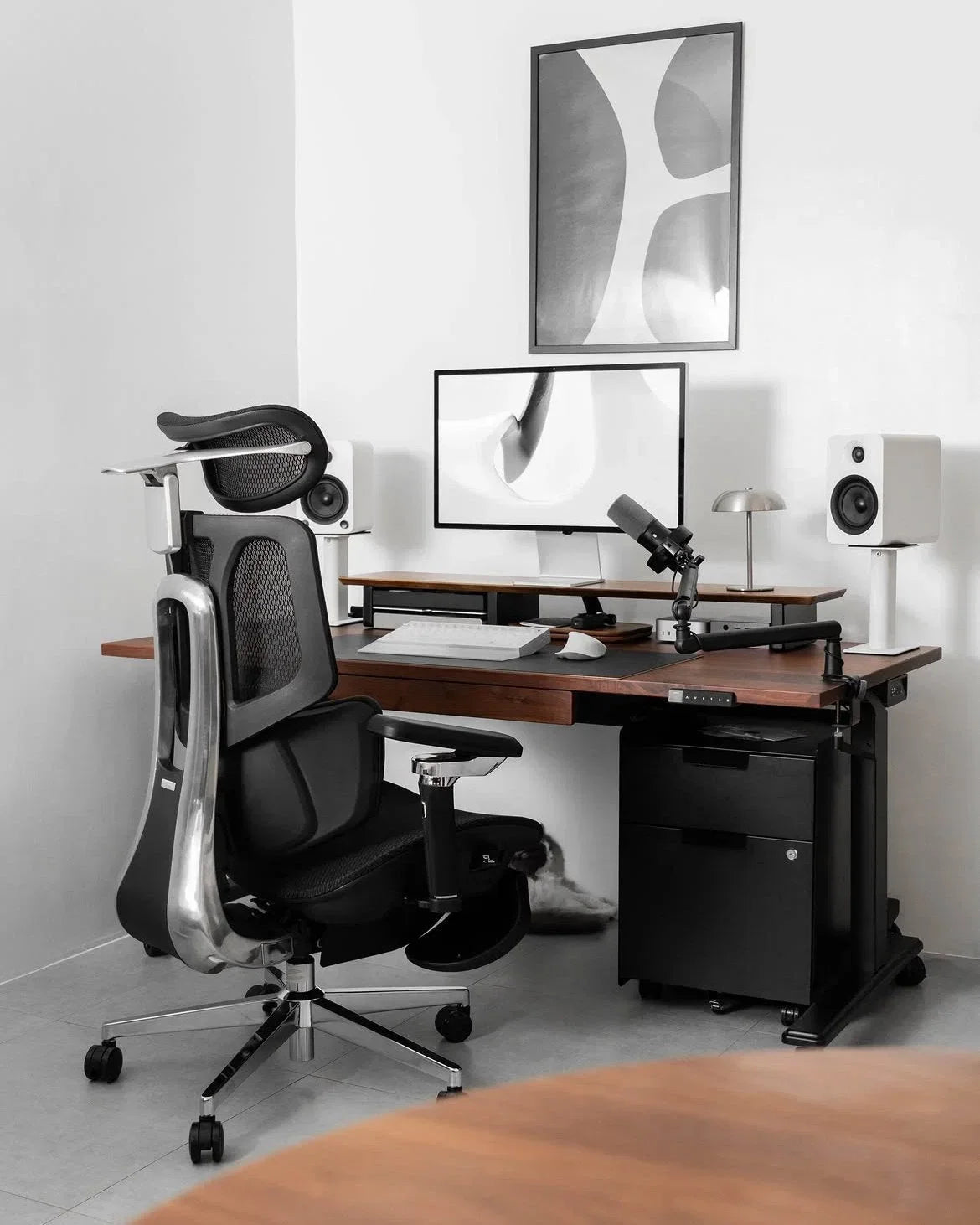 How a HBADA Ergonomic Chair Can Improve Your Work-From-Home Productivity
Working from home can remove the commute and many office distractions, but it can introduce a different problem: a workspace that was never designed for a full working day. If you regularly shift position, feel too warm, or struggle to find comfortable support, part of your attention may be going to your chair instead of your work.
Quick answer: An ergonomic chair does not automatically make someone more productive. However, a properly adjusted chair can reduce physical distractions by supporting a more comfortable working position, accommodating movement and limiting heat buildup. That can make it easier to remain focused during meetings, writing, analysis and other desk-based work.
Below, we explain the practical connection between ergonomic chair productivity and everyday work-from-home performance—and how to choose and adjust a chair for your routine.
Table of Contents
Why Your Chair Can Affect Focus
The Hidden Cost of an Uncomfortable Chair
How Lumbar Support Can Reduce Distractions
Why Staying Cool Matters
Posture, Movement and Working Energy
Features That Support Productive Work
Matching an HBADA Chair to Your Work Style
Setting Up Your Chair for Better Focus
A Chair Is Only Part of a Healthy Work Routine
Frequently Asked Questions
Why Your Chair Can Affect Focus More Than You Think
Focus is easier to maintain when you are not repeatedly thinking about your seating position. If your back feels unsupported, your shoulders are raised or your legs feel uncomfortable while sitting, you may begin shifting, leaning or leaving your desk more often than the task requires.
These small interruptions do not always feel significant in isolation. Over a long working day, however, repeatedly adjusting your position can break the rhythm of focused work and make long meetings feel more demanding.
This is the realistic connection between an ergonomic chair and productivity: the chair supports the conditions for focused work by reducing avoidable physical friction. It cannot create motivation, organise your schedule or complete a task for you.
The Hidden Cost of an Uncomfortable Chair
An uncomfortable chair can affect how you approach the working day. You may postpone a task that requires extended concentration, leave the desk during an important workflow or adopt an awkward position simply because it feels better for a few minutes.
A suitable ergonomic chair gives you more ways to adapt the workspace to your body. Depending on the model, adjustable seat height, seat depth, armrests, recline and lumbar support can help you create a position that feels more natural for typing, reading and video calls.
The goal is not to hold one supposedly perfect posture all day. A productive setup should support comfortable alignment while still allowing you to change position and take regular movement breaks.
How Lumbar Support Can Reduce
Physical Distractions
The lumbar region is the inward curve of the lower back. When the backrest does not meet this area comfortably, some people compensate by slouching, sitting on the edge of the seat or repeatedly changing position.
Adjustable lumbar support lets you position the support closer to your natural lower-back curve. Dynamic systems go a step further by allowing the support to respond as you lean, recline or shift position.
For example, the HBADA X7 Smart Ergonomic Chair uses sensors and a motorised system that HBADA describes as AI Smart Lumbar Tracking. It is designed to adjust the depth of lumbar support as the user’s position changes.
The HBADA E3 Series takes a mechanical approach. Its three-zone lumbar design combines central support with side sections intended to adapt around the waist. These different approaches share one objective: maintaining more consistent contact between the chair and the lower back.
A well-fitted lumbar system may reduce the need for constant manual adjustment, leaving fewer physical distractions competing with the work on your screen. If lumbar support feels overly firm or pushes you forward, however, reduce its depth or reposition it. More pressure is not automatically better support.
Why Staying Cool Matters During Focused Work
Heat buildup can become another source of distraction during long calls or deep-work sessions. A warm seat or backrest may lead to more shifting, especially in summer or in rooms with limited airflow.
Many ergonomic chairs use breathable mesh to improve passive airflow. The HBADA X7 also includes a ventilated seat with three airflow settings powered by dual fans, according to the current product specifications.
Cooling does not directly increase productivity, but it can remove one more reason to interrupt a task. Room temperature, clothing and individual preferences still influence how comfortable the seating surface feels.
Posture, Movement and Working Energy
Ergonomics is not about remaining completely still. Even a well-supported sitting position can become uncomfortable when held for too long. A better strategy is to begin from a balanced working position and change posture regularly.
For keyboard work, aim to keep your feet supported, elbows close to your sides and shoulders relaxed. The screen should be positioned so you can view it without repeatedly bending your neck forward. Your chair should let you recline slightly when appropriate instead of forcing your torso into a rigid vertical position.
Movement remains essential. The US National Institute for Occupational Safety and Health (NIOSH) notes that workers should avoid sitting or standing for too long and reports that short hourly breaks can help reduce discomfort among computer users.
In practice, productive home working usually combines supportive equipment with brief standing, walking and stretching breaks. These pauses can be attached to natural transitions such as finishing a meeting, sending a report or refilling a drink.
Quick Reference: Chair Features That Support Productive Work
Feature
Practical Benefit
What to Check
Adjustable lumbar support
Supports the lower-back curve and may reduce repeated repositioning.
The support should meet your lower back without forcing you forward.
Seat-height adjustment
Helps align the chair with the desk and keep the feet supported.
Confirm that the adjustment range suits your height and desk.
Adjustable seat depth
Helps support the thighs without pressing into the backs of the knees.
Leave a small, comfortable space behind the knees.
Adjustable armrests
Provide somewhere to rest the forearms during typing or mouse use.
Armrests should not raise the shoulders or prevent access to the desk.
Controlled recline
Allows posture changes during reading, calls and short breaks.
Choose a work angle that still keeps the keyboard and screen accessible.
Breathable or ventilated materials
May limit distracting heat buildup during extended sitting.
Consider the temperature and ventilation of your home office.
Matching an HBADA Chair to Your Work-From-Home Style
The most feature-rich chair is not automatically the best choice for every person. Start with your working hours, preferred adjustments, climate and budget, then compare those needs with the chair’s current specifications.
Work-From-Home Need
Model to Consider
Relevant Features
Long workdays and frequent position changes
HBADA X7
AI Smart Lumbar Tracking, ventilated seat, adjustable seat depth and multi-directional armrests.
Detailed mechanical adjustment and targeted lumbar support
HBADA E3 Pro
Three-zone lumbar system, adjustable headrest, armrests and seat depth.
Everyday desk work with a simpler feature set
HBADA E3 Air
Three-zone dynamic lumbar support, breathable mesh and practical adjustments.
Work sessions combined with deeper recline during breaks
HBADA E3 Ultra
Three-zone lumbar support, extended armrest adjustment and footrest configuration.
Product note: Features, configurations, prices and availability may change. Check the current product page and selected variant before purchasing.
How to Set Up Your Chair for Better Focus
Even a highly adjustable chair will not provide its intended support if the settings do not match the user and workstation. Use this sequence as a practical starting point:
Sit fully against the backrest. Avoid perching on the front edge while completing long periods of keyboard work.
Set the seat height. Keep your feet supported by the floor or a footrest, with the knees in a comfortable, open position.
Adjust the seat depth. Support most of the thighs without placing pressure directly behind the knees.
Position the lumbar support. Align it with the inward curve of your lower back and reduce the depth if it feels intrusive.
Lower the shoulders. Bring the armrests under the forearms without pushing the shoulders upward.
Bring work closer. Position the keyboard, mouse and screen so you do not repeatedly reach or lean forward.
Test and readjust. Use the chair for a normal task, then make small changes instead of changing several settings at once.
For more detailed instructions, see our guide on how to adjust an ergonomic chair for better comfort.
A Chair Is Only Part of a Healthy Work Routine
A supportive chair can reduce physical distractions, but it cannot replace movement, rest, task planning or sensible working hours. Hydration, sleep, workload and the way you organise focused work also influence productivity.
Avoid treating any chair as permission to remain seated without interruption. Change position regularly and take brief movement breaks throughout the day. If possible, alternate between sitting, standing and walking rather than looking for one posture to maintain continuously.
Health note: An ergonomic chair is not a treatment for back pain, numbness or another medical condition. Persistent, severe or worsening symptoms should be discussed with a qualified healthcare professional or physiotherapist.
Frequently Asked Questions
Does an ergonomic chair really improve productivity?
It can support productivity indirectly. A properly adjusted chair may reduce discomfort, heat buildup and repeated repositioning, making it easier to concentrate. Research does not support treating a chair as a guaranteed or stand-alone productivity booster.
Which HBADA chair is suitable for long work-from-home days?
The HBADA X7 is designed for users who want automatic lumbar adjustment and an actively ventilated seat. The E3 Pro and E3 Ultra offer extensive mechanical adjustment, while the E3 Air provides a simpler configuration for everyday desk work. The best option depends on your body dimensions, preferred support, workspace and budget.
Can a chair fix a lack of focus?
No. A chair can reduce some physical distractions, but focus also depends on workload, sleep, breaks, noise, digital interruptions and how tasks are organised.
How should lumbar support feel?
Lumbar support should make comfortable contact with the inward curve of the lower back. It should not feel like a hard object forcing the torso forward. Adjust its height and depth gradually until it supports you without creating a new pressure point.
Does a breathable chair help with focus?
Breathable mesh or an actively ventilated seat can help limit heat buildup, which may reduce one source of distraction. Its effect will depend on room temperature, clothing, sitting time and personal preference.
How long does it take to adjust to a new ergonomic chair?
There is no universal adjustment period. Some people find suitable settings quickly, while others need several work sessions to refine the seat, armrest, recline and lumbar positions. Change one setting at a time and do not continue using a position that causes pain or numbness.
Should I still take breaks when using an ergonomic chair?
Yes. An ergonomic chair is designed to support sitting, not eliminate the need to move. Stand, walk or change position regularly during the working day.
Final Thoughts
The connection between an ergonomic chair and productivity is practical rather than magical. When your chair fits your body, supports movement and reduces avoidable discomfort, you have fewer physical distractions competing for attention.
Whether you prefer the X7’s automatic lumbar tracking and ventilated seat, the E3 Pro’s adjustable three-zone support or the more streamlined E3 Air, choose according to fit and working habits—not the longest feature list.
Set the chair up carefully, continue moving throughout the day and let your workspace support the work instead of interrupting it.
Product features referenced in this article are based on HBADA product information available at the time of writing. Specifications, configurations and availability may change.
Aug 19, 2026
How a HBADA Ergonomic Chair Can Improve Your Work-From-Home Productivity
Working from home can remove the commute and many office distractions, but it can introduce a different problem: a workspace that was never designed for a full working day. If you regularly shift position, feel too warm, or struggle to find comfortable support, part of your attention may be going to your chair instead of your work.
Quick answer: An ergonomic chair does not automatically make someone more productive. However, a properly adjusted chair can reduce physical distractions by supporting a more comfortable working position, accommodating movement and limiting heat buildup. That can make it easier to remain focused during meetings, writing, analysis and other desk-based work.
Below, we explain the practical connection between ergonomic chair productivity and everyday work-from-home performance—and how to choose and adjust a chair for your routine.
Table of Contents
Why Your Chair Can Affect Focus
The Hidden Cost of an Uncomfortable Chair
How Lumbar Support Can Reduce Distractions
Why Staying Cool Matters
Posture, Movement and Working Energy
Features That Support Productive Work
Matching an HBADA Chair to Your Work Style
Setting Up Your Chair for Better Focus
A Chair Is Only Part of a Healthy Work Routine
Frequently Asked Questions
Why Your Chair Can Affect Focus More Than You Think
Focus is easier to maintain when you are not repeatedly thinking about your seating position. If your back feels unsupported, your shoulders are raised or your legs feel uncomfortable while sitting, you may begin shifting, leaning or leaving your desk more often than the task requires.
These small interruptions do not always feel significant in isolation. Over a long working day, however, repeatedly adjusting your position can break the rhythm of focused work and make long meetings feel more demanding.
This is the realistic connection between an ergonomic chair and productivity: the chair supports the conditions for focused work by reducing avoidable physical friction. It cannot create motivation, organise your schedule or complete a task for you.
The Hidden Cost of an Uncomfortable Chair
An uncomfortable chair can affect how you approach the working day. You may postpone a task that requires extended concentration, leave the desk during an important workflow or adopt an awkward position simply because it feels better for a few minutes.
A suitable ergonomic chair gives you more ways to adapt the workspace to your body. Depending on the model, adjustable seat height, seat depth, armrests, recline and lumbar support can help you create a position that feels more natural for typing, reading and video calls.
The goal is not to hold one supposedly perfect posture all day. A productive setup should support comfortable alignment while still allowing you to change position and take regular movement breaks.
How Lumbar Support Can Reduce
Physical Distractions
The lumbar region is the inward curve of the lower back. When the backrest does not meet this area comfortably, some people compensate by slouching, sitting on the edge of the seat or repeatedly changing position.
Adjustable lumbar support lets you position the support closer to your natural lower-back curve. Dynamic systems go a step further by allowing the support to respond as you lean, recline or shift position.
For example, the HBADA X7 Smart Ergonomic Chair uses sensors and a motorised system that HBADA describes as AI Smart Lumbar Tracking. It is designed to adjust the depth of lumbar support as the user’s position changes.
The HBADA E3 Series takes a mechanical approach. Its three-zone lumbar design combines central support with side sections intended to adapt around the waist. These different approaches share one objective: maintaining more consistent contact between the chair and the lower back.
A well-fitted lumbar system may reduce the need for constant manual adjustment, leaving fewer physical distractions competing with the work on your screen. If lumbar support feels overly firm or pushes you forward, however, reduce its depth or reposition it. More pressure is not automatically better support.
Why Staying Cool Matters During Focused Work
Heat buildup can become another source of distraction during long calls or deep-work sessions. A warm seat or backrest may lead to more shifting, especially in summer or in rooms with limited airflow.
Many ergonomic chairs use breathable mesh to improve passive airflow. The HBADA X7 also includes a ventilated seat with three airflow settings powered by dual fans, according to the current product specifications.
Cooling does not directly increase productivity, but it can remove one more reason to interrupt a task. Room temperature, clothing and individual preferences still influence how comfortable the seating surface feels.
Posture, Movement and Working Energy
Ergonomics is not about remaining completely still. Even a well-supported sitting position can become uncomfortable when held for too long. A better strategy is to begin from a balanced working position and change posture regularly.
For keyboard work, aim to keep your feet supported, elbows close to your sides and shoulders relaxed. The screen should be positioned so you can view it without repeatedly bending your neck forward. Your chair should let you recline slightly when appropriate instead of forcing your torso into a rigid vertical position.
Movement remains essential. The US National Institute for Occupational Safety and Health (NIOSH) notes that workers should avoid sitting or standing for too long and reports that short hourly breaks can help reduce discomfort among computer users.
In practice, productive home working usually combines supportive equipment with brief standing, walking and stretching breaks. These pauses can be attached to natural transitions such as finishing a meeting, sending a report or refilling a drink.
Quick Reference: Chair Features That Support Productive Work
Feature
Practical Benefit
What to Check
Adjustable lumbar support
Supports the lower-back curve and may reduce repeated repositioning.
The support should meet your lower back without forcing you forward.
Seat-height adjustment
Helps align the chair with the desk and keep the feet supported.
Confirm that the adjustment range suits your height and desk.
Adjustable seat depth
Helps support the thighs without pressing into the backs of the knees.
Leave a small, comfortable space behind the knees.
Adjustable armrests
Provide somewhere to rest the forearms during typing or mouse use.
Armrests should not raise the shoulders or prevent access to the desk.
Controlled recline
Allows posture changes during reading, calls and short breaks.
Choose a work angle that still keeps the keyboard and screen accessible.
Breathable or ventilated materials
May limit distracting heat buildup during extended sitting.
Consider the temperature and ventilation of your home office.
Matching an HBADA Chair to Your Work-From-Home Style
The most feature-rich chair is not automatically the best choice for every person. Start with your working hours, preferred adjustments, climate and budget, then compare those needs with the chair’s current specifications.
Work-From-Home Need
Model to Consider
Relevant Features
Long workdays and frequent position changes
HBADA X7
AI Smart Lumbar Tracking, ventilated seat, adjustable seat depth and multi-directional armrests.
Detailed mechanical adjustment and targeted lumbar support
HBADA E3 Pro
Three-zone lumbar system, adjustable headrest, armrests and seat depth.
Everyday desk work with a simpler feature set
HBADA E3 Air
Three-zone dynamic lumbar support, breathable mesh and practical adjustments.
Work sessions combined with deeper recline during breaks
HBADA E3 Ultra
Three-zone lumbar support, extended armrest adjustment and footrest configuration.
Product note: Features, configurations, prices and availability may change. Check the current product page and selected variant before purchasing.
How to Set Up Your Chair for Better Focus
Even a highly adjustable chair will not provide its intended support if the settings do not match the user and workstation. Use this sequence as a practical starting point:
Sit fully against the backrest. Avoid perching on the front edge while completing long periods of keyboard work.
Set the seat height. Keep your feet supported by the floor or a footrest, with the knees in a comfortable, open position.
Adjust the seat depth. Support most of the thighs without placing pressure directly behind the knees.
Position the lumbar support. Align it with the inward curve of your lower back and reduce the depth if it feels intrusive.
Lower the shoulders. Bring the armrests under the forearms without pushing the shoulders upward.
Bring work closer. Position the keyboard, mouse and screen so you do not repeatedly reach or lean forward.
Test and readjust. Use the chair for a normal task, then make small changes instead of changing several settings at once.
For more detailed instructions, see our guide on how to adjust an ergonomic chair for better comfort.
A Chair Is Only Part of a Healthy Work Routine
A supportive chair can reduce physical distractions, but it cannot replace movement, rest, task planning or sensible working hours. Hydration, sleep, workload and the way you organise focused work also influence productivity.
Avoid treating any chair as permission to remain seated without interruption. Change position regularly and take brief movement breaks throughout the day. If possible, alternate between sitting, standing and walking rather than looking for one posture to maintain continuously.
Health note: An ergonomic chair is not a treatment for back pain, numbness or another medical condition. Persistent, severe or worsening symptoms should be discussed with a qualified healthcare professional or physiotherapist.
Frequently Asked Questions
Does an ergonomic chair really improve productivity?
It can support productivity indirectly. A properly adjusted chair may reduce discomfort, heat buildup and repeated repositioning, making it easier to concentrate. Research does not support treating a chair as a guaranteed or stand-alone productivity booster.
Which HBADA chair is suitable for long work-from-home days?
The HBADA X7 is designed for users who want automatic lumbar adjustment and an actively ventilated seat. The E3 Pro and E3 Ultra offer extensive mechanical adjustment, while the E3 Air provides a simpler configuration for everyday desk work. The best option depends on your body dimensions, preferred support, workspace and budget.
Can a chair fix a lack of focus?
No. A chair can reduce some physical distractions, but focus also depends on workload, sleep, breaks, noise, digital interruptions and how tasks are organised.
How should lumbar support feel?
Lumbar support should make comfortable contact with the inward curve of the lower back. It should not feel like a hard object forcing the torso forward. Adjust its height and depth gradually until it supports you without creating a new pressure point.
Does a breathable chair help with focus?
Breathable mesh or an actively ventilated seat can help limit heat buildup, which may reduce one source of distraction. Its effect will depend on room temperature, clothing, sitting time and personal preference.
How long does it take to adjust to a new ergonomic chair?
There is no universal adjustment period. Some people find suitable settings quickly, while others need several work sessions to refine the seat, armrest, recline and lumbar positions. Change one setting at a time and do not continue using a position that causes pain or numbness.
Should I still take breaks when using an ergonomic chair?
Yes. An ergonomic chair is designed to support sitting, not eliminate the need to move. Stand, walk or change position regularly during the working day.
Final Thoughts
The connection between an ergonomic chair and productivity is practical rather than magical. When your chair fits your body, supports movement and reduces avoidable discomfort, you have fewer physical distractions competing for attention.
Whether you prefer the X7’s automatic lumbar tracking and ventilated seat, the E3 Pro’s adjustable three-zone support or the more streamlined E3 Air, choose according to fit and working habits—not the longest feature list.
Set the chair up carefully, continue moving throughout the day and let your workspace support the work instead of interrupting it.
Product features referenced in this article are based on HBADA product information available at the time of writing. Specifications, configurations and availability may change.
Aug 19, 2026
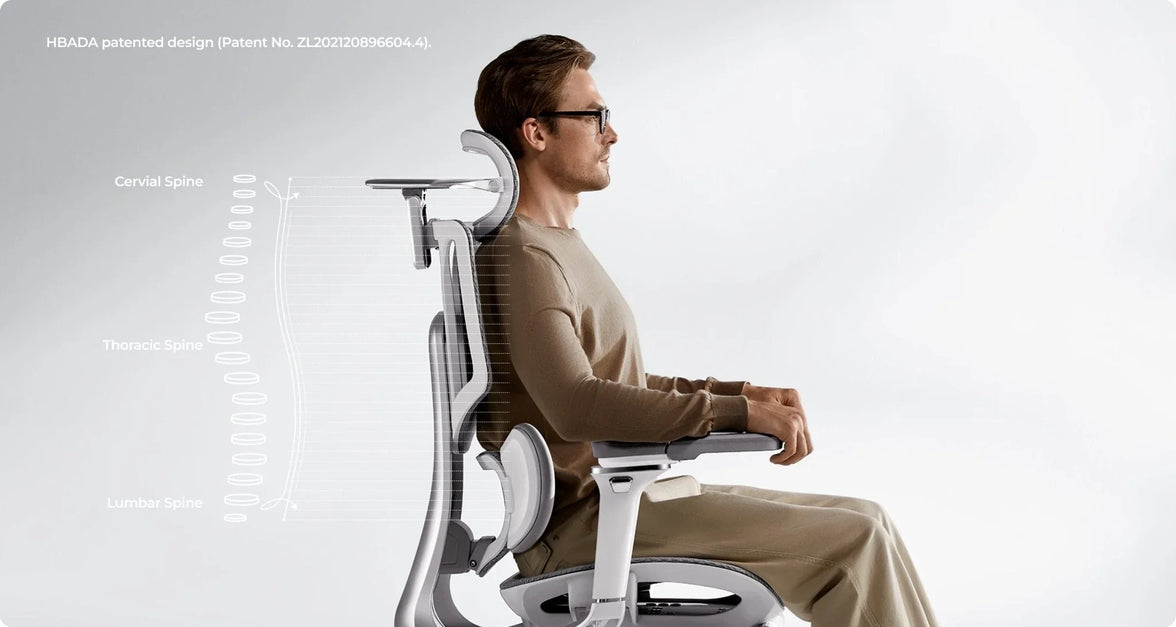 How to Adjust Your Ergonomic Chair for Correct Sitting Posture and Back Pain Relief
Contents
Why adjusting your chair mattersStep-by-step: how to adjust your ergonomic chair1. Set the right seat height2. Adjust seat depth for balance3. Fine-tune the lumbar support4. Recline and tilt tension5. Set armrest and headrest properlyWhen to consider an upgradeExpert tips for long-term comfortFrequently asked questionsFinal thoughts
Why Adjusting Your Chair Matters
Back pain is one of the most common problems for people who work at a desk. On average, office workers spend over 1,800 hours a year sitting, and a poorly adjusted chair can strain your lower back, neck, and shoulders.
An ergonomic chair — especially one with adjustable lumbar support — can make a major difference. When adjusted correctly, it promotes healthy spinal alignment, improves blood circulation, and helps prevent long-term discomfort.
Let’s explore how to fine-tune your chair for the perfect posture.
Step-by-Step: How to Adjust Your Ergonomic Chair for Proper Posture
1. Set the Right Seat Height
Your feet should rest flat on the floor, with your knees at a 90° angle. Adjust the seat height so your thighs are parallel to the ground.
✅ Tip: If your chair is too high, use a footrest. If too low, raise it to avoid putting pressure on your thighs.
2. Adjust Seat Depth for Balance
Leave a 5–7.5 cm (2–3 inch) gap between the edge of your seat and the back of your knees. This allows healthy blood flow while keeping your lower back supported.
If your chair allows, slide the seat pan forward or backward until you feel comfortably balanced.
3. Fine-Tune the Lumbar Support
Proper lumbar positioning is crucial for relieving lower back pain.
Adjust the lumbar support height and depth until it fits naturally into the curve of your spine. A well-fitted office chair with adjustable lumbar support helps your body maintain its natural S-shape — reducing pressure and fatigue during long sitting hours.
4. Recline and Tilt Tension
Your backrest recline angle should be between 95–110°, supporting slight movement while keeping your spine aligned.
Use the tilt tension knob to find resistance that allows you to lean back gently — this encourages active sitting and prevents stiffness.
5. Set Armrest and Headrest Properly
Armrests: Keep your elbows at a 90° angle. This reduces tension in your shoulders and wrists.
Headrest: Adjust it so it supports the middle of your head, not your neck, when you’re leaning back.
✅ Tip: A fully adjustable office chair gives you personalized control over every ergonomic setting — ideal for home offices or long workdays.
When to Consider an Upgrade
If you find that your current chair doesn’t allow enough flexibility or support, it might be time for an upgrade.
A modern ergonomic posture chair or ergonomic zero gravity chair offers advanced lumbar tracking, breathable mesh comfort, and multi-point adjustability that traditional chairs lack.
👉 Explore HBADA’s ergonomic chair collection:Shop HBADA Office Chairs — including the E3 Pro, X7 Smart, and P2 Ergonomic Chair, all designed for long-hour comfort and back health.
Expert Tips for Long-Term Comfort
Take breaks every hour and stand or stretch.
Keep your monitor at eye level to reduce neck strain.
Combine your desk chair adjustment with proper desk height and keyboard placement.
Choose breathable mesh chairs for ventilation — no more sweat or stiffness during long hours.
Frequently Asked Questions
Q: How do I adjust my ergonomic chair?
To properly adjust your ergonomic chair for maximum comfort and posture support, it is best to adjust it from the ground up. Follow these 5 expert steps:
Seat Height:Use the pneumatic lift to raise or lower the seat until your feet are completely flat on the floor and your knees are at a 90-degree angle.
Seat Depth:Slide the seat pan so there is a 5–7 cm gap (about three fingers wide) between the front edge of the seat and the back of your knees to ensure proper blood circulation.
Lumbar Support:Adjust the backrest or lumbar pad up and down so it snugly fits into the natural curve of your lower back.
Armrests:Adjust the armrests so your elbows bend at a 90-degree angle. Your shoulders should be completely relaxed, not hunched.
Backrest Tilt:Set the recline angle between 95° and 110° to reduce pressure on your spinal discs.
Q: What is the 90-90-90 rule in ergonomics?
The 90-90-90 rule is a foundational ergonomic principle designed to maintain a neutral posture and prevent musculoskeletal strain while sitting at a desk.
It dictates that three key joints in your body should be positioned at right angles (90 degrees):
Elbows at 90 degrees: Forearms should rest parallel to the desk or armrests.
Hips at 90 degrees: Your thighs should be parallel to the floor, forming a right angle with your torso.
Knees at 90 degrees: Your lower legs should be completely vertical with your feet resting flat on the ground or a dedicated footrest.
Q: How do you adjust ergonomics for back pain?
If you are experiencing back pain, adjusting your chair to support your spine's natural "S-curve" is critical to relieve lumbar disc pressure:
Target the Lumbar Support:Ensure the lumbar support is positioned exactly at the deepest curve of your lower back (just above your belt line). It should fill the gap between your back and the chair.
Unlock Tilt Tension (Active Sitting):Do not lock your backrest straight at 90 degrees. Allow a slight recline (95°–110°) and loosen the tilt tension knob. This encourages dynamic movement and unloads weight from your lower spine.
Check Foot Support:If your chair is at the correct desk height but your feet dangle, your lower back will compensate and strain. Always use an under-desk footrest to ground your weight.
Q: How to adjust back support on a chair?
Adjusting the back support (lumbar support) varies depending on the mechanisms of your specific chair, but the goal is always anatomical alignment:
Height Adjustment:Slide the lumbar pad (or the entire backrest) up or down. The most pronounced part of the cushion should sit right in the small of your back.
Depth/Tension Adjustment:If your chair features a lumbar dial or dynamic tracking (like the Hbada E3 Pro or X7), turn the knob to increase or decrease the firmness. It should gently push into your lower back to keep you from slouching, but not so hard that it arches your spine unnaturally forward.
Q: How do I know if my seat depth is correctly adjusted?
According to ergonomic experts, the perfect seat depth leaves a 5–7 cm gap between the front edge of the seat and the back of your knees (the popliteal fold).
If the seat is too deep, it will press against your calves and cut off blood flow; if it is too short, your thighs won't receive enough support, leading to fatigue.
Q: Should my ergonomic chair be locked upright or tilted back?
You should avoid sitting rigidly upright at exactly 90 degrees for long periods.
It is recommended to set your backrest recline angle between 95° and 110°. Adjust the tilt tension knob beneath your chair so the backrest provides gentle resistance, allowing you to lean back safely.
This encourages "active sitting" and prevents stiffness.
Q: Can an improperly adjusted chair cause shoulder and wrist pain?
Yes.
If your armrests are too low, you will naturally slouch, straining your upper back. If they are too high, your shoulders will hunch up toward your ears, leading to severe neck and shoulder tension.
Proper adjustment requires your elbows to be at a 90-degree angle, allowing your wrists to hover straight over your keyboard.
Q: Where should the headrest be positioned on an office chair?
A common mistake is placing the headrest behind the neck.
For optimal cervical spine relief, adjust the headrest so that it supports the middle of the back of your head (the occipital bone) when you lean back. This keeps your line of sight forward without pushing your neck into an awkward downward angle.
Q: When is it time to upgrade to a new ergonomic chair?
You should consider an upgrade if your current chair lacks multi-point adjustability (like seat depth or 3D/4D armrests), causes numbness in your legs after an hour, or features flat, unsupportive backrests.
Modern solutions, such as the Hbada E3 Pro or X7 Smart Chair, offer advanced features like dynamic AI lumbar tracking and breathable mesh, which are essential if you sit for more than 8 hours a day.
Q: How do I know if my chair is adjusted correctly?
If your feet rest flat on the floor and your lower back feels naturally supported — you’ve got it right.
Q: Can an ergonomic chair really help with back pain?
Yes.
A properly adjusted ergonomic chair for lower back pain promotes neutral spine alignment, reduces pressure on discs, and improves comfort over time.
Q: What’s the best ergonomic chair for home office work?
Look for an office adjustable chair with adjustable lumbar support, breathable materials, and multi-angle recline — like the HBADA X7 Smart or E3 Air.
Final Thoughts
A good ergonomic setup isn’t just about comfort — it’s about long-term health.
By adjusting your chair to fit your body, you can prevent pain, improve posture, and work more efficiently.
🪑 Find your fit: Discover HBADA Ergonomic Chairs →
Aug 04, 2026
How to Adjust Your Ergonomic Chair for Correct Sitting Posture and Back Pain Relief
Contents
Why adjusting your chair mattersStep-by-step: how to adjust your ergonomic chair1. Set the right seat height2. Adjust seat depth for balance3. Fine-tune the lumbar support4. Recline and tilt tension5. Set armrest and headrest properlyWhen to consider an upgradeExpert tips for long-term comfortFrequently asked questionsFinal thoughts
Why Adjusting Your Chair Matters
Back pain is one of the most common problems for people who work at a desk. On average, office workers spend over 1,800 hours a year sitting, and a poorly adjusted chair can strain your lower back, neck, and shoulders.
An ergonomic chair — especially one with adjustable lumbar support — can make a major difference. When adjusted correctly, it promotes healthy spinal alignment, improves blood circulation, and helps prevent long-term discomfort.
Let’s explore how to fine-tune your chair for the perfect posture.
Step-by-Step: How to Adjust Your Ergonomic Chair for Proper Posture
1. Set the Right Seat Height
Your feet should rest flat on the floor, with your knees at a 90° angle. Adjust the seat height so your thighs are parallel to the ground.
✅ Tip: If your chair is too high, use a footrest. If too low, raise it to avoid putting pressure on your thighs.
2. Adjust Seat Depth for Balance
Leave a 5–7.5 cm (2–3 inch) gap between the edge of your seat and the back of your knees. This allows healthy blood flow while keeping your lower back supported.
If your chair allows, slide the seat pan forward or backward until you feel comfortably balanced.
3. Fine-Tune the Lumbar Support
Proper lumbar positioning is crucial for relieving lower back pain.
Adjust the lumbar support height and depth until it fits naturally into the curve of your spine. A well-fitted office chair with adjustable lumbar support helps your body maintain its natural S-shape — reducing pressure and fatigue during long sitting hours.
4. Recline and Tilt Tension
Your backrest recline angle should be between 95–110°, supporting slight movement while keeping your spine aligned.
Use the tilt tension knob to find resistance that allows you to lean back gently — this encourages active sitting and prevents stiffness.
5. Set Armrest and Headrest Properly
Armrests: Keep your elbows at a 90° angle. This reduces tension in your shoulders and wrists.
Headrest: Adjust it so it supports the middle of your head, not your neck, when you’re leaning back.
✅ Tip: A fully adjustable office chair gives you personalized control over every ergonomic setting — ideal for home offices or long workdays.
When to Consider an Upgrade
If you find that your current chair doesn’t allow enough flexibility or support, it might be time for an upgrade.
A modern ergonomic posture chair or ergonomic zero gravity chair offers advanced lumbar tracking, breathable mesh comfort, and multi-point adjustability that traditional chairs lack.
👉 Explore HBADA’s ergonomic chair collection:Shop HBADA Office Chairs — including the E3 Pro, X7 Smart, and P2 Ergonomic Chair, all designed for long-hour comfort and back health.
Expert Tips for Long-Term Comfort
Take breaks every hour and stand or stretch.
Keep your monitor at eye level to reduce neck strain.
Combine your desk chair adjustment with proper desk height and keyboard placement.
Choose breathable mesh chairs for ventilation — no more sweat or stiffness during long hours.
Frequently Asked Questions
Q: How do I adjust my ergonomic chair?
To properly adjust your ergonomic chair for maximum comfort and posture support, it is best to adjust it from the ground up. Follow these 5 expert steps:
Seat Height:Use the pneumatic lift to raise or lower the seat until your feet are completely flat on the floor and your knees are at a 90-degree angle.
Seat Depth:Slide the seat pan so there is a 5–7 cm gap (about three fingers wide) between the front edge of the seat and the back of your knees to ensure proper blood circulation.
Lumbar Support:Adjust the backrest or lumbar pad up and down so it snugly fits into the natural curve of your lower back.
Armrests:Adjust the armrests so your elbows bend at a 90-degree angle. Your shoulders should be completely relaxed, not hunched.
Backrest Tilt:Set the recline angle between 95° and 110° to reduce pressure on your spinal discs.
Q: What is the 90-90-90 rule in ergonomics?
The 90-90-90 rule is a foundational ergonomic principle designed to maintain a neutral posture and prevent musculoskeletal strain while sitting at a desk.
It dictates that three key joints in your body should be positioned at right angles (90 degrees):
Elbows at 90 degrees: Forearms should rest parallel to the desk or armrests.
Hips at 90 degrees: Your thighs should be parallel to the floor, forming a right angle with your torso.
Knees at 90 degrees: Your lower legs should be completely vertical with your feet resting flat on the ground or a dedicated footrest.
Q: How do you adjust ergonomics for back pain?
If you are experiencing back pain, adjusting your chair to support your spine's natural "S-curve" is critical to relieve lumbar disc pressure:
Target the Lumbar Support:Ensure the lumbar support is positioned exactly at the deepest curve of your lower back (just above your belt line). It should fill the gap between your back and the chair.
Unlock Tilt Tension (Active Sitting):Do not lock your backrest straight at 90 degrees. Allow a slight recline (95°–110°) and loosen the tilt tension knob. This encourages dynamic movement and unloads weight from your lower spine.
Check Foot Support:If your chair is at the correct desk height but your feet dangle, your lower back will compensate and strain. Always use an under-desk footrest to ground your weight.
Q: How to adjust back support on a chair?
Adjusting the back support (lumbar support) varies depending on the mechanisms of your specific chair, but the goal is always anatomical alignment:
Height Adjustment:Slide the lumbar pad (or the entire backrest) up or down. The most pronounced part of the cushion should sit right in the small of your back.
Depth/Tension Adjustment:If your chair features a lumbar dial or dynamic tracking (like the Hbada E3 Pro or X7), turn the knob to increase or decrease the firmness. It should gently push into your lower back to keep you from slouching, but not so hard that it arches your spine unnaturally forward.
Q: How do I know if my seat depth is correctly adjusted?
According to ergonomic experts, the perfect seat depth leaves a 5–7 cm gap between the front edge of the seat and the back of your knees (the popliteal fold).
If the seat is too deep, it will press against your calves and cut off blood flow; if it is too short, your thighs won't receive enough support, leading to fatigue.
Q: Should my ergonomic chair be locked upright or tilted back?
You should avoid sitting rigidly upright at exactly 90 degrees for long periods.
It is recommended to set your backrest recline angle between 95° and 110°. Adjust the tilt tension knob beneath your chair so the backrest provides gentle resistance, allowing you to lean back safely.
This encourages "active sitting" and prevents stiffness.
Q: Can an improperly adjusted chair cause shoulder and wrist pain?
Yes.
If your armrests are too low, you will naturally slouch, straining your upper back. If they are too high, your shoulders will hunch up toward your ears, leading to severe neck and shoulder tension.
Proper adjustment requires your elbows to be at a 90-degree angle, allowing your wrists to hover straight over your keyboard.
Q: Where should the headrest be positioned on an office chair?
A common mistake is placing the headrest behind the neck.
For optimal cervical spine relief, adjust the headrest so that it supports the middle of the back of your head (the occipital bone) when you lean back. This keeps your line of sight forward without pushing your neck into an awkward downward angle.
Q: When is it time to upgrade to a new ergonomic chair?
You should consider an upgrade if your current chair lacks multi-point adjustability (like seat depth or 3D/4D armrests), causes numbness in your legs after an hour, or features flat, unsupportive backrests.
Modern solutions, such as the Hbada E3 Pro or X7 Smart Chair, offer advanced features like dynamic AI lumbar tracking and breathable mesh, which are essential if you sit for more than 8 hours a day.
Q: How do I know if my chair is adjusted correctly?
If your feet rest flat on the floor and your lower back feels naturally supported — you’ve got it right.
Q: Can an ergonomic chair really help with back pain?
Yes.
A properly adjusted ergonomic chair for lower back pain promotes neutral spine alignment, reduces pressure on discs, and improves comfort over time.
Q: What’s the best ergonomic chair for home office work?
Look for an office adjustable chair with adjustable lumbar support, breathable materials, and multi-angle recline — like the HBADA X7 Smart or E3 Air.
Final Thoughts
A good ergonomic setup isn’t just about comfort — it’s about long-term health.
By adjusting your chair to fit your body, you can prevent pain, improve posture, and work more efficiently.
🪑 Find your fit: Discover HBADA Ergonomic Chairs →
Aug 04, 2026
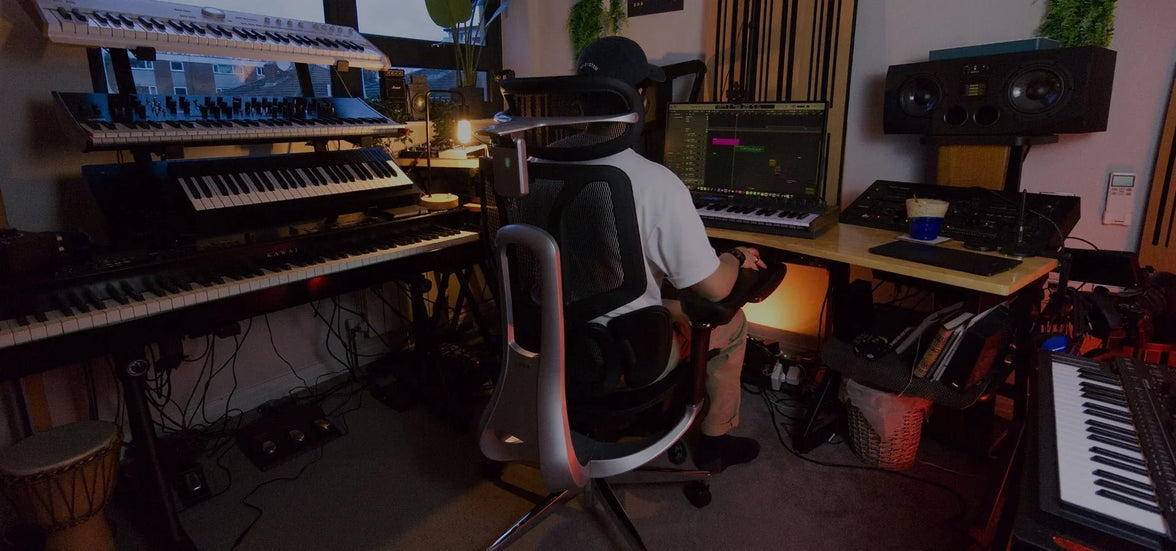 5 Ways the Wrong Armrest Position Is Damaging Your Shoulders—How to Fix
Table of Contents
Shoulder Elevation and "The Shrug" Effect
Wide Armrest "Wingspan" and Rotator Cuff Strain
The "Floating Arm" Syndrome
Interference with Desk Proximity
Uneven Loading and Postural Lean
HBADA Armrest Technology Comparison
Frequently Asked Questions
Conclusion
If you end your workday with shoulder or neck discomfort, your armrests may be the cause.
Though often overlooked, their position is crucial for offloading upper-body weight.
Misaligned armrests make your muscles work harder, leading to strain.
Here are five ways your chair setup may harm your shoulders, along with how to correct them.
Shoulder Elevation and "The Shrug" Effect
One of the most common issues occurs when armrests are set too high.
This forces your shoulders into a permanent “shrug,” compressing the trapezius muscles and restricting blood flow to your neck.
Over several hours, this static tension leads to severe stiffness and tension headaches.
The Fix: Precise Height Calibration
To achieve ergonomic armrests for shoulder relief and posture alignment, lower the supports until your shoulders drop into a natural, relaxed position.
Your elbows should form about a 90-degree angle as your forearms rest on the pads.
If you find your chair’s increments too large, you may need an ergonomic chair with precise armrest positioning to find the perfect, stress-free height.
Wide Armrest “Wingspan” and Rotator Cuff Strain
Many standard office chairs often have armrests that are too wide.
This forces your arms out, causing your shoulder blades to move away from your spine. This stresses the rotator cuff and surrounding tendons.
The Fix: Inward Pivot Adjustments
Choose an Hbada office chair with multidirectional armrest adjustment that allows the pads to pivot inward.
By bringing the armrests closer to your torso, your elbows stay tucked by your sides.
This keeps your humerus (upper arm bone) securely in the shoulder socket, preventing the long-term wear and tear associated with reaching.
The “Floating Arm” Syndrome
When armrests are too low or missing entirely, your shoulders must bear the full weight of your arms.
At roughly 10% of your total body weight, this constant downward pull strains the ligaments and causes “slumping.”
Your chest collapses forward, disrupting your spinal alignment.
The Fix: Full Support for Long Hours
If you are struggling with how to fix shoulder pain from an office chair, the answer is consistent weight distribution.
Using an adjustable armrest ergonomic chair for long hours ensures your arms are always supported, whether you are leaning back to read or sitting upright to type.
Our premium ergonomic chair with full-arm support adjustment offers the range you need to bridge the gap between your body and your desk.
Interference with Desk Proximity
If your armrests hit the edge of your desk, you are forced to sit too far away from your keyboard.
This causes you to lean forward and hunch your back, which is a leading cause of both shoulder impingement and lower back issues.
Uneven Loading and Postural Lean
Most people have a dominant hand, leading them to lean heavily on one armrest while the other “floats.”
This creates a pelvic tilt and an asymmetrical shoulder line, which can eventually contribute to scoliosis-like symptoms or aggravate existing spinal conditions.
The Fix: Symmetrical Alignment and Core Engagement
Even when using an ergonomic chair with adjustable armrests for shoulder pain, you must remain mindful of your balance.
Set both armrests to the exact same height and width. This encourages a centered sitting position.
This is especially important when managing complex issues.
For example, when considering the best sitting position for a herniated disc, symmetry is key to evenly distributing pressure across your spinal discs.
Hbada Armrest Technology Comparison
We engineer our products to provide active relief.
Whether you are dealing with minor tension or chronic pain, our armrest technology is designed to adapt to your unique biomechanics.
Frequently Asked Questions (FAQ)
Q: How do I know if my armrests are at the right height?A: Your armrests are correct if your shoulders are relaxed and your elbows are at 90 degrees. You should reach your keyboard without lifting your shoulders or dropping your elbows.
Q: Should I use armrests while typing?A: Yes, use armrests while typing. They support your arms, reducing strain on your back and neck.
Q: Can the armrest position affect my lower back?A: Yes. Poor armrest position forces you to slouch, stressing your lower back.
Q: What is the benefit of a “multi-directional” armrest?
A: Multi-directional armrests adjust height, width, depth, and pivot, adapting for different tasks and users.
Q: Can a better chair help with a herniated disc?
A: While not a cure, ergonomic chairs support your spine and help relieve disc pressure.
Conclusion
Your shoulders carry enough stress; your office chair shouldn’t add to it.
By identifying these five common armrest mistakes, you can take immediate action to align your body and eliminate workday pain.
Remember that true ergonomic comfort comes from a chair that adjusts to you, not the other way around.
Invest in a solution with multi-directional armrest adjustment today.
Choose the best ergonomic chair for you and give your shoulders the relief they deserve so you can focus on what truly matters, your work and your well-being.
Jul 30, 2026
5 Ways the Wrong Armrest Position Is Damaging Your Shoulders—How to Fix
Table of Contents
Shoulder Elevation and "The Shrug" Effect
Wide Armrest "Wingspan" and Rotator Cuff Strain
The "Floating Arm" Syndrome
Interference with Desk Proximity
Uneven Loading and Postural Lean
HBADA Armrest Technology Comparison
Frequently Asked Questions
Conclusion
If you end your workday with shoulder or neck discomfort, your armrests may be the cause.
Though often overlooked, their position is crucial for offloading upper-body weight.
Misaligned armrests make your muscles work harder, leading to strain.
Here are five ways your chair setup may harm your shoulders, along with how to correct them.
Shoulder Elevation and "The Shrug" Effect
One of the most common issues occurs when armrests are set too high.
This forces your shoulders into a permanent “shrug,” compressing the trapezius muscles and restricting blood flow to your neck.
Over several hours, this static tension leads to severe stiffness and tension headaches.
The Fix: Precise Height Calibration
To achieve ergonomic armrests for shoulder relief and posture alignment, lower the supports until your shoulders drop into a natural, relaxed position.
Your elbows should form about a 90-degree angle as your forearms rest on the pads.
If you find your chair’s increments too large, you may need an ergonomic chair with precise armrest positioning to find the perfect, stress-free height.
Wide Armrest “Wingspan” and Rotator Cuff Strain
Many standard office chairs often have armrests that are too wide.
This forces your arms out, causing your shoulder blades to move away from your spine. This stresses the rotator cuff and surrounding tendons.
The Fix: Inward Pivot Adjustments
Choose an Hbada office chair with multidirectional armrest adjustment that allows the pads to pivot inward.
By bringing the armrests closer to your torso, your elbows stay tucked by your sides.
This keeps your humerus (upper arm bone) securely in the shoulder socket, preventing the long-term wear and tear associated with reaching.
The “Floating Arm” Syndrome
When armrests are too low or missing entirely, your shoulders must bear the full weight of your arms.
At roughly 10% of your total body weight, this constant downward pull strains the ligaments and causes “slumping.”
Your chest collapses forward, disrupting your spinal alignment.
The Fix: Full Support for Long Hours
If you are struggling with how to fix shoulder pain from an office chair, the answer is consistent weight distribution.
Using an adjustable armrest ergonomic chair for long hours ensures your arms are always supported, whether you are leaning back to read or sitting upright to type.
Our premium ergonomic chair with full-arm support adjustment offers the range you need to bridge the gap between your body and your desk.
Interference with Desk Proximity
If your armrests hit the edge of your desk, you are forced to sit too far away from your keyboard.
This causes you to lean forward and hunch your back, which is a leading cause of both shoulder impingement and lower back issues.
Uneven Loading and Postural Lean
Most people have a dominant hand, leading them to lean heavily on one armrest while the other “floats.”
This creates a pelvic tilt and an asymmetrical shoulder line, which can eventually contribute to scoliosis-like symptoms or aggravate existing spinal conditions.
The Fix: Symmetrical Alignment and Core Engagement
Even when using an ergonomic chair with adjustable armrests for shoulder pain, you must remain mindful of your balance.
Set both armrests to the exact same height and width. This encourages a centered sitting position.
This is especially important when managing complex issues.
For example, when considering the best sitting position for a herniated disc, symmetry is key to evenly distributing pressure across your spinal discs.
Hbada Armrest Technology Comparison
We engineer our products to provide active relief.
Whether you are dealing with minor tension or chronic pain, our armrest technology is designed to adapt to your unique biomechanics.
Frequently Asked Questions (FAQ)
Q: How do I know if my armrests are at the right height?A: Your armrests are correct if your shoulders are relaxed and your elbows are at 90 degrees. You should reach your keyboard without lifting your shoulders or dropping your elbows.
Q: Should I use armrests while typing?A: Yes, use armrests while typing. They support your arms, reducing strain on your back and neck.
Q: Can the armrest position affect my lower back?A: Yes. Poor armrest position forces you to slouch, stressing your lower back.
Q: What is the benefit of a “multi-directional” armrest?
A: Multi-directional armrests adjust height, width, depth, and pivot, adapting for different tasks and users.
Q: Can a better chair help with a herniated disc?
A: While not a cure, ergonomic chairs support your spine and help relieve disc pressure.
Conclusion
Your shoulders carry enough stress; your office chair shouldn’t add to it.
By identifying these five common armrest mistakes, you can take immediate action to align your body and eliminate workday pain.
Remember that true ergonomic comfort comes from a chair that adjusts to you, not the other way around.
Invest in a solution with multi-directional armrest adjustment today.
Choose the best ergonomic chair for you and give your shoulders the relief they deserve so you can focus on what truly matters, your work and your well-being.
Jul 30, 2026
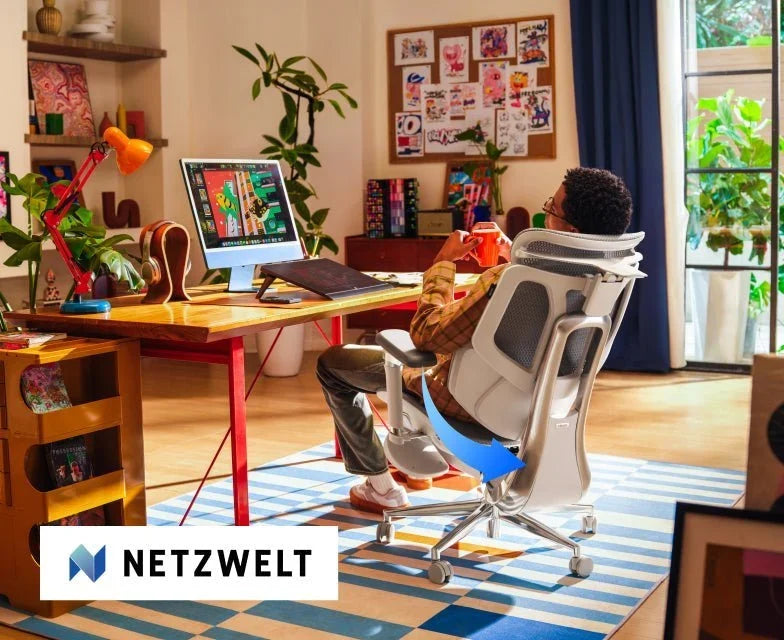 Best ergonomic chair of 2026? Netzwelt reviews the HBADA E3 Series – focusing on its design to reduce back and neck strain
Netzwelt is one of Germany's most-read consumer technology publications.Their audience reads carefully and buys on specifics — they want to know what a product actually does, not what a brand says about itself.
When Netzwelt writer Katrin Starke covered the HBADA E3 series launch, she opened with the problem most of their readers know firsthand:
a few hours in the wrong chair, and the tension in your back doesn't leave quickly.
That framing set the tone for the rest of the piece.
The Argument Netzwelt Made for the E3 Pro
Starke's assessment of the E3 Pro centred on a design decision that Netzwelt's readers clearly found notable:
the chair achieves its adaptability entirely through mechanical precision, without electronics.
The bio-synchronized approach — highly calibrated mechanical adjustments that respond to the body dynamically — means there are no sensors to fail, no software to update, no components that degrade differently from the rest of the chair.
For a German readership that values engineering reliability, that framing landed well.
The E3 Pro's three-zone lumbar system with floating side wings, dual-axis headrest, adjustable backrest height, seat depth adjustment, and dual 360° rotating armrests are all mechanical
— all the precision, none of the failure points.
Netzwelt described it as a chair that adapts to the body without delay.
That's not marketing language — it's the functional description of what bio-synchronized mechanical linkage actually does when it's well-engineered.
The Case for the E3 Air — and Who It's Actually For
Starke was clear about who the E3 Air is pitched to,
and that sort of straightforward product guidance is what help keep readers of this site around.
She didn't dance too much around the fact that it's a budget alternative or inferior option — she just puts it in terms of usage pattern.
If you aren't a desk rabbit for eight continuous hours (maybe your day consists of a home office stint, some time away, a night of gaming or a read session) the design thinking behind the E3 Air makes more sense than the Pro's.
What Netzwelt particularly appreciated is its 140-degree zero-gravity recline with five locking positions:
a chair that can also serve as a real rest station while working and not just a positioning seat that reclines.
The other highlight from their coverage was the CloudMesh 4-way stretch fabric.
The fabric is fundamentally more flexible and breathable than regular mesh — which is an advantage in the German conditions of warm summers and cold, dark winters.
Netzwelt said it absorbs heat without making drafts.
Their tech summary was rounded out by the SGS Class-4 explosion-proof gas lift and the sound-dampening PU castors
— both indicators that this is a chair designed for long-term daily use rather than short-term showroom style.
Why This Coverage Matters for the European Market
The E3 series launched in Germany on April 2, 2026.Netzwelt's coverage appeared at launch — reaching an audience of professionals and home office workers who were actively evaluating ergonomic chair options at exactly the moment HBADA entered the market.
Starke's piece didn't oversell.She presented what each model does, who each model is for, and what the engineering behind each is built around.
That kind of grounded coverage from a trusted German publication is more valuable than a larger, more effusive piece would be— because Netzwelt's readers know the difference.
Explore the HBADA E3 Pro →
Explore the HBADA E3 Air →
This post references paid coverage arranged with Netzwelt (Germany),published March 26, 2026.All editorial perspectives belong to Netzwelt and Katrin Starke.
Click to check:"Jetzt 50 Euro Launch-Rabatt sichern: HBADA macht Schluss mit Rücken- und Nackenschmerzen"
Frequently Asked Questions
Is the HBADA E3 Pro the best ergonomic chair for back pain in 2026?
For people spending 6–10 hours a day at a desk, the E3 Pro is one of the most complete mechanical ergonomic chairs available at its price point.
Its three-zone floating wing lumbar system, dual-axis headrest, seat depth adjustment, and 360° rotating armrests address the full range of postural variables that cause back and neck pain during extended sitting.
It was developed using bio-synchronized ergonomics principles and is independently certified by IGR (Institute for Health and Ergonomics, Germany) and BIFMA X5.1-2017.
What is the difference between the HBADA E3 Pro and E3 Air?
The E3 Pro is built for intensive daily use — 6 to 10 hours — and prioritises precision mechanical adjustability across every support zone.
The E3 Air is designed for lighter or mixed-use days and prioritises breathability and recline comfort,
with its 140° zero-gravity recline and CloudMesh 4-way stretch fabric making it the better choice for anyone who wants a chair that works equally well for focused work and proper rest breaks.
Does the HBADA E3 Pro use electronics or AI?
No. The E3 Pro is entirely mechanical — no sensors, no motors, no software.
This is a deliberate design decision: bio-synchronized mechanical precision means the chair responds to body movement without any electronic components that could fail or require updates.
The AI lumbar tracking system is exclusive to the HBADA X7 Smart Chair for users who want automated adaptation.
Is the CloudMesh on the E3 Air better than standard mesh?
Yes, measurably. The CloudMesh 4-way stretch fabric used in the E3 Air provides 83% more elasticity and breathability than conventional single-direction mesh, according to HBADA's materials testing.
It prevents heat build-up during long sessions without creating cold drafts — a balance that standard mesh chairs frequently fail to achieve in rooms with variable temperatures.
What certifications do the HBADA E3 series chairs carry?
Both E3 models carry:
BIFMA X5.1-2017 certification (the US standard for commercial office seating durability, tested to 100,000+ impact cycles)
IGR certification (Germany's Institute for Health and Ergonomics, verifying genuine lumbar support)
SGS Class-4 gas lift certification (120,000+ cycle testing, anti-explosion design)
TÜV Rheinland structural safety certification
Third-party laboratories — not self-reported claims — independently verify these.
How long does the HBADA E3 Pro warranty last?
The E3 Pro carries a 3-year warranty on core components (base, gas lift, and casters)
and a 3-year standard warranty across other components.
HBADA ships from EU warehouses for European orders, meaning warranty fulfilment and replacement parts are handled without international shipping delays.
Jul 30, 2026
Best ergonomic chair of 2026? Netzwelt reviews the HBADA E3 Series – focusing on its design to reduce back and neck strain
Netzwelt is one of Germany's most-read consumer technology publications.Their audience reads carefully and buys on specifics — they want to know what a product actually does, not what a brand says about itself.
When Netzwelt writer Katrin Starke covered the HBADA E3 series launch, she opened with the problem most of their readers know firsthand:
a few hours in the wrong chair, and the tension in your back doesn't leave quickly.
That framing set the tone for the rest of the piece.
The Argument Netzwelt Made for the E3 Pro
Starke's assessment of the E3 Pro centred on a design decision that Netzwelt's readers clearly found notable:
the chair achieves its adaptability entirely through mechanical precision, without electronics.
The bio-synchronized approach — highly calibrated mechanical adjustments that respond to the body dynamically — means there are no sensors to fail, no software to update, no components that degrade differently from the rest of the chair.
For a German readership that values engineering reliability, that framing landed well.
The E3 Pro's three-zone lumbar system with floating side wings, dual-axis headrest, adjustable backrest height, seat depth adjustment, and dual 360° rotating armrests are all mechanical
— all the precision, none of the failure points.
Netzwelt described it as a chair that adapts to the body without delay.
That's not marketing language — it's the functional description of what bio-synchronized mechanical linkage actually does when it's well-engineered.
The Case for the E3 Air — and Who It's Actually For
Starke was clear about who the E3 Air is pitched to,
and that sort of straightforward product guidance is what help keep readers of this site around.
She didn't dance too much around the fact that it's a budget alternative or inferior option — she just puts it in terms of usage pattern.
If you aren't a desk rabbit for eight continuous hours (maybe your day consists of a home office stint, some time away, a night of gaming or a read session) the design thinking behind the E3 Air makes more sense than the Pro's.
What Netzwelt particularly appreciated is its 140-degree zero-gravity recline with five locking positions:
a chair that can also serve as a real rest station while working and not just a positioning seat that reclines.
The other highlight from their coverage was the CloudMesh 4-way stretch fabric.
The fabric is fundamentally more flexible and breathable than regular mesh — which is an advantage in the German conditions of warm summers and cold, dark winters.
Netzwelt said it absorbs heat without making drafts.
Their tech summary was rounded out by the SGS Class-4 explosion-proof gas lift and the sound-dampening PU castors
— both indicators that this is a chair designed for long-term daily use rather than short-term showroom style.
Why This Coverage Matters for the European Market
The E3 series launched in Germany on April 2, 2026.Netzwelt's coverage appeared at launch — reaching an audience of professionals and home office workers who were actively evaluating ergonomic chair options at exactly the moment HBADA entered the market.
Starke's piece didn't oversell.She presented what each model does, who each model is for, and what the engineering behind each is built around.
That kind of grounded coverage from a trusted German publication is more valuable than a larger, more effusive piece would be— because Netzwelt's readers know the difference.
Explore the HBADA E3 Pro →
Explore the HBADA E3 Air →
This post references paid coverage arranged with Netzwelt (Germany),published March 26, 2026.All editorial perspectives belong to Netzwelt and Katrin Starke.
Click to check:"Jetzt 50 Euro Launch-Rabatt sichern: HBADA macht Schluss mit Rücken- und Nackenschmerzen"
Frequently Asked Questions
Is the HBADA E3 Pro the best ergonomic chair for back pain in 2026?
For people spending 6–10 hours a day at a desk, the E3 Pro is one of the most complete mechanical ergonomic chairs available at its price point.
Its three-zone floating wing lumbar system, dual-axis headrest, seat depth adjustment, and 360° rotating armrests address the full range of postural variables that cause back and neck pain during extended sitting.
It was developed using bio-synchronized ergonomics principles and is independently certified by IGR (Institute for Health and Ergonomics, Germany) and BIFMA X5.1-2017.
What is the difference between the HBADA E3 Pro and E3 Air?
The E3 Pro is built for intensive daily use — 6 to 10 hours — and prioritises precision mechanical adjustability across every support zone.
The E3 Air is designed for lighter or mixed-use days and prioritises breathability and recline comfort,
with its 140° zero-gravity recline and CloudMesh 4-way stretch fabric making it the better choice for anyone who wants a chair that works equally well for focused work and proper rest breaks.
Does the HBADA E3 Pro use electronics or AI?
No. The E3 Pro is entirely mechanical — no sensors, no motors, no software.
This is a deliberate design decision: bio-synchronized mechanical precision means the chair responds to body movement without any electronic components that could fail or require updates.
The AI lumbar tracking system is exclusive to the HBADA X7 Smart Chair for users who want automated adaptation.
Is the CloudMesh on the E3 Air better than standard mesh?
Yes, measurably. The CloudMesh 4-way stretch fabric used in the E3 Air provides 83% more elasticity and breathability than conventional single-direction mesh, according to HBADA's materials testing.
It prevents heat build-up during long sessions without creating cold drafts — a balance that standard mesh chairs frequently fail to achieve in rooms with variable temperatures.
What certifications do the HBADA E3 series chairs carry?
Both E3 models carry:
BIFMA X5.1-2017 certification (the US standard for commercial office seating durability, tested to 100,000+ impact cycles)
IGR certification (Germany's Institute for Health and Ergonomics, verifying genuine lumbar support)
SGS Class-4 gas lift certification (120,000+ cycle testing, anti-explosion design)
TÜV Rheinland structural safety certification
Third-party laboratories — not self-reported claims — independently verify these.
How long does the HBADA E3 Pro warranty last?
The E3 Pro carries a 3-year warranty on core components (base, gas lift, and casters)
and a 3-year standard warranty across other components.
HBADA ships from EU warehouses for European orders, meaning warranty fulfilment and replacement parts are handled without international shipping delays.
Jul 30, 2026
 CNET Featured the HBADA E3 Pro — and Highlighted the Feature Most Buyers Overlook
CNET's deals and reviews team covers hundreds of products a week.When they single out a specific feature as the reason something is worth buying, it's worth paying attention to which feature they chose.
For the HBADA E3 Pro, it was not the price, not the design, not the spec list.It was the lumbar system.
The three-zone floating wing lumbar that auto-wraps as you move.It wraps around your lower back as you sit and shift, keeping you comfortable through long hours of desk work.
What CNET's Writer Actually Said
Sneha Iyer's coverage was brief and direct, which is exactly what makes it credible.She wasn't writing a technical deep-dive — she was writing for someone who needs to know quickly whether something is worth their attention.
Her framing: the E3 Pro "is designed to adapt to how you sit rather than forcing you into a fixed position all day."
Then, immediately, the feature that earned that description — the three-zone floating wing lumbar.
She noted it auto-wraps whether you're leaning forward to type or reclining to watch something.By wrapping around your lower back as your posture changes, it keeps you comfortable through long hours of work.
That's a precise observation from someone who spent time in the chair.
Static lumbar pads don't auto-wrap. They sit where you set them.The E3 Pro's three-zone structure moves with your posture rather than waiting for you to manually readjust
— a distinction that only becomes obvious after a few hours of real use.
She also called out the dual rotatable armrests— noting they flip up and down to accommodate keyboard work and handheld gaming —
and confirmed the chair supports users up to 6'5".
These are the details that come from actually using something, not from reading a spec sheet.
Why the E3 Air Got a Mention Too
Iyer didn't stop at the E3 Pro. She pointed readers toward the E3 Air as the alternative for anyone looking for a more compact option
— noting the 140° recline with five locking positions and describing the CloudMesh upholstery as offering "more breathability, which matters more than you'd think during long sessions."
That last phrase is honest in a way that marketing copy rarely is. It's the kind of observation that comes from experience rather than specification.
Breathability is one of those features that sounds like a nice-to-haveuntil you've spent eight hours in a chair that doesn't have it.
In conclusion
What earned the HBADA E3 Pro its recognition was not simply a long list of features.Lumbar support that moves with you, a design built for long hours, and comfort grounded in real use are what make this chair stand out.
The summary Iyer landed on was simple:
"a solid investment for anyone spending time at their desk."
Adaptive lumbar support and flexible armrests set it apart.
No hyperbole, no brand language— just a clean verdict from a publication that evaluates technology for a living.
For a chair competing in a category where most marketing sounds identical, that kind of unadorned recommendation from CNET carries more weight than a longer, more effusive one would.
Shop the HBADA E3 Pro →
Shop the HBADA E3 Air →
This post references paid coverage arranged with CNET.Source: CNET "HBADA Ergonomic Office Chairs Deals", published April 1, 2026.All editorial opinions belong to CNET and Sneha Iyer.
For more knowledge about the ergo task chair, we offer some simple answers to check:
What are the disadvantages of a mesh chair/mesh fabric?
Traditional mesh can sag over time, losing its ergonomic shape, and lower-quality mesh can feel abrasive.
HBADA uses highly durable mesh material and has passed approximately 120,000 durability tests. It is designed to maintain a comfortable sitting experience even after long periods of use.
Are mesh chairs better than foam?
Mesh is superior for breathability and spinal contouring, whereas foam offers more "cushion."
For long hours of desk work, a design like HBADA's mesh chair, which supports the body's movements with appropriate resilience, helps maintain a comfortable posture.
Why do people like mesh office chairs? / Are mesh chairs more breathable?
People prefer them because they prevent thermal buildup.
HBADA's mesh material features a structure that allows air to circulate easily, providing a comfortable sitting experience that resists stuffiness even during long hours of telework or desk work.
Are mesh chairs comfortable for long hours?
A properly designed mesh chair is suitable for prolonged use.
HBADA's task chairs feature a waterfall design with a gently sloped front seat. This reduces pressure on the legs during long periods of sitting, supporting a comfortable working posture.
How long do mesh chairs last?
In typical use, the durability of a chair varies greatly depending on its materials and construction.
HBADA conducts various tests to confirm the durability of its frames and fabrics, striving for quality that ensures long-term, worry-free use.
For back strain, which is better: mesh or leather?
Mesh material is characterized by its ability to flexibly adapt to the body's movements.
On the other hand, while leather material offers superior comfort and texture, its ability to adapt to posture changes differs during prolonged use.
HBADA's mesh chairs are designed to provide support that conforms to natural movements.
What is the best office chair for spine health?
For environments with prolonged sitting, it is important to choose a chair with support features that suit your body.
The HBADA E3 and X7 series feature a backrest designed to conform to the body's movements, with a support structure that can also adapt to left and right posture changes.
Are there any postures to avoid with scoliosis?
Maintaining the same posture for long periods or sitting with a rounded back can generally lead to strain on the body.
Chairs that provide support that adapts to movement, like HBADA's, are one option for maintaining a natural posture.
What is the correct way to sit for desk work?
The basics are to place your feet on the floor, stabilize your pelvis, and maintain a natural back posture.
HBADA's adaptive lumbar support properly supports the lower back, ensuring a comfortable sitting posture even during long hours of work.
Jul 30, 2026
CNET Featured the HBADA E3 Pro — and Highlighted the Feature Most Buyers Overlook
CNET's deals and reviews team covers hundreds of products a week.When they single out a specific feature as the reason something is worth buying, it's worth paying attention to which feature they chose.
For the HBADA E3 Pro, it was not the price, not the design, not the spec list.It was the lumbar system.
The three-zone floating wing lumbar that auto-wraps as you move.It wraps around your lower back as you sit and shift, keeping you comfortable through long hours of desk work.
What CNET's Writer Actually Said
Sneha Iyer's coverage was brief and direct, which is exactly what makes it credible.She wasn't writing a technical deep-dive — she was writing for someone who needs to know quickly whether something is worth their attention.
Her framing: the E3 Pro "is designed to adapt to how you sit rather than forcing you into a fixed position all day."
Then, immediately, the feature that earned that description — the three-zone floating wing lumbar.
She noted it auto-wraps whether you're leaning forward to type or reclining to watch something.By wrapping around your lower back as your posture changes, it keeps you comfortable through long hours of work.
That's a precise observation from someone who spent time in the chair.
Static lumbar pads don't auto-wrap. They sit where you set them.The E3 Pro's three-zone structure moves with your posture rather than waiting for you to manually readjust
— a distinction that only becomes obvious after a few hours of real use.
She also called out the dual rotatable armrests— noting they flip up and down to accommodate keyboard work and handheld gaming —
and confirmed the chair supports users up to 6'5".
These are the details that come from actually using something, not from reading a spec sheet.
Why the E3 Air Got a Mention Too
Iyer didn't stop at the E3 Pro. She pointed readers toward the E3 Air as the alternative for anyone looking for a more compact option
— noting the 140° recline with five locking positions and describing the CloudMesh upholstery as offering "more breathability, which matters more than you'd think during long sessions."
That last phrase is honest in a way that marketing copy rarely is. It's the kind of observation that comes from experience rather than specification.
Breathability is one of those features that sounds like a nice-to-haveuntil you've spent eight hours in a chair that doesn't have it.
In conclusion
What earned the HBADA E3 Pro its recognition was not simply a long list of features.Lumbar support that moves with you, a design built for long hours, and comfort grounded in real use are what make this chair stand out.
The summary Iyer landed on was simple:
"a solid investment for anyone spending time at their desk."
Adaptive lumbar support and flexible armrests set it apart.
No hyperbole, no brand language— just a clean verdict from a publication that evaluates technology for a living.
For a chair competing in a category where most marketing sounds identical, that kind of unadorned recommendation from CNET carries more weight than a longer, more effusive one would.
Shop the HBADA E3 Pro →
Shop the HBADA E3 Air →
This post references paid coverage arranged with CNET.Source: CNET "HBADA Ergonomic Office Chairs Deals", published April 1, 2026.All editorial opinions belong to CNET and Sneha Iyer.
For more knowledge about the ergo task chair, we offer some simple answers to check:
What are the disadvantages of a mesh chair/mesh fabric?
Traditional mesh can sag over time, losing its ergonomic shape, and lower-quality mesh can feel abrasive.
HBADA uses highly durable mesh material and has passed approximately 120,000 durability tests. It is designed to maintain a comfortable sitting experience even after long periods of use.
Are mesh chairs better than foam?
Mesh is superior for breathability and spinal contouring, whereas foam offers more "cushion."
For long hours of desk work, a design like HBADA's mesh chair, which supports the body's movements with appropriate resilience, helps maintain a comfortable posture.
Why do people like mesh office chairs? / Are mesh chairs more breathable?
People prefer them because they prevent thermal buildup.
HBADA's mesh material features a structure that allows air to circulate easily, providing a comfortable sitting experience that resists stuffiness even during long hours of telework or desk work.
Are mesh chairs comfortable for long hours?
A properly designed mesh chair is suitable for prolonged use.
HBADA's task chairs feature a waterfall design with a gently sloped front seat. This reduces pressure on the legs during long periods of sitting, supporting a comfortable working posture.
How long do mesh chairs last?
In typical use, the durability of a chair varies greatly depending on its materials and construction.
HBADA conducts various tests to confirm the durability of its frames and fabrics, striving for quality that ensures long-term, worry-free use.
For back strain, which is better: mesh or leather?
Mesh material is characterized by its ability to flexibly adapt to the body's movements.
On the other hand, while leather material offers superior comfort and texture, its ability to adapt to posture changes differs during prolonged use.
HBADA's mesh chairs are designed to provide support that conforms to natural movements.
What is the best office chair for spine health?
For environments with prolonged sitting, it is important to choose a chair with support features that suit your body.
The HBADA E3 and X7 series feature a backrest designed to conform to the body's movements, with a support structure that can also adapt to left and right posture changes.
Are there any postures to avoid with scoliosis?
Maintaining the same posture for long periods or sitting with a rounded back can generally lead to strain on the body.
Chairs that provide support that adapts to movement, like HBADA's, are one option for maintaining a natural posture.
What is the correct way to sit for desk work?
The basics are to place your feet on the floor, stabilize your pelvis, and maintain a natural back posture.
HBADA's adaptive lumbar support properly supports the lower back, ensuring a comfortable sitting posture even during long hours of work.
Jul 30, 2026
 Top Ergonomic Trends 2026: PRNewswire Highlights the US Launch of HBADA’s E3 Series
As Featured on PRNewswire: HBADA Redefines Affordable Premium Seating with the US Launch of E3 Series 2026 Edition
LOS ANGELES, March 25, 2026 —We are proud to share that PRNewswire has officially announced the United States launch of the HBADA E3 Series 2026 Edition.
HBADA, with its 16 years experience in ergonomics and trusted by over 10 million users worldwide, is now bringing its German IGR-certified flagship model to American homes.
As many major news organizations have gone to report, the E3 Series isn’t simply a chair —
it’s the perfect marriage of precision mechanics and bio-synchronized support tailored to today’s modern hybrid worker.
Why the Experts are Talking About HBADA E3 Series
The 2026 Edition Wins Praise in the U.S. Tech and Desk Setup Space
The 2026 Edition has already caught the attention of the most respected critics in the U.S. tech and desk setup space.
In the recent feature, leading voices shared their insights:
BTOD tv:"In terms of its implementation, in how springy and comfortable it feels, it actually feels pretty darn good."
Ahnestly (YouTube Tech Reviewer):"If you really value a footrest, a good headrest, and overall adjustability... this could be a great fit."
Engineered for Excellence: Global Standards & Unmatched Durability
At HBADA, we believe in sincerity over gimmicks.
The E3 Series 2026 Edition meets the most rigorous international standards to ensure your safety and long-term health.
German IGR Certified
Validated for health and ergonomics.
BIFMA Compliant
Tested for over 120,000 fatigue cycles.
SGS Class-4 Gas Lift
Ensuring absolute safety for every American user.
Meet the Lineup: E3 Pro vs. E3 Air
As highlighted in our official PRNewswire release, we have introduced two meticulously crafted models tailored for the U.S. market:
Feature
HBADA E3 Pro (The Flagship)
HBADA E3 Air (The Performer)
Lumbar Support
3-Zone Elastic System (80° Auto-wrap)
Advanced Dynamic Support
Armrests
720° Omni-Mechanical (Dual 360° Rotation)
3D Adjustable Armrests
Recline
Professional Tilt with Multi-lock
140° Zero-Gravity Recline
Mesh
Premium Breathable Mesh
Upgraded CloudMesh™ (83% more airflow)
Target User
Pro Gamers & Power Users
Hybrid Workers & Students
Sincerity in Every Stitch: A Message from Our Team
Our Head of Overseas Marketing stated:
"We know what it takes to build an ergonomic office chair that lasts."
"We are proud to declare that the HBADA E3 Pro 2026 Edition is the most capable, durable, and comfortable desk chair in the $500 class."
Official Launch Inventory – Available Now
The HBADA E3 Series 2026 Edition has officially launched and is available now.
Following the massive pre-order phase mentioned on PRNewswire, our initial U.S. inventory is strictly limited.
HBADA E3 Air 2026 Edition: Starting at $399
HBADA E3 Pro 2026 Edition: Starting at $549
[Explore the Full E3 Collection – Secure Your 2026 Upgrade Now]
Frequently Asked Questions
Q: Is the HBADA E3 Pro one of the best ergonomic chairs under $500 in 2026?
A:
On independently verified criteria, it's one of the strongest in the class.
Criteria:
German IGR certification
BIFMA X5.1-2017 tested to 120,000+ cycles
SGS Class-4 gas lift
720° armrest range
Three-zone floating lumbar
Whether it's the best fit for you depends on your height, daily sitting hours, and what features matter most to your body and workspace.
Q: What's the difference between the E3 Pro and E3 Air?
A:
The E3 Pro is built for intensive 6–10 hour daily use,
with:
Precision lumbar tracking
Broad armrest adjustability
Support for long work sessions
as the priorities.
Meanwhile, the E3 Air is built for mixed-use days — shorter focused sessions plus genuine rest breaks —
with:
CloudMesh breathability
140° zero-gravity recline
as the standout features.
Both carry the same core certifications.
Q: What does BIFMA X5.1-2017 certification actually mean?
A:
BIFMA X5.1 is the US standard for commercial office seating durability.
It requires independent third-party testing to verify:
Structural integrity across 100,000+ seat impact cycles
Base stability under sustained load
Backrest durability
The E3 Series 2026 was tested to 120,000+ cycles — exceeding the minimum standard,
equivalent to roughly 10 years of daily commercial use.
Q: What does German IGR certification verify?
A:
IGR (Institut für Gesundheit und Ergonomie) is Germany's independent Institute for Health and Ergonomics.
IGR certification verifies, based on measurable standards, not design review, that a chair genuinely:
Maintains the spine's natural S-curve during sustained sitting
Provides effective lumbar support
It's one of the most rigorous third-party ergonomics certifications available internationally.
Q: Where can I buy the E3 Series in the US?
A:
Both models are available:
Directly at hbada.com
Through HBADA's official Amazon US storefront
Pricing is consistent across both channels.
All US orders ship from domestic warehouses.
Q: What warranty does the E3 Series carry?
A:
HBADA E3 Pro 2026 Edition:
Three years on core components — base, gas lift, and casters
Three-year standard warranty on other components
Ships from US warehouses, so warranty service and replacement parts don't involve international shipping.
Jul 30, 2026
Top Ergonomic Trends 2026: PRNewswire Highlights the US Launch of HBADA’s E3 Series
As Featured on PRNewswire: HBADA Redefines Affordable Premium Seating with the US Launch of E3 Series 2026 Edition
LOS ANGELES, March 25, 2026 —We are proud to share that PRNewswire has officially announced the United States launch of the HBADA E3 Series 2026 Edition.
HBADA, with its 16 years experience in ergonomics and trusted by over 10 million users worldwide, is now bringing its German IGR-certified flagship model to American homes.
As many major news organizations have gone to report, the E3 Series isn’t simply a chair —
it’s the perfect marriage of precision mechanics and bio-synchronized support tailored to today’s modern hybrid worker.
Why the Experts are Talking About HBADA E3 Series
The 2026 Edition Wins Praise in the U.S. Tech and Desk Setup Space
The 2026 Edition has already caught the attention of the most respected critics in the U.S. tech and desk setup space.
In the recent feature, leading voices shared their insights:
BTOD tv:"In terms of its implementation, in how springy and comfortable it feels, it actually feels pretty darn good."
Ahnestly (YouTube Tech Reviewer):"If you really value a footrest, a good headrest, and overall adjustability... this could be a great fit."
Engineered for Excellence: Global Standards & Unmatched Durability
At HBADA, we believe in sincerity over gimmicks.
The E3 Series 2026 Edition meets the most rigorous international standards to ensure your safety and long-term health.
German IGR Certified
Validated for health and ergonomics.
BIFMA Compliant
Tested for over 120,000 fatigue cycles.
SGS Class-4 Gas Lift
Ensuring absolute safety for every American user.
Meet the Lineup: E3 Pro vs. E3 Air
As highlighted in our official PRNewswire release, we have introduced two meticulously crafted models tailored for the U.S. market:
Feature
HBADA E3 Pro (The Flagship)
HBADA E3 Air (The Performer)
Lumbar Support
3-Zone Elastic System (80° Auto-wrap)
Advanced Dynamic Support
Armrests
720° Omni-Mechanical (Dual 360° Rotation)
3D Adjustable Armrests
Recline
Professional Tilt with Multi-lock
140° Zero-Gravity Recline
Mesh
Premium Breathable Mesh
Upgraded CloudMesh™ (83% more airflow)
Target User
Pro Gamers & Power Users
Hybrid Workers & Students
Sincerity in Every Stitch: A Message from Our Team
Our Head of Overseas Marketing stated:
"We know what it takes to build an ergonomic office chair that lasts."
"We are proud to declare that the HBADA E3 Pro 2026 Edition is the most capable, durable, and comfortable desk chair in the $500 class."
Official Launch Inventory – Available Now
The HBADA E3 Series 2026 Edition has officially launched and is available now.
Following the massive pre-order phase mentioned on PRNewswire, our initial U.S. inventory is strictly limited.
HBADA E3 Air 2026 Edition: Starting at $399
HBADA E3 Pro 2026 Edition: Starting at $549
[Explore the Full E3 Collection – Secure Your 2026 Upgrade Now]
Frequently Asked Questions
Q: Is the HBADA E3 Pro one of the best ergonomic chairs under $500 in 2026?
A:
On independently verified criteria, it's one of the strongest in the class.
Criteria:
German IGR certification
BIFMA X5.1-2017 tested to 120,000+ cycles
SGS Class-4 gas lift
720° armrest range
Three-zone floating lumbar
Whether it's the best fit for you depends on your height, daily sitting hours, and what features matter most to your body and workspace.
Q: What's the difference between the E3 Pro and E3 Air?
A:
The E3 Pro is built for intensive 6–10 hour daily use,
with:
Precision lumbar tracking
Broad armrest adjustability
Support for long work sessions
as the priorities.
Meanwhile, the E3 Air is built for mixed-use days — shorter focused sessions plus genuine rest breaks —
with:
CloudMesh breathability
140° zero-gravity recline
as the standout features.
Both carry the same core certifications.
Q: What does BIFMA X5.1-2017 certification actually mean?
A:
BIFMA X5.1 is the US standard for commercial office seating durability.
It requires independent third-party testing to verify:
Structural integrity across 100,000+ seat impact cycles
Base stability under sustained load
Backrest durability
The E3 Series 2026 was tested to 120,000+ cycles — exceeding the minimum standard,
equivalent to roughly 10 years of daily commercial use.
Q: What does German IGR certification verify?
A:
IGR (Institut für Gesundheit und Ergonomie) is Germany's independent Institute for Health and Ergonomics.
IGR certification verifies, based on measurable standards, not design review, that a chair genuinely:
Maintains the spine's natural S-curve during sustained sitting
Provides effective lumbar support
It's one of the most rigorous third-party ergonomics certifications available internationally.
Q: Where can I buy the E3 Series in the US?
A:
Both models are available:
Directly at hbada.com
Through HBADA's official Amazon US storefront
Pricing is consistent across both channels.
All US orders ship from domestic warehouses.
Q: What warranty does the E3 Series carry?
A:
HBADA E3 Pro 2026 Edition:
Three years on core components — base, gas lift, and casters
Three-year standard warranty on other components
Ships from US warehouses, so warranty service and replacement parts don't involve international shipping.
Jul 30, 2026