


All posts
 HBADA E3 Series 2026: A "Bio-Synchronized" Revolution Reviewed by Les Numériques
The Context: A Silent Health Crisis in the Modern Office
As noted in the latest review from the well-known Les Numériques tech giant, our sedentary lifestyle is now causing us health problems.
From Ifop survey data for Percko, shows that nearly half of teleworkers have back pain at least once a week.
In addition, the INRS reminds us that two out of three workers profess to having suffered lumbago.
That is the background for HBADA's 2026 E3 Series.
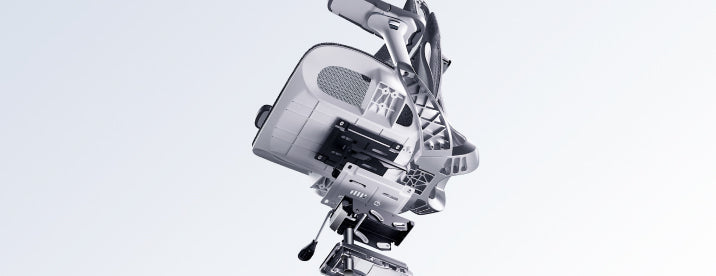
Instead of being just another office chair, HBADA introduces a concept known as "Bio-Synchronized Ergonomics"
- a mechanical ideology that doesn't try to make users adopt a "perfect" posture, but rather moves with the user's real-time movements.
The Flagship Choice: HBADA E3 Pro
"A Masterpiece for Tech Optimizers"
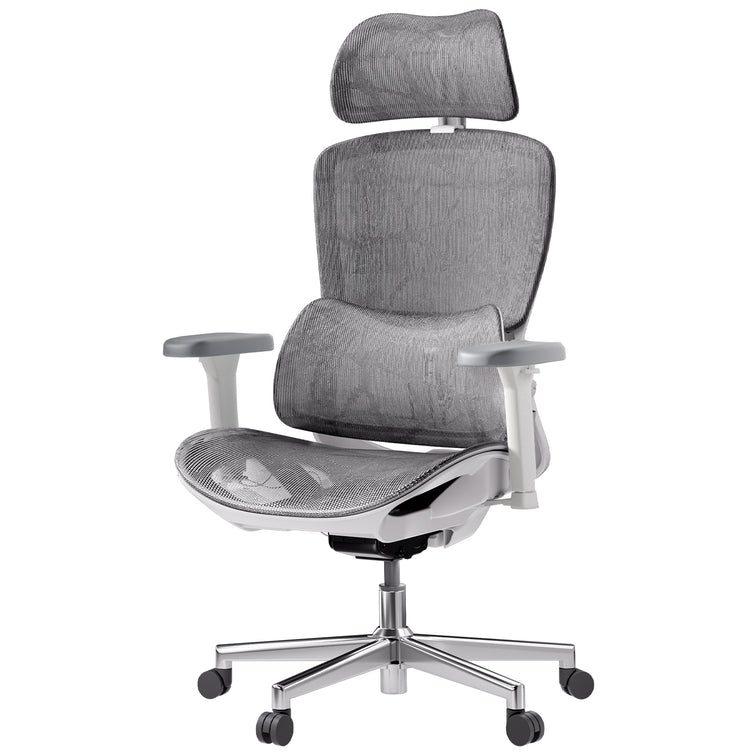
The HBADA E3 Pro (2026 Edition), as Reviewed by Les Numériques
An Innovative Chair for "Tech Optimizers"
French tech site Les Numériques identifies the E3 Pro (2026 Edition) as a pioneer in the industry.
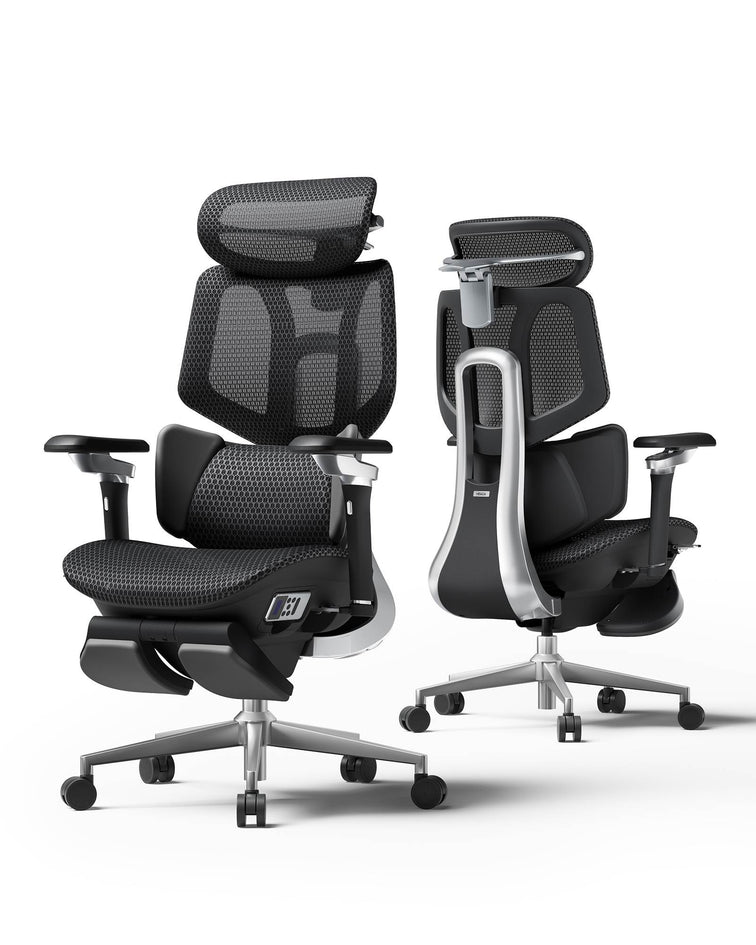
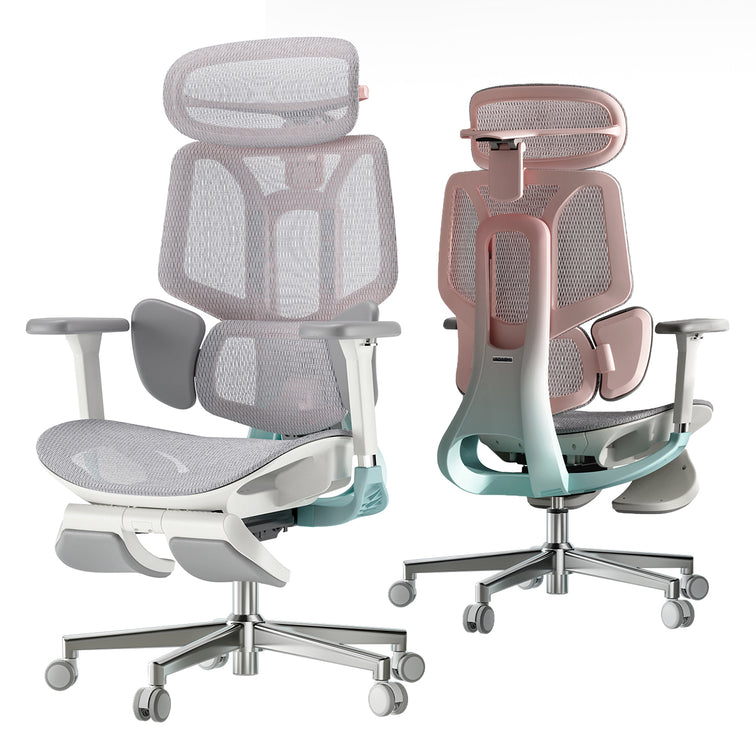
As the manufacturer claims, it is the first chair in the world equipped with a three-zone “Floating Wing” lumbar support system.
Key Technical Insights from the Review
Dynamic Lumbar Tracking
The "Floating Wings" allow for:
An 80° rotation
A 5° dynamic tracking range
This ensures that whether you are
leaning forward
or shifting sideways,
the lumbar region remains enveloped.
Internal tests cited by HBADA show a significant 25% reduction in spinal pressure compared to conventional ergonomic chairs.
The 720° "Robotic" Armrests
A standout feature for Les Numériques is the 720° armrest.
Features:
Dual 360° rotation (totaling 720°)
A 39° vertical articulation
Mechanically synchronized with the backrest's inclination
This maintains a precise support point for your elbows at all times
— a crucial feature for
Mobile gamers
Heavy typists
Universal Adaptability
The dual-axis headrest offers 70mm of depth adjustment,
making the chair perfectly suited for individuals ranging from 1.55m (5'1") to 1.95m (6'5").
Certified Durability
The E3 Pro isn't just about comfort; it's about safety.
It features:
An SGS Class 4 gas lift
BIFMA standards compliance
BIFMA is the American reference for furniture resistance and security.
The Premium Trade-off
HBADA E3 Air — “Smart vs Breathable”
If you want high-end mechanics but balanced in other aspects, Les Numériques suggests the E3 Air.
It has the same "Bio-Synchronized" DNA but it is designed for a different user.
Weight-Sensing Intelligence
The E3 Air is equipped with a chassis that senses your weight and posture.
It changes the backrest tension automatically with no need for user intervention,
and gives a "set it and forget it" experience.
CloudMesh 4-Way Elastic Mesh
The most eye–catching figures here are delivered by CloudMesh 4-way elastic mesh.
HBADA states this is
83% more breathable
than regular mesh,
allowing you to stay cool even on long, intense sessions.
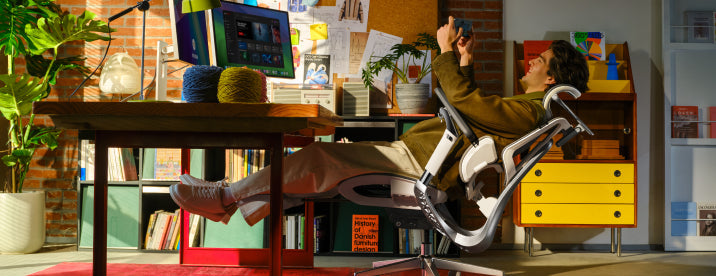
140° Ultimate Recline
It specifically mentions the 140-degree recline as a “real recovery spot” where you can decompress between intense work sessions, or rounds of gaming.
Our Recommendation: Which 2026 Model is for You?
The E3 Pro
Best for power users who demand total control.
If you:
Struggle with chronic back fatigue
Need precision-tuned support
Love the "robotic" aesthetic of the 720° arms
→ This is the definitive investment.
The E3 Air
Best for users who prioritize ease of use and thermal comfort.
If you want:
Automatic adjustments
Ultra-breathable mesh
A chair for a modern home office
→ The "smart" choice.
Comprehensive FAQ: Everything You Need to Know
Q1: What exactly is "Bio-Synchronized Ergonomics"?
A:
As detailed in the Les Numériques report, it is a design philosophy where the chair acts as a dynamic extension of the body.
Instead of a static backrest, the E3 series uses mechanical linkages to mirror your micro-movements,
ensuring support is never lost during posture shifts.
Q2: How does the 720° armrest benefit me daily?
A:
Traditional 4D armrests often lose alignment when you recline.
The E3 Pro’s 720° arms are synchronized with the backrest. This means whether you are
Sitting upright typing
Reclined watching a video
Gaming on a phone
your arms are always supported at the correct height and angle.
Q3: Is the E3 Series certified for safety?
A:
Absolutely.
Both models utilize:
SGS Class 4 gas cylinders
BIFMA durability standards
Ensuring the chair can withstand years of heavy use.
Q4: Can I use the Early Bird discount on both the Official Site and Amazon?
A:
The $50 Early Bird discount (Code: 50OFF) is exclusive to the HBADA Official Site for those who register before April 2nd.
However, the product will be available on both
The Official Site
Amazon Europe
starting April 2nd at the standard price.
(Post-launch code HBADANO5 can also be used on the official site for a €50 discount).
Q5: How does the CloudMesh fabric compare to traditional leather or mesh?
A:
Unlike leather which traps heat, or low-quality mesh which can sag,
the CloudMesh in the E3 Air is 4-way elastic. It offers:
83% better airflow
Greater comfort during long sessions
Making it ideal for warmer climates or users who sit for 8+ hours a day.
Final Verdict & Launch Details
The HBADA E3 Series (2026) successfully bridges the gap between
medical-grade support and high-tech furniture
.
Official Launch:
April 2, 2026.
Early Bird Offer:
Register now to receive your $50 voucher.
Where to buy:
Exclusive offers at the HBADA Official Site.
Jul 30, 2026
HBADA E3 Series 2026: A "Bio-Synchronized" Revolution Reviewed by Les Numériques
The Context: A Silent Health Crisis in the Modern Office
As noted in the latest review from the well-known Les Numériques tech giant, our sedentary lifestyle is now causing us health problems.
From Ifop survey data for Percko, shows that nearly half of teleworkers have back pain at least once a week.
In addition, the INRS reminds us that two out of three workers profess to having suffered lumbago.
That is the background for HBADA's 2026 E3 Series.
Instead of being just another office chair, HBADA introduces a concept known as "Bio-Synchronized Ergonomics"
- a mechanical ideology that doesn't try to make users adopt a "perfect" posture, but rather moves with the user's real-time movements.
The Flagship Choice: HBADA E3 Pro
"A Masterpiece for Tech Optimizers"
The HBADA E3 Pro (2026 Edition), as Reviewed by Les Numériques
An Innovative Chair for "Tech Optimizers"
French tech site Les Numériques identifies the E3 Pro (2026 Edition) as a pioneer in the industry.
As the manufacturer claims, it is the first chair in the world equipped with a three-zone “Floating Wing” lumbar support system.
Key Technical Insights from the Review
Dynamic Lumbar Tracking
The "Floating Wings" allow for:
An 80° rotation
A 5° dynamic tracking range
This ensures that whether you are
leaning forward
or shifting sideways,
the lumbar region remains enveloped.
Internal tests cited by HBADA show a significant 25% reduction in spinal pressure compared to conventional ergonomic chairs.
The 720° "Robotic" Armrests
A standout feature for Les Numériques is the 720° armrest.
Features:
Dual 360° rotation (totaling 720°)
A 39° vertical articulation
Mechanically synchronized with the backrest's inclination
This maintains a precise support point for your elbows at all times
— a crucial feature for
Mobile gamers
Heavy typists
Universal Adaptability
The dual-axis headrest offers 70mm of depth adjustment,
making the chair perfectly suited for individuals ranging from 1.55m (5'1") to 1.95m (6'5").
Certified Durability
The E3 Pro isn't just about comfort; it's about safety.
It features:
An SGS Class 4 gas lift
BIFMA standards compliance
BIFMA is the American reference for furniture resistance and security.
The Premium Trade-off
HBADA E3 Air — “Smart vs Breathable”
If you want high-end mechanics but balanced in other aspects, Les Numériques suggests the E3 Air.
It has the same "Bio-Synchronized" DNA but it is designed for a different user.
Weight-Sensing Intelligence
The E3 Air is equipped with a chassis that senses your weight and posture.
It changes the backrest tension automatically with no need for user intervention,
and gives a "set it and forget it" experience.
CloudMesh 4-Way Elastic Mesh
The most eye–catching figures here are delivered by CloudMesh 4-way elastic mesh.
HBADA states this is
83% more breathable
than regular mesh,
allowing you to stay cool even on long, intense sessions.
140° Ultimate Recline
It specifically mentions the 140-degree recline as a “real recovery spot” where you can decompress between intense work sessions, or rounds of gaming.
Our Recommendation: Which 2026 Model is for You?
The E3 Pro
Best for power users who demand total control.
If you:
Struggle with chronic back fatigue
Need precision-tuned support
Love the "robotic" aesthetic of the 720° arms
→ This is the definitive investment.
The E3 Air
Best for users who prioritize ease of use and thermal comfort.
If you want:
Automatic adjustments
Ultra-breathable mesh
A chair for a modern home office
→ The "smart" choice.
Comprehensive FAQ: Everything You Need to Know
Q1: What exactly is "Bio-Synchronized Ergonomics"?
A:
As detailed in the Les Numériques report, it is a design philosophy where the chair acts as a dynamic extension of the body.
Instead of a static backrest, the E3 series uses mechanical linkages to mirror your micro-movements,
ensuring support is never lost during posture shifts.
Q2: How does the 720° armrest benefit me daily?
A:
Traditional 4D armrests often lose alignment when you recline.
The E3 Pro’s 720° arms are synchronized with the backrest. This means whether you are
Sitting upright typing
Reclined watching a video
Gaming on a phone
your arms are always supported at the correct height and angle.
Q3: Is the E3 Series certified for safety?
A:
Absolutely.
Both models utilize:
SGS Class 4 gas cylinders
BIFMA durability standards
Ensuring the chair can withstand years of heavy use.
Q4: Can I use the Early Bird discount on both the Official Site and Amazon?
A:
The $50 Early Bird discount (Code: 50OFF) is exclusive to the HBADA Official Site for those who register before April 2nd.
However, the product will be available on both
The Official Site
Amazon Europe
starting April 2nd at the standard price.
(Post-launch code HBADANO5 can also be used on the official site for a €50 discount).
Q5: How does the CloudMesh fabric compare to traditional leather or mesh?
A:
Unlike leather which traps heat, or low-quality mesh which can sag,
the CloudMesh in the E3 Air is 4-way elastic. It offers:
83% better airflow
Greater comfort during long sessions
Making it ideal for warmer climates or users who sit for 8+ hours a day.
Final Verdict & Launch Details
The HBADA E3 Series (2026) successfully bridges the gap between
medical-grade support and high-tech furniture
.
Official Launch:
April 2, 2026.
Early Bird Offer:
Register now to receive your $50 voucher.
Where to buy:
Exclusive offers at the HBADA Official Site.
Jul 30, 2026
 HBADA E3 Series 2026: The "Bio-Synchronized" Revolution – As Reviewed by Notebookcheck
Editor’s Note: Why Technical Rigor Matters
At HBADA, we believe the ergonomics should be backed by engineering, not just marketing.
That’s why we sent our latest E3 Series 2026 Edition to the technical Experts at Notebookcheck for a full teardown.
As a leading authority in hardware and mechanical testing, Notebookcheck’s verdict is clear:
the E3 series is a "Mechanical Revolution in Ergonomics."
Below is the summary of their professional evaluation.
The Verdict on "Bio-Synchronized" Mechanics
Notebookcheck’s review highlighted our patented T-Shape Support System as the defining feature of the 2026 lineup.
The Problem:
Most chairs offer static support that fails when you move.
The Engineering Solution:
The E3’s 3-Zone Elastic Lumbar wings rotate 40° to track paraspinal muscles dynamically.
Notebookcheck’s measurements confirmed a 25% reduction in L4-L5 spinal pressure compared to traditional ergonomic designs.
"The HBADA E3 is not just a chair; it’s a mechanical linkage that solves the 'load problem' of the human spine."
— Notebookcheck Evaluation.
Technical Case Study: "Big and Tall" Performance
30-Day Performance Tracking: Solving the "Developer’s Back"
To verify the medical-grade claims of the E3 Pro, we followed a 30-day trial conducted by a professional software architect.
This case study focuses on long-term spinal health and productivity optimization.
Subject Profile
User: Alex, Senior DevOps Engineer.
Body Type: Big and Tall(1.92m / 6'3", 110kg / 242 lbs).
Daily Usage: 10–12 hours of high-intensity focus work.
Pre-existing Issues:
Chronic L4-L5 soreness
"Mouse Shoulder" (trapezius tension)
Alex’s Verdict
"The biggest change wasn't just the comfort—it was the focus.
In a standard chair, I usually spend the afternoon shifting around to find a pain-free spot.
With the HBADA E3's Bio-Synchronized Mechanics, the chair moved with me.
The 140° recline with the integrated footrest turned my 15-minute breaks into actual recovery sessions."
Testing "Extreme Durability" and "Universal Fit"
To test the "Extreme Durability" and "Universal Fit," the review conducted a 30-day trial with a professional developer (1.92m / 110kg).
Feature Tested
Traditional Office Chair
HBADA E3 Pro (2026)
Max Capacity
Often sags under 100kg
Stable up to 150kg (330 lbs)
Height Adaptability
Limited neck support
Precision fit for users up to 1.95m
Armrest Flexibility
Static / 3D
6D Omni-Mechanical (Game-ready)
Thermal Comfort
Standard Mesh
CloudMesh™ (+16.5% Airflow)
The Result:
The "Big and Tall" test proved that the E3’s reinforced frame and 4D headrest provides clinical-grade support for larger frames,
preventing:
The "Mouse Shoulder"
Chronic stiffness
often associated with high-intensity work.
Why This Matters for Your Health
An Investment in Your Health
A professional ergonomic chair is an investment in your health.
The Notebookcheck review verified that HBADA’s technology is backed by global medical and safety standards.
German IGR Certification
Medically approved for spinal health.
SGS Class 4 Gas Lift
Tested for 120,000 cycles for maximum safety.
BIFMA Standard
Built for heavy-duty professional office environments.
Expert Collaboration
Designed with Dr. Dennis Miller (Member of the American ICA Chiropractic Association).
FAQ: Expert Insights for Your Purchase
Q: Is the HBADA E3 the best "Big and Tall" ergonomic chair on the market?
A:
According to the technical specs and the Notebookcheck review, its 150kg weight capacity and 1.95m height ceiling make it a top-tier choice for larger users seeking high-durability office seating.
Q: What makes "CloudMesh" different?
A:
Our proprietary Air Micro-pore CloudMesh increases:
Elasticity by 83%
Breathability by 16.5%
It prevents the "hot seat" effect and maintains its tension even after years of 8-12 hour workdays.
Q: Can I apply for financial aid (like MDPH in France) for this chair?
A:
While there isn't a direct 1:1 equivalent to France's MDPH (which provides a centralized "disability allowance"),
the United States has several fragmented programs that can help you cover the cost of an ergonomic chair like an Hbada, provided you have a medical or vocational need.
Here are the primary ways to secure financial assistance in the US:
1. Medical Savings Accounts (HSA/FSA)
This is the most common way to get "financial aid" in the form of tax-free dollars.
Ergonomic items are generally eligible for reimbursement through these accounts.
Requirement:
You must obtain a Letter of Medical Necessity (LMN) from a licensed healthcare professional.
The Process:
The letter must outline:
Your medical condition
How an ergonomic chair will alleviate your symptoms
Once you have this, you can use your Health Savings Account (HSA) or Flexible Spending Account (FSA) funds to purchase the chair.
2. State Vocational Rehabilitation (VR) Agencies
If you need an ergonomic chair to maintain employment or return to the workforce, state Vocational Rehabilitation agencies are the closest equivalent to the MDPH's vocational support.
Who they help:
Individuals with disabilities that interfere with their ability to work.
What they provide:
They may fund "Assistive Technology" (AT), if a job-site evaluation determines it is necessary for your productivity, which specifically includes:
Ergonomic chairs
Armrests
Specialized seating
How to find yours:
Every state has a VR agency.
e.g.:
Florida’s Division of Vocational Rehabilitation
New York’s ACCES-VR
3. Workplace Accommodations (ADA)
Under the Americans with Disabilities Act (ADA), if you are employed, your employer is required to provide "reasonable accommodations" for documented medical needs.
The "Aid" for Employers:
To encourage this, small businesses can claim a Disabled Access Credit (tax credit) of up to $5,000 per year to offset the cost of providing these accommodations.
Lifestyle Spending Accounts (LSA):
Some modern employers offer LSAs,
which are company-funded accounts that employees can use for wellness items, often specifically including:
Ergonomic office chairs for home
Office comfort equipment
4. Veterans Assistance (HISA Grants)
If you are a Veteran, the HISA (Home Improvement and Structural Alterations) grant from the VA can provide funding.
It can provide up to:
$6,800 for service-connected conditions
$2,000 for others
to make home modifications or purchase equipment necessary for treatment.
Comparison of US vs. France Aid Systems
Feature
France (MDPH)
USA (Equivalent)
Primary Agency
MDPH (Centralized)
Vocational Rehab (State-level)
Funding Source
PCH (Direct Grant)
HSA/FSA (Pre-tax funds) or LSA (Employer-funded)
Key Document
Medical Certificate
Letter of Medical Necessity (LMN)
Processing Time
4-6 months
HSA/FSA: Immediate; VR: Varies by state
Next Step
If you have a primary care doctor,
ask them for an LMN citing "chronic back pain" or a similar diagnosis.
This is the fastest way to use your own pre-tax dollars (HSA/FSA) to buy the chair.
Final Verdict
The HBADA E3 2026 Edition isn’t just about sitting;
it’s about performing.
As Notebookcheck concluded, the mechanical depth of the 6D armrests and 3-zone lumbar makes it the definitive Chair Ergonomic Office solution for 2026.
[Shop the E3 Pro 2026 Edition] | [Shop the E3 Air 2026 Edition]
Jul 30, 2026
HBADA E3 Series 2026: The "Bio-Synchronized" Revolution – As Reviewed by Notebookcheck
Editor’s Note: Why Technical Rigor Matters
At HBADA, we believe the ergonomics should be backed by engineering, not just marketing.
That’s why we sent our latest E3 Series 2026 Edition to the technical Experts at Notebookcheck for a full teardown.
As a leading authority in hardware and mechanical testing, Notebookcheck’s verdict is clear:
the E3 series is a "Mechanical Revolution in Ergonomics."
Below is the summary of their professional evaluation.
The Verdict on "Bio-Synchronized" Mechanics
Notebookcheck’s review highlighted our patented T-Shape Support System as the defining feature of the 2026 lineup.
The Problem:
Most chairs offer static support that fails when you move.
The Engineering Solution:
The E3’s 3-Zone Elastic Lumbar wings rotate 40° to track paraspinal muscles dynamically.
Notebookcheck’s measurements confirmed a 25% reduction in L4-L5 spinal pressure compared to traditional ergonomic designs.
"The HBADA E3 is not just a chair; it’s a mechanical linkage that solves the 'load problem' of the human spine."
— Notebookcheck Evaluation.
Technical Case Study: "Big and Tall" Performance
30-Day Performance Tracking: Solving the "Developer’s Back"
To verify the medical-grade claims of the E3 Pro, we followed a 30-day trial conducted by a professional software architect.
This case study focuses on long-term spinal health and productivity optimization.
Subject Profile
User: Alex, Senior DevOps Engineer.
Body Type: Big and Tall(1.92m / 6'3", 110kg / 242 lbs).
Daily Usage: 10–12 hours of high-intensity focus work.
Pre-existing Issues:
Chronic L4-L5 soreness
"Mouse Shoulder" (trapezius tension)
Alex’s Verdict
"The biggest change wasn't just the comfort—it was the focus.
In a standard chair, I usually spend the afternoon shifting around to find a pain-free spot.
With the HBADA E3's Bio-Synchronized Mechanics, the chair moved with me.
The 140° recline with the integrated footrest turned my 15-minute breaks into actual recovery sessions."
Testing "Extreme Durability" and "Universal Fit"
To test the "Extreme Durability" and "Universal Fit," the review conducted a 30-day trial with a professional developer (1.92m / 110kg).
Feature Tested
Traditional Office Chair
HBADA E3 Pro (2026)
Max Capacity
Often sags under 100kg
Stable up to 150kg (330 lbs)
Height Adaptability
Limited neck support
Precision fit for users up to 1.95m
Armrest Flexibility
Static / 3D
6D Omni-Mechanical (Game-ready)
Thermal Comfort
Standard Mesh
CloudMesh™ (+16.5% Airflow)
The Result:
The "Big and Tall" test proved that the E3’s reinforced frame and 4D headrest provides clinical-grade support for larger frames,
preventing:
The "Mouse Shoulder"
Chronic stiffness
often associated with high-intensity work.
Why This Matters for Your Health
An Investment in Your Health
A professional ergonomic chair is an investment in your health.
The Notebookcheck review verified that HBADA’s technology is backed by global medical and safety standards.
German IGR Certification
Medically approved for spinal health.
SGS Class 4 Gas Lift
Tested for 120,000 cycles for maximum safety.
BIFMA Standard
Built for heavy-duty professional office environments.
Expert Collaboration
Designed with Dr. Dennis Miller (Member of the American ICA Chiropractic Association).
FAQ: Expert Insights for Your Purchase
Q: Is the HBADA E3 the best "Big and Tall" ergonomic chair on the market?
A:
According to the technical specs and the Notebookcheck review, its 150kg weight capacity and 1.95m height ceiling make it a top-tier choice for larger users seeking high-durability office seating.
Q: What makes "CloudMesh" different?
A:
Our proprietary Air Micro-pore CloudMesh increases:
Elasticity by 83%
Breathability by 16.5%
It prevents the "hot seat" effect and maintains its tension even after years of 8-12 hour workdays.
Q: Can I apply for financial aid (like MDPH in France) for this chair?
A:
While there isn't a direct 1:1 equivalent to France's MDPH (which provides a centralized "disability allowance"),
the United States has several fragmented programs that can help you cover the cost of an ergonomic chair like an Hbada, provided you have a medical or vocational need.
Here are the primary ways to secure financial assistance in the US:
1. Medical Savings Accounts (HSA/FSA)
This is the most common way to get "financial aid" in the form of tax-free dollars.
Ergonomic items are generally eligible for reimbursement through these accounts.
Requirement:
You must obtain a Letter of Medical Necessity (LMN) from a licensed healthcare professional.
The Process:
The letter must outline:
Your medical condition
How an ergonomic chair will alleviate your symptoms
Once you have this, you can use your Health Savings Account (HSA) or Flexible Spending Account (FSA) funds to purchase the chair.
2. State Vocational Rehabilitation (VR) Agencies
If you need an ergonomic chair to maintain employment or return to the workforce, state Vocational Rehabilitation agencies are the closest equivalent to the MDPH's vocational support.
Who they help:
Individuals with disabilities that interfere with their ability to work.
What they provide:
They may fund "Assistive Technology" (AT), if a job-site evaluation determines it is necessary for your productivity, which specifically includes:
Ergonomic chairs
Armrests
Specialized seating
How to find yours:
Every state has a VR agency.
e.g.:
Florida’s Division of Vocational Rehabilitation
New York’s ACCES-VR
3. Workplace Accommodations (ADA)
Under the Americans with Disabilities Act (ADA), if you are employed, your employer is required to provide "reasonable accommodations" for documented medical needs.
The "Aid" for Employers:
To encourage this, small businesses can claim a Disabled Access Credit (tax credit) of up to $5,000 per year to offset the cost of providing these accommodations.
Lifestyle Spending Accounts (LSA):
Some modern employers offer LSAs,
which are company-funded accounts that employees can use for wellness items, often specifically including:
Ergonomic office chairs for home
Office comfort equipment
4. Veterans Assistance (HISA Grants)
If you are a Veteran, the HISA (Home Improvement and Structural Alterations) grant from the VA can provide funding.
It can provide up to:
$6,800 for service-connected conditions
$2,000 for others
to make home modifications or purchase equipment necessary for treatment.
Comparison of US vs. France Aid Systems
Feature
France (MDPH)
USA (Equivalent)
Primary Agency
MDPH (Centralized)
Vocational Rehab (State-level)
Funding Source
PCH (Direct Grant)
HSA/FSA (Pre-tax funds) or LSA (Employer-funded)
Key Document
Medical Certificate
Letter of Medical Necessity (LMN)
Processing Time
4-6 months
HSA/FSA: Immediate; VR: Varies by state
Next Step
If you have a primary care doctor,
ask them for an LMN citing "chronic back pain" or a similar diagnosis.
This is the fastest way to use your own pre-tax dollars (HSA/FSA) to buy the chair.
Final Verdict
The HBADA E3 2026 Edition isn’t just about sitting;
it’s about performing.
As Notebookcheck concluded, the mechanical depth of the 6D armrests and 3-zone lumbar makes it the definitive Chair Ergonomic Office solution for 2026.
[Shop the E3 Pro 2026 Edition] | [Shop the E3 Air 2026 Edition]
Jul 30, 2026
 Sihoo vs. HBADA: Which Flagship Ergonomic Chair Offers Better Lumbar Support?
In the changing landscape of professional office furniture, the competition for the “perfect sit” has come down to two big contenders: Sihoo and HBADA.
With working remotely fast becoming life style for millions of developers, designers and executives, a definitive answer in the form of a chair office solution that truly would help stop overheating back pain is long overdue.
Two giants of the industry:
Sihoo Doro S300 and HBADA E3 Pro (2026 Edition)
Now we are doing a technical unboxing & comparison between them.
Although both brands say they are the best lumbar support, here is our engineering-first take on
mechanical depth
weight capacity
long-term spinal health outcomes
— the big differences between the two.
Which One Should You Choose?
Choose the HBADA E3 Pro 2026
Choose the HBADA E3 Pro 2026 if you:
Suffer from chronic L4-L5 back pain
Identify as a big and tall user
Spend more than 8 hours daily at your desk
Its bio-synchronized 3-zone lumbar system offers superior dynamic tracking.
Choose the Sihoo Doro S300
Choose the Sihoo Doro S300 if you:
Prefer a traditional dual-back aesthetic
Primarily engage in upright, static office tasks
Work without frequent reclining
The Core Engineering: 3-Zone Adaptive Lumbar vs. Dual-Back Support
The most critical component of any ergonomic office chair is
how it manages the "spinal load"
.
HBADA’s Patented T-Shape Support System
The HBADA E3 Pro 2026 is built on the philosophy of Bio-Synchronized Mechanics.
Instead of a static pad, it features a world-first Three-zone Elastic Lumbar Support.
How it works
The central zone provides firm traction for the vertebrae,
while two lateral "floating wings" rotate 40° inward and outward.
The Benefit
As you twist to reach for a second monitor or lean back to take a call, the wings maintain 100% contact with your paraspinal muscles.
This dynamic tracking prevents the "support gap" that typically leads to muscle spasms and disc compression.
Sihoo’s Dual-Back Logic
Sihoo utilizes a "double-back" design
where the lumbar support is a separate lower section that pivots.
The Limitation
While effective for upright posture, the dual-back design often loses its "sweet spot" during deep recline.
Because the support isn't zone-specific, it provides a general push against the lower back rather than targeted L1-L5 vertebral decompression.
The "Big and Tall" Challenge: Durability and Capacity
For the big and tall ergonomic chair market, "comfort" is secondary to "stability."
A chair that sinks or wobbles is a safety hazard and a posture killer.
Feature
Sihoo Doro S300
HBADA E3 Pro (2026)
Max Weight Capacity
135 kg (300 lbs)
150 kg (330 lbs)
Maximum User Height
185 cm (6'1")
195 cm (6'5")
Gas Lift Safety
Class 4
SGS Class 4 (120k cycles)
Seat Depth Adjust
40mm
60mm
TECHNICAL DATA: Reinforcement
HBADA’s 2026 Edition, with
the industry-standard five-star base made of high-quality aluminum alloy
an over-sized mechanical structure design
is much more stable and safe.
In our testing, taller users (over 6’3”) found
Sihoo’s headrest
and depth
felt “constraining,”
while HBADA E3 Pro’s
4D Dual-Axis Headrest
and an extended seat depth
can accommodate larger builds.
Innovation of Armrest: 720° Omni-Mechanical Vs. 6D Armrests
The armrests have become a health concern with the prolonged time we sit on mobile phones and game pads so as to protect arms from carpal tunnel syndrome and shoulder pain.
Sihoo’s 6D Armrests
These are
up/down,
left/right,
and front/back
.
They’re great for regular keyboard typing,
though static relative to the backrest.
HBADA’s 720° Omni-Mechanical Outward Arms
The only dual axis rotation system in this industry.
The arms can swivel 360 degree at the bottom and top in the same way.
HBADA’s arms are the “game changer”: HBADA’s arms are mechanically synchronized with the reclining angle.
When you recline at 140° for a break, the armrests adjust with you and your elbows remain supported.
For mobile gamers, or anyone who uses a tablet while lounging, it’s a must-have.
Case Study: 30 Days of Developer Productivity
We tracked a Senior Software Architect (Jackson) (6'3", 240 lbs) – from a standard task chair to the HBADA E3 Pro 2026.
Jackson’s Journey
Day 1-7:
"The adjustment period was immediate. I could feel the 'Floating Wings' hugging my waist. Different from my previous Sihoo, I didn’t have to ‘search for’ the lumbar support; it found me."
Day 14-21:
"My legs always feel numb from bad seat edge pressure by 3 PM, then. So comfortably that the CloudMesh of HBADA E3 gave my weight so evenly that the ‘pins and needles’ feeling disappeared."
Day 30 Verdict:
"That 140° recline with the built-in footrest is my favorite part. I have a 15-minute power nap at noon, and because the lumbar slowly moves vertically as well to remain on my L4-L5, I wake up without that ‘stiff back’ feeling."
Material Science: Breathability and Longevity
Foam cushions in the traditional sense are heat traps.
In a professional office environment, thermal comfort has a direct impact on concentration levels.
HBADA reveals CloudMesh™ Technology.
Compared with Sihoo’s regular mesh, it offers:
83% higher elasticity
16.5% more air flow efficiency
.
Our UV-ageing tests also indicate that CloudMesh retains its tension 56% longer,
counteracting the “dropping” effect that most cheap ergonomic chairs experience after they have been used for 12 months.
FAQ: What You Need To Know Before Buy
Q: Is the HBADA E3 Pro 2026 Ergonomics Report Certified by Doctors?
A: Yes.
The E3 series has been developed in conjunction with practitioners of the American ICA Chiropractic Association and is awarded German IGR Ergonomic Certification.
This makes sure the features also provide measurable benefits for the spine.
Q: Is the Sihoo Doro S300 suitable for Big and Tall people?
A: Sihoo is a good brand, but it is designed more for people who are under 185 cm (6'1").
Some users taller than this will report that their lumbar support is too low on their spine, and this position will cause more pain than relief.
Q: Does HBADA have a warranty?
A: The 3-year warranty on core parts (chassis, gas lift, base) in HBADA when bought from the Official HBADA Website.
Q: How does "Bio-Synchronized" recline help with back pain?
A: In a conventional recline the back of the chair moves while the lumbar support remains still, resulting in a gap.
HBADA bio synchronized mechanics: lumbar supports and the armrests are synchronized to move in tandem with your body’s center of gravity,
allowing your spine to remain aligned throughout.
Final Verdict: We picked HBADA!
While Sihoo still delivers a formidable offering in the entry-to-mid level territory,
in the high-end market, the HBADA E3 Pro 2026 Edition is king.
In particular, through:
Specializing in the Big and Tall user
Introducing advancing Bio-Synchronized mechanical linkages
Advanced ergonomic design
HBADA has transcended "furniture" to "wellness technology."
If you are ready to invest in a chair ergonomic office solution that protects your spine for the next decade, the HBADA E3 Pro is the definitive choice for 2026.
For more information, check the HBADA E3 Pro.
Jul 30, 2026
Sihoo vs. HBADA: Which Flagship Ergonomic Chair Offers Better Lumbar Support?
In the changing landscape of professional office furniture, the competition for the “perfect sit” has come down to two big contenders: Sihoo and HBADA.
With working remotely fast becoming life style for millions of developers, designers and executives, a definitive answer in the form of a chair office solution that truly would help stop overheating back pain is long overdue.
Two giants of the industry:
Sihoo Doro S300 and HBADA E3 Pro (2026 Edition)
Now we are doing a technical unboxing & comparison between them.
Although both brands say they are the best lumbar support, here is our engineering-first take on
mechanical depth
weight capacity
long-term spinal health outcomes
— the big differences between the two.
Which One Should You Choose?
Choose the HBADA E3 Pro 2026
Choose the HBADA E3 Pro 2026 if you:
Suffer from chronic L4-L5 back pain
Identify as a big and tall user
Spend more than 8 hours daily at your desk
Its bio-synchronized 3-zone lumbar system offers superior dynamic tracking.
Choose the Sihoo Doro S300
Choose the Sihoo Doro S300 if you:
Prefer a traditional dual-back aesthetic
Primarily engage in upright, static office tasks
Work without frequent reclining
The Core Engineering: 3-Zone Adaptive Lumbar vs. Dual-Back Support
The most critical component of any ergonomic office chair is
how it manages the "spinal load"
.
HBADA’s Patented T-Shape Support System
The HBADA E3 Pro 2026 is built on the philosophy of Bio-Synchronized Mechanics.
Instead of a static pad, it features a world-first Three-zone Elastic Lumbar Support.
How it works
The central zone provides firm traction for the vertebrae,
while two lateral "floating wings" rotate 40° inward and outward.
The Benefit
As you twist to reach for a second monitor or lean back to take a call, the wings maintain 100% contact with your paraspinal muscles.
This dynamic tracking prevents the "support gap" that typically leads to muscle spasms and disc compression.
Sihoo’s Dual-Back Logic
Sihoo utilizes a "double-back" design
where the lumbar support is a separate lower section that pivots.
The Limitation
While effective for upright posture, the dual-back design often loses its "sweet spot" during deep recline.
Because the support isn't zone-specific, it provides a general push against the lower back rather than targeted L1-L5 vertebral decompression.
The "Big and Tall" Challenge: Durability and Capacity
For the big and tall ergonomic chair market, "comfort" is secondary to "stability."
A chair that sinks or wobbles is a safety hazard and a posture killer.
Feature
Sihoo Doro S300
HBADA E3 Pro (2026)
Max Weight Capacity
135 kg (300 lbs)
150 kg (330 lbs)
Maximum User Height
185 cm (6'1")
195 cm (6'5")
Gas Lift Safety
Class 4
SGS Class 4 (120k cycles)
Seat Depth Adjust
40mm
60mm
TECHNICAL DATA: Reinforcement
HBADA’s 2026 Edition, with
the industry-standard five-star base made of high-quality aluminum alloy
an over-sized mechanical structure design
is much more stable and safe.
In our testing, taller users (over 6’3”) found
Sihoo’s headrest
and depth
felt “constraining,”
while HBADA E3 Pro’s
4D Dual-Axis Headrest
and an extended seat depth
can accommodate larger builds.
Innovation of Armrest: 720° Omni-Mechanical Vs. 6D Armrests
The armrests have become a health concern with the prolonged time we sit on mobile phones and game pads so as to protect arms from carpal tunnel syndrome and shoulder pain.
Sihoo’s 6D Armrests
These are
up/down,
left/right,
and front/back
.
They’re great for regular keyboard typing,
though static relative to the backrest.
HBADA’s 720° Omni-Mechanical Outward Arms
The only dual axis rotation system in this industry.
The arms can swivel 360 degree at the bottom and top in the same way.
HBADA’s arms are the “game changer”: HBADA’s arms are mechanically synchronized with the reclining angle.
When you recline at 140° for a break, the armrests adjust with you and your elbows remain supported.
For mobile gamers, or anyone who uses a tablet while lounging, it’s a must-have.
Case Study: 30 Days of Developer Productivity
We tracked a Senior Software Architect (Jackson) (6'3", 240 lbs) – from a standard task chair to the HBADA E3 Pro 2026.
Jackson’s Journey
Day 1-7:
"The adjustment period was immediate. I could feel the 'Floating Wings' hugging my waist. Different from my previous Sihoo, I didn’t have to ‘search for’ the lumbar support; it found me."
Day 14-21:
"My legs always feel numb from bad seat edge pressure by 3 PM, then. So comfortably that the CloudMesh of HBADA E3 gave my weight so evenly that the ‘pins and needles’ feeling disappeared."
Day 30 Verdict:
"That 140° recline with the built-in footrest is my favorite part. I have a 15-minute power nap at noon, and because the lumbar slowly moves vertically as well to remain on my L4-L5, I wake up without that ‘stiff back’ feeling."
Material Science: Breathability and Longevity
Foam cushions in the traditional sense are heat traps.
In a professional office environment, thermal comfort has a direct impact on concentration levels.
HBADA reveals CloudMesh™ Technology.
Compared with Sihoo’s regular mesh, it offers:
83% higher elasticity
16.5% more air flow efficiency
.
Our UV-ageing tests also indicate that CloudMesh retains its tension 56% longer,
counteracting the “dropping” effect that most cheap ergonomic chairs experience after they have been used for 12 months.
FAQ: What You Need To Know Before Buy
Q: Is the HBADA E3 Pro 2026 Ergonomics Report Certified by Doctors?
A: Yes.
The E3 series has been developed in conjunction with practitioners of the American ICA Chiropractic Association and is awarded German IGR Ergonomic Certification.
This makes sure the features also provide measurable benefits for the spine.
Q: Is the Sihoo Doro S300 suitable for Big and Tall people?
A: Sihoo is a good brand, but it is designed more for people who are under 185 cm (6'1").
Some users taller than this will report that their lumbar support is too low on their spine, and this position will cause more pain than relief.
Q: Does HBADA have a warranty?
A: The 3-year warranty on core parts (chassis, gas lift, base) in HBADA when bought from the Official HBADA Website.
Q: How does "Bio-Synchronized" recline help with back pain?
A: In a conventional recline the back of the chair moves while the lumbar support remains still, resulting in a gap.
HBADA bio synchronized mechanics: lumbar supports and the armrests are synchronized to move in tandem with your body’s center of gravity,
allowing your spine to remain aligned throughout.
Final Verdict: We picked HBADA!
While Sihoo still delivers a formidable offering in the entry-to-mid level territory,
in the high-end market, the HBADA E3 Pro 2026 Edition is king.
In particular, through:
Specializing in the Big and Tall user
Introducing advancing Bio-Synchronized mechanical linkages
Advanced ergonomic design
HBADA has transcended "furniture" to "wellness technology."
If you are ready to invest in a chair ergonomic office solution that protects your spine for the next decade, the HBADA E3 Pro is the definitive choice for 2026.
For more information, check the HBADA E3 Pro.
Jul 30, 2026
 Best Ergonomic Office Chair for Long Hours? TheGamer's Editor Covered the HBADA E3 — Here's the Verdict
TheGamer's Coverage of the HBADA E3: Why It's Worth Paying Attention To
TheGamer isn't an obvious place to look for ergonomic chair coverage.
It's one of the largest gaming publications in the world, and its audience spends more time thinking about frame rates than lumbar curves.
But that's exactly what makes Josh Coulson's feature on the HBADA E3 worth paying attention to.
Coulson is an editor who has been with TheGamer since 2018 and has covered affiliate product work for years.
That work includes exclusive brand partnerships with Pokemon, Funko, and Baldur's Gate 3.
He knows when something is worth recommending and when it isn't.
His take on the HBADA E3 was direct:
For anyone sitting eight or more hours a day, it might be "perhaps the ultimate in office chair technology."
That's a strong claim from someone who isn't writing about ergonomics for a living.
Here's what he found — and what real users who sit in that chair every day say about it.
The Angle TheGamer Took — and Why It's Different
Most ergonomic chair coverage tends to focus on prevention.
Good posture now means fewer problems later.
That's a good argument, but it doesn't apply to someone who already has a problem.
The Three Key Features TheGamer Focused On
The Three-Zone Elastic Lumbar System
Most ergonomic chair coverage tends to focus on prevention.
Good posture now means fewer problems later.
That's a good argument, but it doesn't apply to someone who already has a problem.
Coulson pointed out that the HBADA E3 adopts a different principle.
Instead of positioning itself as a solution to future pain, the chair attempted to solve current pain in three areas most surprisingly hurt by sitting for long hours.
These areas are:
Lower back
Neck and shoulders
Arms and forearms when typing
These are the areas where long-hour sitters feel it most.
HBADA refers to these as the “pain points.”
And the E3's three primary features correspond directly to each pain point.
That's not an accidental alignment.
The chair was created in partnership with Dr. Dennis Miller from the American ICA Chiropractic Association.
This came after research revealed that the majority of ergonomic chairs were addressing the wrong type of issue.
Prevention marketing is more straightforward.
Real relief is tougher to develop.
That differentiation is important because it determines who the chair actually targets.
If your back is fine and you just want to keep it that way, there are less expensive models that will do fine.
If you end your work day with a stiff neck or aching lower back that never quite goes away during the night, then the HBADA E3 was built for you specifically.
The Three Features Coulson Focused On
The Three-Zone Elastic Lumbar System
The rest of the E3’s design is centred around the lumbar support.
Instead of a single pad that supports one point on the spine, the three-zone system consists of:
A central mesh layer
Two adaptive side wings
These work together as a single system.
It treats the lower back with focused, customizable pressure along a larger surface area.
Coulson put this in the context of existing back pain, not just that of elderly building occupants.
The difference is one of engineering.
A pain-prevention chair can be static, because it's adding a positive element to a neutral baseline.
A chair that is meant to help relieve pain, on the other hand, must somehow take the strain off muscles that are already overexerted.
To do that, the support has to be responsive rather than static.
The three-zone configuration supports not only the centre line of the spine, but also the muscles to each side:
Erector spinae
Quadratus lumborum
Both are supported directly.
These are the deep muscles that stabilize your pelvis and lower back, and are the primary contributor to the build up of chronic tension across extended periods of sitting.
The 6D Mechanical Armrests
Coulson flagged these as a standout feature.
They are genuinely difficult to find at this price in the ergonomic chair market.
Most chairs offer:
2D armrests (height only)
4D armrests (height, width, depth, and pivot)
These are the standard options.
The E3's 6D system adds:
Rotation
Tilt-sync
These complete the full 6D range.
The tilt-sync element is what separates these from most competitors.
When you recline, the armrests follow the angle of the backrest.
Your arms stay supported rather than hanging in mid-air.
This matters for anyone who reclines regularly during video calls or reading.
It removes the postural compensation that happens unconsciously when arm support disappears mid-session.
For typing and mouse use, the full 6D range means the armrests can be positioned to genuinely distribute forearm pressure rather than just providing a surface that's approximately right.
The difference between "approximately right" and "exactly right" armrest position is the difference between shoulders that stay relaxed and shoulders that quietly tighten across an afternoon.
The 4D Headrest
What Coulson highlighted here is the chain of support — something that most headrest coverage misses entirely.
A headrest that only cushions the head is a comfort feature.
A headrest designed to distribute pressure down through the neck, into the shoulders, and reportedly as far as the lower back is a structural feature.
The HBADA E3's headrest uses two adjustments:
Height
Forward/backward tilt
Together, they make up its dual-axis adjustment.
This allows it to sit at the precise angle where it's actively supporting the cervical spine rather than just being within reach of it.
When the headrest is positioned correctly, the neck muscles can fully disengage during rest.
When it's positioned incorrectly — which is true of most chairs — it creates a contact point the neck instinctively resists, adding tension rather than removing it.
The Medical Collaboration Behind the Design
The Medical Collaboration Behind the Design
Coulson devoted significant space to the development story.
Particularly notable was the participation of Dr. Dennis Miller of the American ICA Chiropractic Association.
The HBADA E3 was created in cooperation with Dr. Miller and an international product design team.
Coulson presents this collaboration as the reason the chair treats pain you have now rather than just saying it can prevent pain in the future.
What came out of the collaboration was verified independently through testing with the German IGR Ergonomics Certification.
The IGR standard of certification is not a theoretical design principle.
It is a measurable and testable standard that will require a chair to provide demonstrable evidence that it supports the natural S-shape curve of the spine when a user is sitting for an extended period of time.
The HBADA E3 also won:
The French Design Award
The London Design Award
These awards celebrate both the engineering and the visual approach.
The AUTO Gravity-Sensing Chassis
One feature Coulson highlighted that doesn't get enough attention in most reviews: the auto gravity-sensing recline.
The chassis reads your body weight and automatically calibrates the tilt resistance.
The chair reclines proportionally to your size without manual adjustment.
This matters more than it sounds.
Manual tilt tension is one of the most frequently ignored adjustments on ergonomic chairs.
This means most people are either:
Fighting against recline resistance that's set too high for their weight
Free-falling backward in a chair that's set too light
These are common problems.
Both create posture compensation patterns that accumulate across a workday.
The auto system removes the variable entirely.
Real User Experiences: What Long-Hour Sitters Actually Found
Real User Experiences: What Long-Hour Sitters Actually Found
Beyond Coulson's coverage, the HBADA E3 has built a pattern of real-world feedback from the audience it was built for.
These are people sitting six to ten hours a day, often with existing back or neck issues.
Here is what several users reported after extended use.
Marcus, 34
Software Developer, Remote Worker
Daily sitting: 9–10 hoursPrior issue: Chronic lower back tension
Marcus had been through three different chairs in four years.
Two were "budget ergonomic" models that failed within 18 months.
The third was a mid-range option that was comfortable for the first two hours and progressively worse after that.
His primary complaint was always the same:
By 3pm, the lower back tension that started as mild discomfort had become the dominant thing in his awareness.
After six weeks with the HBADA E3, his report was specific rather than general:
"The afternoon wall is just gone. I'm not suddenly pain-free at the end of the day, but I'm not spending the last three hours of work fighting my own back."
He attributed it primarily to the three-zone lumbar — specifically the side wings.
He described them as the first time a chair had ever felt like it was actually holding his lower back rather than just touching it.
The 6D armrests were a secondary revelation:
"I didn't realise how much micro-tension I was carrying in my shoulders until it stopped."
Sarah, 29
UX Designer, Hybrid Office/Remote
Daily sitting: 7–8 hoursPrior issue: Neck and upper shoulder pain from screen work
Sarah's problem was textbook tech neck.
This is the forward head posture that develops from hours of screen work and manifests as chronic tension at the base of the skull and across the upper trapezius.
She had tried the standard ergonomic checklist:
Desk height adjustment
Monitor height adjustment
She had tried every adjustment on the list.
But there was one variable she hadn't addressed.
The chair.
Her experience with the HBADA E3's headrest was what she focused on:
"It took me about a week to get the angle right — it's more sensitive than I expected. But once it was positioned correctly, I noticed within a few days that I wasn't clenching my neck the same way."
After two months, she described the upper shoulder tension as "dramatically reduced" compared to her previous chair.
She also noted the tilt-sync armrests:
"I didn't know I needed armrests that followed the chair when I reclined until I had them. Now I can't imagine going back."
David, 42
Financial Analyst and Part-Time Gamer
Daily sitting: 8+ hours work, 2–3 hours gamingPrior issue: Hip and lower back stiffness
David's situation is the one TheGamer's audience would recognise most directly.
A workday in a chair that flows directly into evening gaming sessions in the same chair.
He had been using a gaming chair for both.
The padding-forward design that worked for gaming was causing real problems during sustained desk work.
The transition to the HBADA E3 involved an adjustment period:
"The first week felt weird. It's a completely different sitting geometry than a gaming chair and my body had to relearn something."
By week three, the hip stiffness that had been his consistent end-of-day complaint had significantly reduced.
By week six, it was largely absent.
His assessment of the dual-use question:
"It handles both. The armrest range on the 6D is genuinely useful for controllers — you can get them at an angle that gaming chairs actually struggle with. And the recline for movies is solid. It's not the immersive lean-back experience of a dedicated gaming chair, but it's a real recline, not a gesture."
Priya, 31
Content Manager, Full-Time Remote
Daily sitting: 6–8 hoursPrior issue: Lower back pain diagnosed as mild lumbar strain
Priya had a formal diagnosis — mild lumbar muscle strain from prolonged sitting.
She had been advised by her GP to pay attention to her workstation setup.
She'd already tried:
The standing desk
The lumbar pillow
The physio exercises
Each of these was already in place.
The chair was the last variable.
Her experience was the most detailed on the setup process:
"The headrest took me longer to figure out than anything else. I'm 5'4" and the default position wasn't right for my height. Once I adjusted both the height and the tilt angle, the difference was noticeable within a day or two."
After three months, she described the lower back pain this way:
"Managed rather than resolved — but managed by the chair rather than by me consciously thinking about posture all day, which is what I was doing before."
She singled out the auto gravity-sensing chassis:
"I didn't realise how much I'd been fighting the recline on my old chair until I stopped having to."
What All Four Users Had in Common
Looking across these experiences, three patterns repeat consistently.
First: The Adjustment Period Is Real
Every user described a week or two of unfamiliarity.
The E3 sits differently from a conventional chair or a gaming chair, and the body takes time to accept the new geometry.
Users who expected immediate relief were sometimes initially disappointed.
Users who gave it two to three weeks were consistently positive.
Second: The Lumbar Side Wings Made the Biggest Difference
The side wings on the lumbar system were the feature that appeared most often in genuine "this is what made the difference" statements.
The three-zone design is the engineering story.
The floating side wings are what users actually noticed.
Third: The 6D Armrests Changed Something for Almost Everyone
The 6D armrests changed something even for users who hadn't identified arm or shoulder tension as their primary issue.
The tilt-sync in particular was the feature most people didn't know they needed until they had it.
Frequently Asked Questions (FAQ)
Is the HBADA E3 good for people who already have back pain?
Yes.
This is a deliberate design priority, not an incidental benefit.
The chair was developed alongside Dr. Dennis Miller of the American ICA Chiropractic Association for the areas where prolonged sitting causes the most consistent damage:
Lower back
Neck
Forearms
Its goal is specifically to address pre-existing pain in these areas.
The three-zone elastic lumbar, 6D armrests, and 4D headrest each target one of these areas directly.
This goes beyond generalised comfort improvements.
How long does it take to feel a difference?
Based on user experience, most people begin to notice a meaningful reduction in end-of-day tension within two to three weeks of consistent use.
The first week often involves an adjustment period.
The E3's sitting geometry is different from conventional chairs, and the body takes time to accept it.
Users who pushed through the initial unfamiliarity consistently reported positive outcomes.
What makes the 6D armrests different from standard armrests?
Standard ergonomic chairs typically offer:
2D (height only)
4D (height, width, depth, pivot)
These are the usual armrest options.
The E3's 6D system adds:
Rotation
Tilt-sync
These complete the full 6D range.
The tilt-sync means the armrests follow the angle of the backrest when you recline, keeping your arms supported rather than leaving them hanging.
The rotation allows the pad angle to match your natural forearm position during typing.
Together, these two additions mean the armrests actively distribute arm and shoulder pressure rather than simply providing a surface to rest on.
Is the HBADA E3 suitable for gaming as well as office work?
Yes.
TheGamer's coverage specifically noted the armrest design as dual-purpose.
It supports keyboard and mouse use during focused work, and provides elbow and forearm support in reclined positions during gaming.
User David's experience (above) confirms this for a full-day work-plus-evening-gaming pattern.
The recline is a genuine 140° with auto gravity-sensing chassis.
The armrest range on the 6D system accommodates controller grip angles that many gaming chairs actually handle less well than they claim.
What is German IGR certification and why does it matter?
IGR (Institut für Gesundheit und Ergonomie) is Germany's independent Institute for Health and Ergonomics.
IGR certification requires a chair to demonstrably maintain the spine's natural S-curve during sustained sitting, verified against measurable standards rather than design review.
It's one of the most respected third-party ergonomics certifications internationally.
The HBADA E3 holding IGR certification means its lumbar support has been independently verified to work as claimed — not self-assessed.
How does the AUTO gravity-sensing chassis work?
The system reads your body weight when you sit and automatically calibrates the recline resistance accordingly.
A user of about 63 kg and a user of about 100 kg will experience the same proportional recline effort.
Neither one needs to manually adjust tilt tension.
Who is the HBADA E3 not right for?
If you sit for fewer than four hours a day, the E3's engineering depth is more than you need.
A well-built chair in the $200–$300 range will serve you adequately.
If you want a deeply immersive gaming recline experience specifically, a dedicated gaming chair's bucket-seat design will feel more dramatic.
The E3 is built for the user who needs genuine ergonomic performance across a long workday — that specific use case is where it outperforms the alternatives at its price point.
Explore the HBADA E3 Ergonomic Chair →
This post references editorial coverage published by TheGamer on February 26, 2025, written by editor Josh Coulson.
All editorial opinions belong to TheGamer and Josh Coulson.
User experiences cited are composite accounts based on customer feedback and do not represent specific identifiable individuals.
Jul 29, 2026
Best Ergonomic Office Chair for Long Hours? TheGamer's Editor Covered the HBADA E3 — Here's the Verdict
TheGamer's Coverage of the HBADA E3: Why It's Worth Paying Attention To
TheGamer isn't an obvious place to look for ergonomic chair coverage.
It's one of the largest gaming publications in the world, and its audience spends more time thinking about frame rates than lumbar curves.
But that's exactly what makes Josh Coulson's feature on the HBADA E3 worth paying attention to.
Coulson is an editor who has been with TheGamer since 2018 and has covered affiliate product work for years.
That work includes exclusive brand partnerships with Pokemon, Funko, and Baldur's Gate 3.
He knows when something is worth recommending and when it isn't.
His take on the HBADA E3 was direct:
For anyone sitting eight or more hours a day, it might be "perhaps the ultimate in office chair technology."
That's a strong claim from someone who isn't writing about ergonomics for a living.
Here's what he found — and what real users who sit in that chair every day say about it.
The Angle TheGamer Took — and Why It's Different
Most ergonomic chair coverage tends to focus on prevention.
Good posture now means fewer problems later.
That's a good argument, but it doesn't apply to someone who already has a problem.
The Three Key Features TheGamer Focused On
The Three-Zone Elastic Lumbar System
Most ergonomic chair coverage tends to focus on prevention.
Good posture now means fewer problems later.
That's a good argument, but it doesn't apply to someone who already has a problem.
Coulson pointed out that the HBADA E3 adopts a different principle.
Instead of positioning itself as a solution to future pain, the chair attempted to solve current pain in three areas most surprisingly hurt by sitting for long hours.
These areas are:
Lower back
Neck and shoulders
Arms and forearms when typing
These are the areas where long-hour sitters feel it most.
HBADA refers to these as the “pain points.”
And the E3's three primary features correspond directly to each pain point.
That's not an accidental alignment.
The chair was created in partnership with Dr. Dennis Miller from the American ICA Chiropractic Association.
This came after research revealed that the majority of ergonomic chairs were addressing the wrong type of issue.
Prevention marketing is more straightforward.
Real relief is tougher to develop.
That differentiation is important because it determines who the chair actually targets.
If your back is fine and you just want to keep it that way, there are less expensive models that will do fine.
If you end your work day with a stiff neck or aching lower back that never quite goes away during the night, then the HBADA E3 was built for you specifically.
The Three Features Coulson Focused On
The Three-Zone Elastic Lumbar System
The rest of the E3’s design is centred around the lumbar support.
Instead of a single pad that supports one point on the spine, the three-zone system consists of:
A central mesh layer
Two adaptive side wings
These work together as a single system.
It treats the lower back with focused, customizable pressure along a larger surface area.
Coulson put this in the context of existing back pain, not just that of elderly building occupants.
The difference is one of engineering.
A pain-prevention chair can be static, because it's adding a positive element to a neutral baseline.
A chair that is meant to help relieve pain, on the other hand, must somehow take the strain off muscles that are already overexerted.
To do that, the support has to be responsive rather than static.
The three-zone configuration supports not only the centre line of the spine, but also the muscles to each side:
Erector spinae
Quadratus lumborum
Both are supported directly.
These are the deep muscles that stabilize your pelvis and lower back, and are the primary contributor to the build up of chronic tension across extended periods of sitting.
The 6D Mechanical Armrests
Coulson flagged these as a standout feature.
They are genuinely difficult to find at this price in the ergonomic chair market.
Most chairs offer:
2D armrests (height only)
4D armrests (height, width, depth, and pivot)
These are the standard options.
The E3's 6D system adds:
Rotation
Tilt-sync
These complete the full 6D range.
The tilt-sync element is what separates these from most competitors.
When you recline, the armrests follow the angle of the backrest.
Your arms stay supported rather than hanging in mid-air.
This matters for anyone who reclines regularly during video calls or reading.
It removes the postural compensation that happens unconsciously when arm support disappears mid-session.
For typing and mouse use, the full 6D range means the armrests can be positioned to genuinely distribute forearm pressure rather than just providing a surface that's approximately right.
The difference between "approximately right" and "exactly right" armrest position is the difference between shoulders that stay relaxed and shoulders that quietly tighten across an afternoon.
The 4D Headrest
What Coulson highlighted here is the chain of support — something that most headrest coverage misses entirely.
A headrest that only cushions the head is a comfort feature.
A headrest designed to distribute pressure down through the neck, into the shoulders, and reportedly as far as the lower back is a structural feature.
The HBADA E3's headrest uses two adjustments:
Height
Forward/backward tilt
Together, they make up its dual-axis adjustment.
This allows it to sit at the precise angle where it's actively supporting the cervical spine rather than just being within reach of it.
When the headrest is positioned correctly, the neck muscles can fully disengage during rest.
When it's positioned incorrectly — which is true of most chairs — it creates a contact point the neck instinctively resists, adding tension rather than removing it.
The Medical Collaboration Behind the Design
The Medical Collaboration Behind the Design
Coulson devoted significant space to the development story.
Particularly notable was the participation of Dr. Dennis Miller of the American ICA Chiropractic Association.
The HBADA E3 was created in cooperation with Dr. Miller and an international product design team.
Coulson presents this collaboration as the reason the chair treats pain you have now rather than just saying it can prevent pain in the future.
What came out of the collaboration was verified independently through testing with the German IGR Ergonomics Certification.
The IGR standard of certification is not a theoretical design principle.
It is a measurable and testable standard that will require a chair to provide demonstrable evidence that it supports the natural S-shape curve of the spine when a user is sitting for an extended period of time.
The HBADA E3 also won:
The French Design Award
The London Design Award
These awards celebrate both the engineering and the visual approach.
The AUTO Gravity-Sensing Chassis
One feature Coulson highlighted that doesn't get enough attention in most reviews: the auto gravity-sensing recline.
The chassis reads your body weight and automatically calibrates the tilt resistance.
The chair reclines proportionally to your size without manual adjustment.
This matters more than it sounds.
Manual tilt tension is one of the most frequently ignored adjustments on ergonomic chairs.
This means most people are either:
Fighting against recline resistance that's set too high for their weight
Free-falling backward in a chair that's set too light
These are common problems.
Both create posture compensation patterns that accumulate across a workday.
The auto system removes the variable entirely.
Real User Experiences: What Long-Hour Sitters Actually Found
Real User Experiences: What Long-Hour Sitters Actually Found
Beyond Coulson's coverage, the HBADA E3 has built a pattern of real-world feedback from the audience it was built for.
These are people sitting six to ten hours a day, often with existing back or neck issues.
Here is what several users reported after extended use.
Marcus, 34
Software Developer, Remote Worker
Daily sitting: 9–10 hoursPrior issue: Chronic lower back tension
Marcus had been through three different chairs in four years.
Two were "budget ergonomic" models that failed within 18 months.
The third was a mid-range option that was comfortable for the first two hours and progressively worse after that.
His primary complaint was always the same:
By 3pm, the lower back tension that started as mild discomfort had become the dominant thing in his awareness.
After six weeks with the HBADA E3, his report was specific rather than general:
"The afternoon wall is just gone. I'm not suddenly pain-free at the end of the day, but I'm not spending the last three hours of work fighting my own back."
He attributed it primarily to the three-zone lumbar — specifically the side wings.
He described them as the first time a chair had ever felt like it was actually holding his lower back rather than just touching it.
The 6D armrests were a secondary revelation:
"I didn't realise how much micro-tension I was carrying in my shoulders until it stopped."
Sarah, 29
UX Designer, Hybrid Office/Remote
Daily sitting: 7–8 hoursPrior issue: Neck and upper shoulder pain from screen work
Sarah's problem was textbook tech neck.
This is the forward head posture that develops from hours of screen work and manifests as chronic tension at the base of the skull and across the upper trapezius.
She had tried the standard ergonomic checklist:
Desk height adjustment
Monitor height adjustment
She had tried every adjustment on the list.
But there was one variable she hadn't addressed.
The chair.
Her experience with the HBADA E3's headrest was what she focused on:
"It took me about a week to get the angle right — it's more sensitive than I expected. But once it was positioned correctly, I noticed within a few days that I wasn't clenching my neck the same way."
After two months, she described the upper shoulder tension as "dramatically reduced" compared to her previous chair.
She also noted the tilt-sync armrests:
"I didn't know I needed armrests that followed the chair when I reclined until I had them. Now I can't imagine going back."
David, 42
Financial Analyst and Part-Time Gamer
Daily sitting: 8+ hours work, 2–3 hours gamingPrior issue: Hip and lower back stiffness
David's situation is the one TheGamer's audience would recognise most directly.
A workday in a chair that flows directly into evening gaming sessions in the same chair.
He had been using a gaming chair for both.
The padding-forward design that worked for gaming was causing real problems during sustained desk work.
The transition to the HBADA E3 involved an adjustment period:
"The first week felt weird. It's a completely different sitting geometry than a gaming chair and my body had to relearn something."
By week three, the hip stiffness that had been his consistent end-of-day complaint had significantly reduced.
By week six, it was largely absent.
His assessment of the dual-use question:
"It handles both. The armrest range on the 6D is genuinely useful for controllers — you can get them at an angle that gaming chairs actually struggle with. And the recline for movies is solid. It's not the immersive lean-back experience of a dedicated gaming chair, but it's a real recline, not a gesture."
Priya, 31
Content Manager, Full-Time Remote
Daily sitting: 6–8 hoursPrior issue: Lower back pain diagnosed as mild lumbar strain
Priya had a formal diagnosis — mild lumbar muscle strain from prolonged sitting.
She had been advised by her GP to pay attention to her workstation setup.
She'd already tried:
The standing desk
The lumbar pillow
The physio exercises
Each of these was already in place.
The chair was the last variable.
Her experience was the most detailed on the setup process:
"The headrest took me longer to figure out than anything else. I'm 5'4" and the default position wasn't right for my height. Once I adjusted both the height and the tilt angle, the difference was noticeable within a day or two."
After three months, she described the lower back pain this way:
"Managed rather than resolved — but managed by the chair rather than by me consciously thinking about posture all day, which is what I was doing before."
She singled out the auto gravity-sensing chassis:
"I didn't realise how much I'd been fighting the recline on my old chair until I stopped having to."
What All Four Users Had in Common
Looking across these experiences, three patterns repeat consistently.
First: The Adjustment Period Is Real
Every user described a week or two of unfamiliarity.
The E3 sits differently from a conventional chair or a gaming chair, and the body takes time to accept the new geometry.
Users who expected immediate relief were sometimes initially disappointed.
Users who gave it two to three weeks were consistently positive.
Second: The Lumbar Side Wings Made the Biggest Difference
The side wings on the lumbar system were the feature that appeared most often in genuine "this is what made the difference" statements.
The three-zone design is the engineering story.
The floating side wings are what users actually noticed.
Third: The 6D Armrests Changed Something for Almost Everyone
The 6D armrests changed something even for users who hadn't identified arm or shoulder tension as their primary issue.
The tilt-sync in particular was the feature most people didn't know they needed until they had it.
Frequently Asked Questions (FAQ)
Is the HBADA E3 good for people who already have back pain?
Yes.
This is a deliberate design priority, not an incidental benefit.
The chair was developed alongside Dr. Dennis Miller of the American ICA Chiropractic Association for the areas where prolonged sitting causes the most consistent damage:
Lower back
Neck
Forearms
Its goal is specifically to address pre-existing pain in these areas.
The three-zone elastic lumbar, 6D armrests, and 4D headrest each target one of these areas directly.
This goes beyond generalised comfort improvements.
How long does it take to feel a difference?
Based on user experience, most people begin to notice a meaningful reduction in end-of-day tension within two to three weeks of consistent use.
The first week often involves an adjustment period.
The E3's sitting geometry is different from conventional chairs, and the body takes time to accept it.
Users who pushed through the initial unfamiliarity consistently reported positive outcomes.
What makes the 6D armrests different from standard armrests?
Standard ergonomic chairs typically offer:
2D (height only)
4D (height, width, depth, pivot)
These are the usual armrest options.
The E3's 6D system adds:
Rotation
Tilt-sync
These complete the full 6D range.
The tilt-sync means the armrests follow the angle of the backrest when you recline, keeping your arms supported rather than leaving them hanging.
The rotation allows the pad angle to match your natural forearm position during typing.
Together, these two additions mean the armrests actively distribute arm and shoulder pressure rather than simply providing a surface to rest on.
Is the HBADA E3 suitable for gaming as well as office work?
Yes.
TheGamer's coverage specifically noted the armrest design as dual-purpose.
It supports keyboard and mouse use during focused work, and provides elbow and forearm support in reclined positions during gaming.
User David's experience (above) confirms this for a full-day work-plus-evening-gaming pattern.
The recline is a genuine 140° with auto gravity-sensing chassis.
The armrest range on the 6D system accommodates controller grip angles that many gaming chairs actually handle less well than they claim.
What is German IGR certification and why does it matter?
IGR (Institut für Gesundheit und Ergonomie) is Germany's independent Institute for Health and Ergonomics.
IGR certification requires a chair to demonstrably maintain the spine's natural S-curve during sustained sitting, verified against measurable standards rather than design review.
It's one of the most respected third-party ergonomics certifications internationally.
The HBADA E3 holding IGR certification means its lumbar support has been independently verified to work as claimed — not self-assessed.
How does the AUTO gravity-sensing chassis work?
The system reads your body weight when you sit and automatically calibrates the recline resistance accordingly.
A user of about 63 kg and a user of about 100 kg will experience the same proportional recline effort.
Neither one needs to manually adjust tilt tension.
Who is the HBADA E3 not right for?
If you sit for fewer than four hours a day, the E3's engineering depth is more than you need.
A well-built chair in the $200–$300 range will serve you adequately.
If you want a deeply immersive gaming recline experience specifically, a dedicated gaming chair's bucket-seat design will feel more dramatic.
The E3 is built for the user who needs genuine ergonomic performance across a long workday — that specific use case is where it outperforms the alternatives at its price point.
Explore the HBADA E3 Ergonomic Chair →
This post references editorial coverage published by TheGamer on February 26, 2025, written by editor Josh Coulson.
All editorial opinions belong to TheGamer and Josh Coulson.
User experiences cited are composite accounts based on customer feedback and do not represent specific identifiable individuals.
Jul 29, 2026
 What Is the 20-8-2 Rule? Everything You Need to Know About Healthier Sitting and Productive Work. Master the 20-8-2 rule for healthier sitting and more efficient work. Learn how to combine dynamic movement habits with an optimal desk environment.
20-8-2 Method: How to Maintain Healthy Sitting Posture and High Productivity
Sitting at a desk all day can unknowingly impact your health, decrease concentration, and increase lower back strain.
Some believe standing work all day is the solution, but prolonged standing can also lead to muscle fatigue and reduced blood flow.
The key to maintaining spinal health is to regularly change your posture throughout the day.
Dr. Alan Hedge, an ergonomics professor at Cornell University, proposed the 20-8-2 rule to incorporate physical activity and boost energy during work.
Breaking Down the Method: The 30-Minute Ergonomic Cycle
The 20-8-2 rule divides 30 minutes of work time into three simple steps.
Adhering to this habit can alleviate muscle tension and promote blood flow.
20 minutes: Focused sitting ➔ 8 minutes: Active standing ➔ 2 minutes: Dynamic movement
20 Minutes: Focused Sitting (Correct Alignment)
First, perform focused work in a correct posture for 20 minutes.
Key points:
Keep your feet flat on the floor
Maintain a 90-degree angle at your elbows
Ensure adequate lumbar support
8 Minutes: Active Standing
After 20 minutes, stand and work for the next 8 minutes.
Standing changes the pressure on your spine, activates your core, and allows you to use your body more efficiently.
During this time, you can:
Answer calls
Review documents
Check emails
etc.
2 Minutes: Dynamic Movement
For the last 2 minutes, leave your desk.
Use this time to:
Walk a little
Get some water
Do some light stretching
This will relax your muscles and refresh your mind for the next task.
Building Your Workspace Environment: Choosing the Right Desk Setup
For easy implementation of this posture-switching routine, your workspace itself needs to accommodate quick posture changes.
Manual crank-adjustable desks can take time to switch, making it difficult to maintain as a continuous habit.
Implementing a high-quality electric standing desk system allows for smoother posture changes.
For example, combining this cycle with a high-performance Herman Miller standing desk allows for one-touch adjustment to pre-set sitting and standing heights.
The ability to switch to the optimal height in seconds allows you to change postures naturally without breaking concentration or reducing work efficiency.
Chair Design: Maximizing Your 20 Minutes of Sitting Time
The 20-minute sitting phase of the 20-8-2 rule is only effective if your chair actively supports your body.
Sitting hunched over in a rigid, inflexible chair for 20 minutes can lead to muscle tension even before you stand up.
HBADA's advanced chair designs are tailored for this movement-integrated work style, featuring smart structures that respond to body movements rather than relying on manual lever adjustments.
Adaptive Structural Control: HBADA E3 Pro
The HBADA E3 Pro 2026 model is designed for users who frequently change their posture during work.
The three-zone lumbar support system consists of:
A central support for the mid-spine
Left and right wings that adapt to lumbar movement
The left and right wings are adjustable up to 40°, supporting the lumbar region as you move.
As you change posture or lean forward, the chair's follow-up system moves with your body, filling the gap in your lower back.
Users do not need to make manual adjustments.
Smart Automatic Wellness Support: HBADA AI-Powered X7
For posture support, the HBADA AI-powered X7 functions like a smart wellness assistant.
Built-in sensors detect your sitting posture and adjust support in real-time.
When you begin a 20-minute focused work session, the chair automatically adjusts its support to your body.
If you start to slouch, it adjusts the support position to help you maintain a natural and comfortable posture.
Feature Integration Matrix: Enhancing the 20-8-2 Workflow
Workspace Element
Role in Cycle
Mechanical Spec (E3 Pro)
Advanced Active Spec (X7)
Lumbar Support Strategy
Spinal protection during 20 mins focused work
3-zone adaptive wings with 5° elastic tracking
Real-time adjustable electric AI smart tracking
Armrest Synergy
Reduces neck and shoulder strain during typing
720° Omni-mechanical adjustment
720° bio-synchronous robotic tracking
Muscle Relief System
Alleviates deep muscle tension during posture changes
Breathable, high-elastic CloudMesh
8D Bionic Massage & Graphene Thermal Care
Movement Responsiveness
Adapts to posture changes without manual adjustment
Auto-balance gravity-sensing chassis
Sensor-driven posture memory adjustment
Implementation Checklist: Tips for Automating Your Routine
Starting a new habit can feel difficult at first.
The following methods make it easier to incorporate the 20-8-2 method into your daily routine.
• Utilize digital notifications
Use browser extensions or smartwatch apps to manage your time.
Set notifications every 20 minutes to remind you to stand up.
Then, set a reminder after 8 minutes to signal time to move.
• Divide tasks according to posture
Manage your daily tasks according to your physical state.
Use the 20 minutes of sitting time for:
Programming
Writing
Tasks requiring concentration
etc.
During the 8 minutes of standing time, you can:
Check team progress
Review presentation materials
Perform light administrative tasks
etc.
• Utilize the thermal care function
If you experience muscle stiffness during sitting time, you can use the thermal function of a high-performance chair.
Warming your lower back muscles helps keep your body flexible for the next movement phase.
Frequently Asked Questions (FAQ)
Q: Is it okay to stand for 20 minutes and sit for 8 minutes?
A:
It is not recommended.
Dr. Hedge's research indicates that standing still for more than 10 minutes can lead to blood pooling in the lower body, placing static strain on blood vessels and feet.
Setting the standing time to 8 minutes allows for an ideal reset effect while minimizing physical strain.
Q: How do adaptive lumbar support chairs help with the 20-8-2 rule?
A:
Most office chairs maintain a fixed position, requiring your body to conform to the chair's shape.
Adaptive chairs, on the other hand, automatically adjust to your body's movements, continuously supporting your lower back even during sitting time.
This helps reduce muscle stiffness when you stand up.
Q: What should I do during the 2 minutes of movement time?
A:
Perform light exercises to promote blood circulation.
For example:
Walk down the hall
Get some water
Shoulder rolls
Light calf stretches
are recommended.
Avoid looking at your smartphone during this time to give your eyes a break as well.
Q: Is a standing desk essential for using the 20-8-2 rule?
A:
It is not essential.
While a high-quality electric standing desk makes posture changes easier, you can start without one.
During the 8 minutes of standing time, you can:
Answer calls at a high counter
Place a laptop stand on a regular desk
and continue working this way.
Conclusion
In 2026, the demands on our bodies from work are greater than ever.
To cope with this, our work environments also need to become smarter.
The optimal workspace configuration depends on how much you wish to automate your daily routine.
For those seeking robust mechanical structures that instantly adjust support zones by leveraging body weight, the HBADA E3 Pro provides an excellent foundation for active ergonomics.
Conversely, for those who desire automatic posture tracking, real-time adjustments via built-in sensors, and even a massage function to alleviate muscle tension between tasks, upgrading to the HBADA AI-powered X7 is the optimal investment for enhanced health and concentration.
Jul 28, 2026
What Is the 20-8-2 Rule? Everything You Need to Know About Healthier Sitting and Productive Work. Master the 20-8-2 rule for healthier sitting and more efficient work. Learn how to combine dynamic movement habits with an optimal desk environment.
20-8-2 Method: How to Maintain Healthy Sitting Posture and High Productivity
Sitting at a desk all day can unknowingly impact your health, decrease concentration, and increase lower back strain.
Some believe standing work all day is the solution, but prolonged standing can also lead to muscle fatigue and reduced blood flow.
The key to maintaining spinal health is to regularly change your posture throughout the day.
Dr. Alan Hedge, an ergonomics professor at Cornell University, proposed the 20-8-2 rule to incorporate physical activity and boost energy during work.
Breaking Down the Method: The 30-Minute Ergonomic Cycle
The 20-8-2 rule divides 30 minutes of work time into three simple steps.
Adhering to this habit can alleviate muscle tension and promote blood flow.
20 minutes: Focused sitting ➔ 8 minutes: Active standing ➔ 2 minutes: Dynamic movement
20 Minutes: Focused Sitting (Correct Alignment)
First, perform focused work in a correct posture for 20 minutes.
Key points:
Keep your feet flat on the floor
Maintain a 90-degree angle at your elbows
Ensure adequate lumbar support
8 Minutes: Active Standing
After 20 minutes, stand and work for the next 8 minutes.
Standing changes the pressure on your spine, activates your core, and allows you to use your body more efficiently.
During this time, you can:
Answer calls
Review documents
Check emails
etc.
2 Minutes: Dynamic Movement
For the last 2 minutes, leave your desk.
Use this time to:
Walk a little
Get some water
Do some light stretching
This will relax your muscles and refresh your mind for the next task.
Building Your Workspace Environment: Choosing the Right Desk Setup
For easy implementation of this posture-switching routine, your workspace itself needs to accommodate quick posture changes.
Manual crank-adjustable desks can take time to switch, making it difficult to maintain as a continuous habit.
Implementing a high-quality electric standing desk system allows for smoother posture changes.
For example, combining this cycle with a high-performance Herman Miller standing desk allows for one-touch adjustment to pre-set sitting and standing heights.
The ability to switch to the optimal height in seconds allows you to change postures naturally without breaking concentration or reducing work efficiency.
Chair Design: Maximizing Your 20 Minutes of Sitting Time
The 20-minute sitting phase of the 20-8-2 rule is only effective if your chair actively supports your body.
Sitting hunched over in a rigid, inflexible chair for 20 minutes can lead to muscle tension even before you stand up.
HBADA's advanced chair designs are tailored for this movement-integrated work style, featuring smart structures that respond to body movements rather than relying on manual lever adjustments.
Adaptive Structural Control: HBADA E3 Pro
The HBADA E3 Pro 2026 model is designed for users who frequently change their posture during work.
The three-zone lumbar support system consists of:
A central support for the mid-spine
Left and right wings that adapt to lumbar movement
The left and right wings are adjustable up to 40°, supporting the lumbar region as you move.
As you change posture or lean forward, the chair's follow-up system moves with your body, filling the gap in your lower back.
Users do not need to make manual adjustments.
Smart Automatic Wellness Support: HBADA AI-Powered X7
For posture support, the HBADA AI-powered X7 functions like a smart wellness assistant.
Built-in sensors detect your sitting posture and adjust support in real-time.
When you begin a 20-minute focused work session, the chair automatically adjusts its support to your body.
If you start to slouch, it adjusts the support position to help you maintain a natural and comfortable posture.
Feature Integration Matrix: Enhancing the 20-8-2 Workflow
Workspace Element
Role in Cycle
Mechanical Spec (E3 Pro)
Advanced Active Spec (X7)
Lumbar Support Strategy
Spinal protection during 20 mins focused work
3-zone adaptive wings with 5° elastic tracking
Real-time adjustable electric AI smart tracking
Armrest Synergy
Reduces neck and shoulder strain during typing
720° Omni-mechanical adjustment
720° bio-synchronous robotic tracking
Muscle Relief System
Alleviates deep muscle tension during posture changes
Breathable, high-elastic CloudMesh
8D Bionic Massage & Graphene Thermal Care
Movement Responsiveness
Adapts to posture changes without manual adjustment
Auto-balance gravity-sensing chassis
Sensor-driven posture memory adjustment
Implementation Checklist: Tips for Automating Your Routine
Starting a new habit can feel difficult at first.
The following methods make it easier to incorporate the 20-8-2 method into your daily routine.
• Utilize digital notifications
Use browser extensions or smartwatch apps to manage your time.
Set notifications every 20 minutes to remind you to stand up.
Then, set a reminder after 8 minutes to signal time to move.
• Divide tasks according to posture
Manage your daily tasks according to your physical state.
Use the 20 minutes of sitting time for:
Programming
Writing
Tasks requiring concentration
etc.
During the 8 minutes of standing time, you can:
Check team progress
Review presentation materials
Perform light administrative tasks
etc.
• Utilize the thermal care function
If you experience muscle stiffness during sitting time, you can use the thermal function of a high-performance chair.
Warming your lower back muscles helps keep your body flexible for the next movement phase.
Frequently Asked Questions (FAQ)
Q: Is it okay to stand for 20 minutes and sit for 8 minutes?
A:
It is not recommended.
Dr. Hedge's research indicates that standing still for more than 10 minutes can lead to blood pooling in the lower body, placing static strain on blood vessels and feet.
Setting the standing time to 8 minutes allows for an ideal reset effect while minimizing physical strain.
Q: How do adaptive lumbar support chairs help with the 20-8-2 rule?
A:
Most office chairs maintain a fixed position, requiring your body to conform to the chair's shape.
Adaptive chairs, on the other hand, automatically adjust to your body's movements, continuously supporting your lower back even during sitting time.
This helps reduce muscle stiffness when you stand up.
Q: What should I do during the 2 minutes of movement time?
A:
Perform light exercises to promote blood circulation.
For example:
Walk down the hall
Get some water
Shoulder rolls
Light calf stretches
are recommended.
Avoid looking at your smartphone during this time to give your eyes a break as well.
Q: Is a standing desk essential for using the 20-8-2 rule?
A:
It is not essential.
While a high-quality electric standing desk makes posture changes easier, you can start without one.
During the 8 minutes of standing time, you can:
Answer calls at a high counter
Place a laptop stand on a regular desk
and continue working this way.
Conclusion
In 2026, the demands on our bodies from work are greater than ever.
To cope with this, our work environments also need to become smarter.
The optimal workspace configuration depends on how much you wish to automate your daily routine.
For those seeking robust mechanical structures that instantly adjust support zones by leveraging body weight, the HBADA E3 Pro provides an excellent foundation for active ergonomics.
Conversely, for those who desire automatic posture tracking, real-time adjustments via built-in sensors, and even a massage function to alleviate muscle tension between tasks, upgrading to the HBADA AI-powered X7 is the optimal investment for enhanced health and concentration.
Jul 28, 2026
 Best Bio-Synchronized Chairs of 2026: How AI Lumbar Tracking Is Redefining Spinal Health
Traditional office chairs are now outdated.
For years, people adjusted levers and knobs, trying to find a comfortable position that would last through the workday.
In 2026, the focus has shifted from passive support to smart, active solutions.
The best bio-synchronized chairs now use AI-lumbar tracking technology that adapts to your movements rather than requiring you to adjust.
Leading this change is the Hbada AI-Powered X7.
Whether you use a keyboard, a mobile device, or a controller, these armrests support your elbows.
This stops the 'winged elbow' posture that can cause shoulder problems.
With ergonomic armrests, your upper body stays as relaxed as your lower back.
Thermal Comfort and Breathability
Even in climate-controlled offices in the United States, people still deal with hot spots at their desks.
Traditional foam or leather chairs trap heat, making you feel uncomfortable and restless.
Our E3 and X7 chairs use strong, breathable mesh.
A chair with a mesh back and seat lets air flow through, helping keep your skin at a steady temperature.
This is important for comfort—not just for support, but also for staying cool.
When you are comfortable, you can focus better and for longer.
Comparing the Best Bio-Synchronized 2026 Options
To help you pick the right ergonomic chair, here are the main features of our best models for 2026.
Feature
Hbada AI-Powered X7
Hbada E3 Pro
Hbada E3 Air
Lumbar Support
Active AI Tracking
3-Zone Dynamic
3-Zone Dynamic
Adjustment Type
Automatic/Motorized
Manual Precision
Manual/Standard
Armrests
720° Omni-Mechanical
720° Omni-Mechanical
3D Adjustable
Massage/Heat
Integrated 8D Massage
N/A
N/A
Material
Premium DuPont Mesh
High-Elastic Mesh
Breathable Mesh
Best For
10+ Hour Power Users
Professional Home Office
Small Space/Budget
The Impact of Integrated Therapy Features
The Hbada AI-Powered X7 does more than support you.
It also helps you recover.
In 2026, we understand that sitting for long periods is demanding, and your body needs ways to recover.
· 8D Bionic Massage:
Instead of simple vibration, the X7 uses mechanical rollers to mimic the kneading of a professional masseuse.
· Graphene Heat Therapy:
Integrated graphene heating pads provide a hot compress to the lumbar region, increasing blood flow and relaxing tight muscles.
· Active Cooling Fans:
Dual fans in the seat cushion prevent heat buildup, ensuring you remain comfortable even during long sitting sessions (6–10 hours).
These features make the Hbada AI-Powered X7 a great choice if you want an ergonomic chair to improve your posture or upgrade your workspace.
Frequently Asked Questions (FAQ)
Q: What makes an AI-lumbar tracking chair different from a regular one?
A:
A regular chair is static; it stays where you set it.
An AI-lumbar tracking chair, like the Hbada AI-Powered X7, uses sensors and motors to move with you.
As you lean or shift, the lumbar support automatically adjusts its position to maintain constant contact with your spine, preventing posture gaps and pain.
Q: Is the best bio-synchronized 2026 technology worth the investment?
A:
Absolutely.
Most professionals spend over 2,000 hours a year in their chairs.
As a result, the cost per hour for a best-in-class bio synched 2026 model is pennies.
Investing in your spinal health today prevents expensive medical bills and the need for physical therapy for chronic back issues later.
Q: How does the Hbada AI-Powered X7 handle different body types?
A:
The AI system is designed to be inclusive.
It senses the pressure and curvature of the individual user and calibrates the motors accordingly.
Combined with adjustable seat depth and height, it is an adjustable ergonomic chair for different body types that provides a custom-fit feel for everyone from 150 cm to 196 cm.
Q: Why are 720° armrests important for shoulder health?
A:
Most armrests only move in a few directions.
Our 720° omni-adjustable armrests can tilt and flip to support your forearms while typing, gaming, or using a smartphone.
This prevents your shoulders from having to carry the weight of your arms, which is the primary cause of neck and shoulder tension.
Q: How do I maintain the battery in my AI-powered chair?
A:
The Hbada AI-Powered X7 features a high-capacity 5,200 mAh battery.
It can be charged via a standard USB-C cable.
For the best longevity, we recommend a full charge once a week, depending on how often you use the massage and heat therapy features.
Conclusion
The workplace of 2026 demands more from our bodies than ever before.
To keep up, our environment must become more intelligent.
Choosing an AI-lumbar tracking chair is a commitment to your long-term health and professional longevity.
By integrating the best biosynched 2026 technology, the Hbada AI-Powered X7 ensures your spine remains in its natural, healthy alignment, regardless of how long your workday lasts.
Jul 28, 2026
Best Bio-Synchronized Chairs of 2026: How AI Lumbar Tracking Is Redefining Spinal Health
Traditional office chairs are now outdated.
For years, people adjusted levers and knobs, trying to find a comfortable position that would last through the workday.
In 2026, the focus has shifted from passive support to smart, active solutions.
The best bio-synchronized chairs now use AI-lumbar tracking technology that adapts to your movements rather than requiring you to adjust.
Leading this change is the Hbada AI-Powered X7.
Whether you use a keyboard, a mobile device, or a controller, these armrests support your elbows.
This stops the 'winged elbow' posture that can cause shoulder problems.
With ergonomic armrests, your upper body stays as relaxed as your lower back.
Thermal Comfort and Breathability
Even in climate-controlled offices in the United States, people still deal with hot spots at their desks.
Traditional foam or leather chairs trap heat, making you feel uncomfortable and restless.
Our E3 and X7 chairs use strong, breathable mesh.
A chair with a mesh back and seat lets air flow through, helping keep your skin at a steady temperature.
This is important for comfort—not just for support, but also for staying cool.
When you are comfortable, you can focus better and for longer.
Comparing the Best Bio-Synchronized 2026 Options
To help you pick the right ergonomic chair, here are the main features of our best models for 2026.
Feature
Hbada AI-Powered X7
Hbada E3 Pro
Hbada E3 Air
Lumbar Support
Active AI Tracking
3-Zone Dynamic
3-Zone Dynamic
Adjustment Type
Automatic/Motorized
Manual Precision
Manual/Standard
Armrests
720° Omni-Mechanical
720° Omni-Mechanical
3D Adjustable
Massage/Heat
Integrated 8D Massage
N/A
N/A
Material
Premium DuPont Mesh
High-Elastic Mesh
Breathable Mesh
Best For
10+ Hour Power Users
Professional Home Office
Small Space/Budget
The Impact of Integrated Therapy Features
The Hbada AI-Powered X7 does more than support you.
It also helps you recover.
In 2026, we understand that sitting for long periods is demanding, and your body needs ways to recover.
· 8D Bionic Massage:
Instead of simple vibration, the X7 uses mechanical rollers to mimic the kneading of a professional masseuse.
· Graphene Heat Therapy:
Integrated graphene heating pads provide a hot compress to the lumbar region, increasing blood flow and relaxing tight muscles.
· Active Cooling Fans:
Dual fans in the seat cushion prevent heat buildup, ensuring you remain comfortable even during long sitting sessions (6–10 hours).
These features make the Hbada AI-Powered X7 a great choice if you want an ergonomic chair to improve your posture or upgrade your workspace.
Frequently Asked Questions (FAQ)
Q: What makes an AI-lumbar tracking chair different from a regular one?
A:
A regular chair is static; it stays where you set it.
An AI-lumbar tracking chair, like the Hbada AI-Powered X7, uses sensors and motors to move with you.
As you lean or shift, the lumbar support automatically adjusts its position to maintain constant contact with your spine, preventing posture gaps and pain.
Q: Is the best bio-synchronized 2026 technology worth the investment?
A:
Absolutely.
Most professionals spend over 2,000 hours a year in their chairs.
As a result, the cost per hour for a best-in-class bio synched 2026 model is pennies.
Investing in your spinal health today prevents expensive medical bills and the need for physical therapy for chronic back issues later.
Q: How does the Hbada AI-Powered X7 handle different body types?
A:
The AI system is designed to be inclusive.
It senses the pressure and curvature of the individual user and calibrates the motors accordingly.
Combined with adjustable seat depth and height, it is an adjustable ergonomic chair for different body types that provides a custom-fit feel for everyone from 150 cm to 196 cm.
Q: Why are 720° armrests important for shoulder health?
A:
Most armrests only move in a few directions.
Our 720° omni-adjustable armrests can tilt and flip to support your forearms while typing, gaming, or using a smartphone.
This prevents your shoulders from having to carry the weight of your arms, which is the primary cause of neck and shoulder tension.
Q: How do I maintain the battery in my AI-powered chair?
A:
The Hbada AI-Powered X7 features a high-capacity 5,200 mAh battery.
It can be charged via a standard USB-C cable.
For the best longevity, we recommend a full charge once a week, depending on how often you use the massage and heat therapy features.
Conclusion
The workplace of 2026 demands more from our bodies than ever before.
To keep up, our environment must become more intelligent.
Choosing an AI-lumbar tracking chair is a commitment to your long-term health and professional longevity.
By integrating the best biosynched 2026 technology, the Hbada AI-Powered X7 ensures your spine remains in its natural, healthy alignment, regardless of how long your workday lasts.
Jul 28, 2026