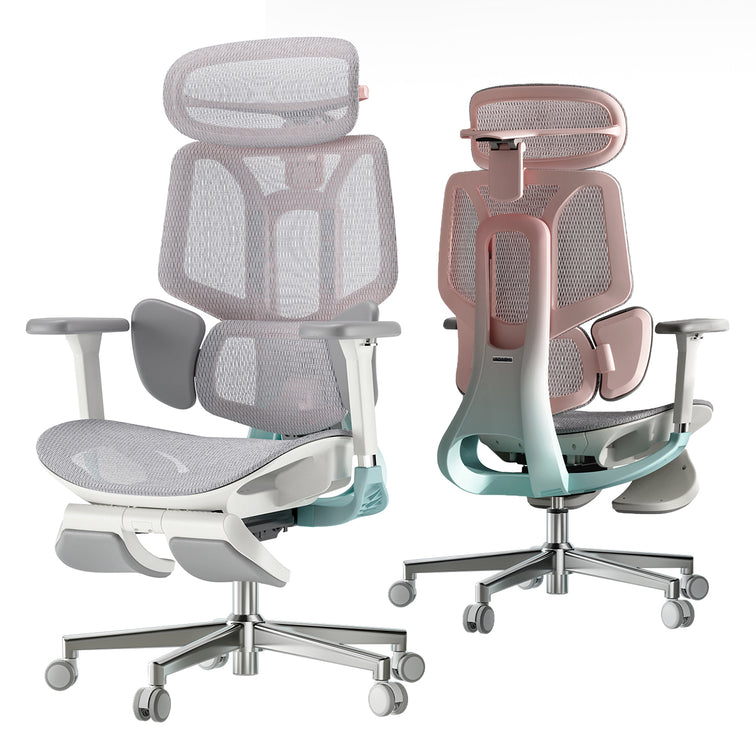
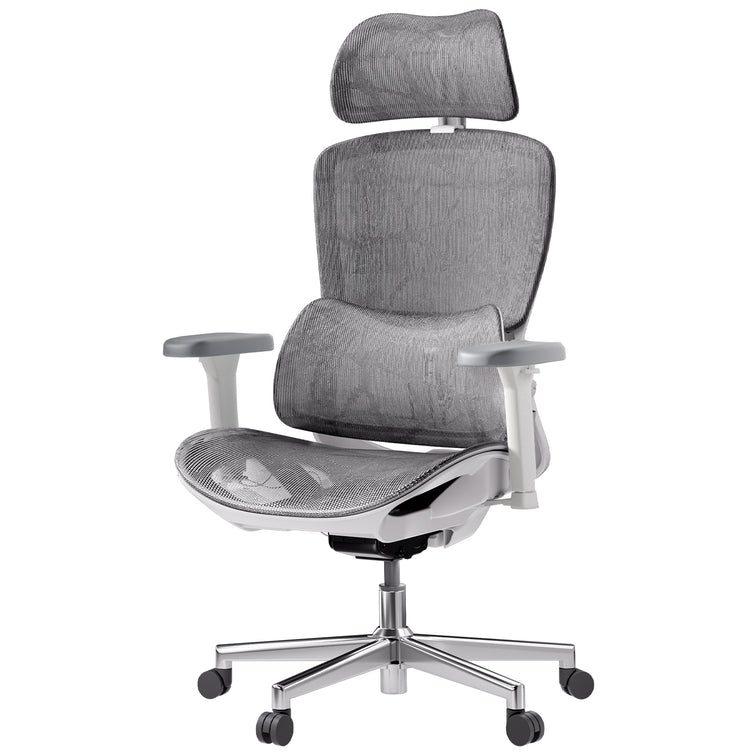

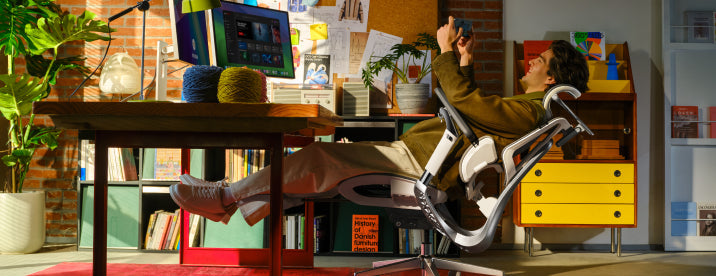


About HBADA Ergonomic chair & Selection
This section introduces HBADA ergonomic chairs and helps you understand how to choose the right model based on support, adjustability, comfort, and daily use needs.
What makes HBADA ergonomic chairs different from traditional office chairs?
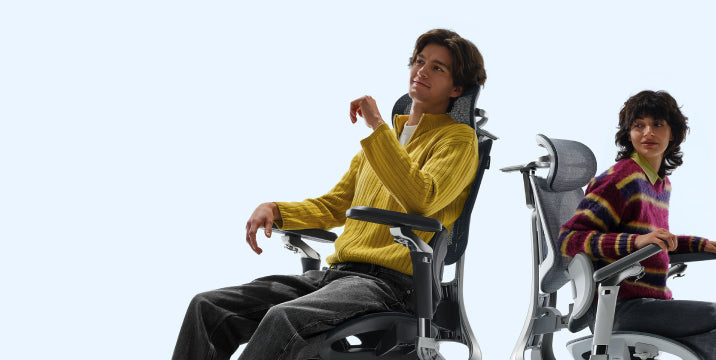
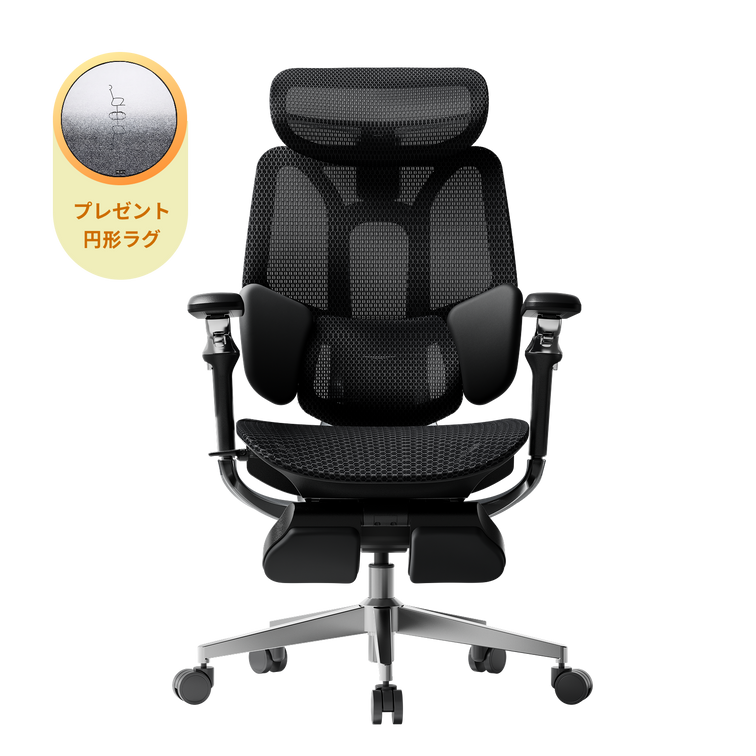
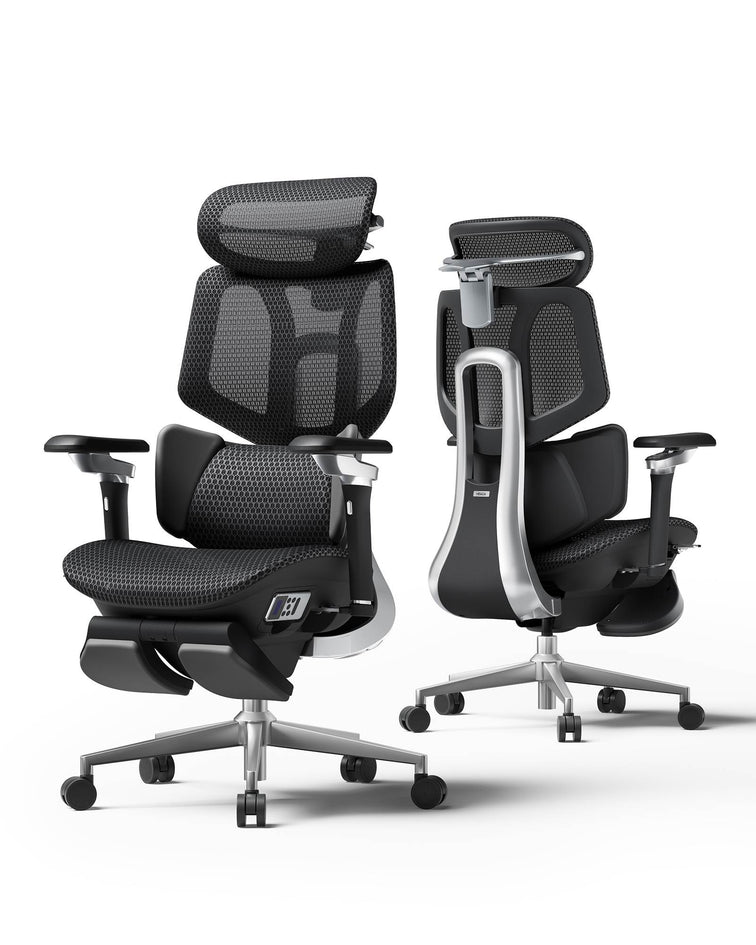
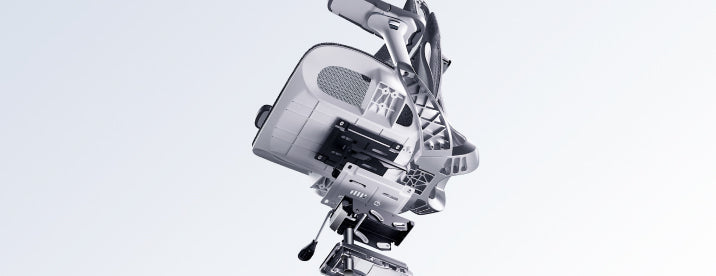
Traditional office chairs offer "static support," meaning you must adjust the chair to fit your body manually. HBADA chairs utilize very first AI power Bio-Synchronized technology, meaning the chair actively adapts to your movements in real-time. Our patented AI Lumbar Tracking system ensures that the support follows your spine’s natural curve regardless of whether you are leaning forward to type or reclining to relax.
What are the core benefits of choosing HBADA for my home office?
Choosing HBADA means investing in a tool for productivity and health. The core benefits include:
1) Reduced Physical Fatigue: Minimized pressure on the L4-L5 lumbar region.
2) Personalized Fit: AI-driven adjustments that cater to different body types.
3) Thermal Comfort: High-density breathable mesh that prevents heat buildup during long sessions. And more to find...
Which certifications (BIFMA/SGS/TUV) do Hbada chairs hold?
When it comes to our products, two things matter most: quality and safety. We make sure our Hbada chairs are put through rigorous testing to ensure they meet the highest standards. We're talking about compliance with international standards here, like those set by BIFMA, which checks for durability and safety, and SGS/TUV certifications, which verify that our materials are non-toxic and our structures are sound. This way, you can trust that our chairs are not only comfortable but also safe to use.
What does an ergonomic chair do?
An ergonomic chair is designed to support the human body's natural posture, reduce strain on the spine, and minimize muscle fatigue through high adjustability. Key features include lumbar support, adjustable seat height/depth, and reclining mechanics, which together prevent musculoskeletal disorders, enhance comfort, and improve productivity.
1. Active Spinal Alignment
Maintain the natural curvature of your spine. Traditional Chairs: Force your body to adapt to the chair, often leading to "slouching" or "hunching." HBADA Bio-Synchronized Chairs: Use AI Lumbar Tracking to actively follow your movements. Whether you lean forward to focus or recline to think, the chair ensures your lower back (L4-L5 region) is always supported, preventing the disc compression that leads to chronic back pain.
2. Pressure Redistribution
Sitting for 8+ hours creates "pressure points" in the glutes and thighs, which can restrict blood flow and cause numbness. What it does: Through a combination of high-density breathable mesh and adjustable seat depth, an ergonomic chair distributes your body weight evenly across the seat pan. The Result: This reduces the load on your sciatic nerve and prevents the "pins and needles" feeling in your legs.
3. Upper-Body Decompression (The Shoulder-Neck Link)
Neck and shoulder tension often start at the elbows.
Do you have a showroom where I can test the chairs?
We focus on a Direct-to-Consumer (DTC) model to keep costs low for our customers, so instead of a physical showroom, we provide a comprehensive 30-day trial period (please check our return policy). This allows you to experience the Bio-Synchronized support in your own home and workspace.
Will the armrests fit under my desk?
Measure your desk height before buying. If the armrests can't slide under the desk surface, you'll have to choose between arm support and sitting close enough to your keyboard. Standard desks sit at 71–76 cm. Most chairs with armrests at the correct elbow height need clearance of at least 66 cm from the floor to the underside of the desk.
Which chair is best for scoliosis?
Disclaimer: Please consult your physician for a personalized medical recommendation.
For users with scoliosis, we recommend chairs with high adjustability and dynamic support rather than rigid structures. The Hbada E3 pro is ideal because its AI-Powered 3-Zone Lumbar Support is "floating" and adaptive, allowing it to contour to asymmetrical spinal curves more effectively than a standard static backrest, reducing localized pressure.
What is the best chair after spinal surgery for back pain?
Disclaimer: Please consult your surgeon or physical therapist before selecting a chair post-surgery.
Post-surgery recovery requires maximum spinal decompression and the ability to shift positions without strain. We recommend models with a deep recline (up to 135°) and a synchronous tilt mechanism, such as the Hbada X7. This allows the user to distribute their weight more evenly and reduce the vertical load on the recovering vertebrae.
Can an office chair cause sciatica?
Yes, a poorly designed chair can exacerbate or contribute to sciatica. This typically happens when a chair has a hard seat pan or lacks proper lumbar support, putting excessive pressure on the sciatic nerve in the lower back and glutes. To prevent this, Hbada chairs utilize a waterfall seat edge to reduce pressure behind the knees and Dynamic Lumbar Tracking to maintain the natural curve of the spine, keeping the nerve pathways clear.
How do I choose the right ergonomic chair?
To find your perfect match, consider these three pillars:
· Your Body Type: Check the height and weight capacity (e.g., E3 Ultra for taller users).
· Your Primary Pain Point: If you have lower back pain, prioritize AI Lumbar Tracking. If you have neck or shoulder strain, prioritize an adjustable headrest.
· Your Usage Pattern: Do you spend 8+ hours in "Focus Mode" (upright), or do you frequently recline for calls and thinking? (E3 Pro for focus → E3 Ultra for mixed use → X7 for the master's choice)
What's the healthiest sitting position?
The healthiest position is not a static one, but "Dynamic Sitting." We recommend the 90-90-90 rule: Elbows at 90° on armrests, hips at 90°, and knees at 90° with feet flat on the floor. However, the key is movement; utilizing Hbada’s Bio-Synchronized recline to shift your angle every 30–60 minutes prevents muscle stiffness and promotes blood flow.
Which type of chair is best for long time sitting?
For 8+ hours of use, a Full-Mesh Ergonomic Chair with Dynamic Support is superior. Mesh provides the same "breathability" as a small air conditioner, preventing heat buildup, while dynamic support (like our AI-Tracking system) prevents the "slumping" effect that occurs when muscles fatigue over time.
What ergonomic chairs do chiropractors recommend?
Chiropractors usually suggest using chairs that help keep your spine in a neutral position. They like chairs with a backrest that has an "S-curve" shape, which supports the natural curve of your lower back. The seat should also be adjustable so it doesn't put pressure on the back of your knees. Hbada's Bio-Synchronized systems are made to work with these same principles that chiropractors recommend. They help keep your spine aligned properly. It's all about finding a chair that works with your body, not against it.
How Can I Find the Best Ergonomic Chair for My Specific Needs?
To get the best fit, we suggest checking out our Fit Guide on the product pages. Just match up your height, weight, and where you feel discomfort - like neck pain, lower back pain, or tailbone pressure - with what our models have to offer. If you're still not sure, don't worry! Our support team is here to help. They can give you a personalized suggestion based on your specific workspace setup, so you can find the perfect fit for you.
What is the weight capacity of your most popular models?
Our flagship models, including the E3 and X7 series, are engineered for durability and safety, supporting up to 136 kg. This is ensured by our heavy-duty aluminum alloy bases and Class-4 high-strength gas lifts.
What is "Dynamic Lumbar Support" and how does it work?
Unlike traditional lumbar supports that are fixed in one place, Dynamic Lumbar Support uses a spring-loaded, AI-tracking mechanism. It acts like a "smart cushion" that automatically adjusts its pressure and position in real-time as you lean, twist, or shift, ensuring your L4-L5 lumbar region is always supported.
Differences Between Mesh, Fabric, and Leather office chairs?
The choice of material directly impacts your thermoregulation and comfort:
• Breathable Mesh (Best for Long-Hours/Warm Climates): Featured in our E3 Air series, this high-elasticity mesh ensures maximum airflow, preventing heat buildup and distributing weight evenly to eliminate pressure points.
• Premium Fabric (Best for Home Comfort): Offers a softer, cozier feel with high durability. Ideal for those who prefer a warm, tactile experience in a home office setting.
• Executive Leather/PU (Best for Formal Offices): Provides a sophisticated, premium look that is easy to wipe clean. Our X7 series utilizes high-grade materials to balance an executive aesthetic with ergonomic support. → Recommendation: For maximum spinal health and breathability, we highly recommend the E3 Air's advanced mesh system.
How do I know if I need a headrest or a mid-back chair?
It really comes down to how you work and sit when you're using your computer.
Choose a Headrest (e.g., Hbada E3 Pro/Ultra) if your day involves frequent video calls, deep-thinking sessions, or short power naps. A synchronized headrest is essential to prevent "Tech Neck" and reduce tension in the trapezius muscles.
If you like to sit up straight and focus on your work, a mid-back chair is a good choice. This type of chair gives you the freedom to move your arms and shoulders around, which is helpful if you need to do tasks that require a lot of movement. It's also a good option if you want to feel more open and unrestricted while you're sitting.
If you're someone who likes to switch between concentrating really hard and relaxing, the E3 Ultra is a great choice because it can help you with both. It's really versatile, so whether you need to focus or unwind, it's got you covered.
Are HBADA chairs compliant with ergonomic workplace standards?
Absolutely. Every HBADA chair is engineered as a benchmark of safety and ergonomics. Our products are rigorously tested to meet and exceed international standards, including BIFMA (Business and Institutional Furniture Manufacturers Association) for structural durability and SGS/TUV certifications for material safety and non-toxicity. This ensures that whether in a home or a professional corporate environment, our chairs provide a safe, stable, and health-certified seating experience.
What is the average lifespan of a high-quality ergonomic chair?
A good chair, like the HBADA E3 series, is made to last a long time - around 5 to 10 years - if you take care of it. To make sure it lasts, we use strong mesh that doesn't sag and heavy-duty aluminum bases that won't break down over time. This way, the chair stays in good shape and keeps supporting you comfortably.
- Maintenance Tip: Give your chair a little love every 6 months to keep it in great shape. Just tighten the bolts and clean the mesh, and it'll be good as new. This will help make your chair last longer and stay comfortable.
Can I customise my order?
For our retail customers, we offer a wide array of colors and model configurations to fit your style. For corporate clients, interior designers, or large-scale office setups, we provide comprehensive B2B customization services. This includes bulk pricing, specific color matching, and customized ergonomic configurations to meet your company's wellness standards.
To start your professional consultation, please contact us at: service@hbada.jp
Where are HBADA ergonomic chairs manufactured?
HBADA products are born from our advanced R&D centers, where ergonomic science meets precision engineering. Our chairs are manufactured in specialized facilities using robotic precision and strict quality control protocols. This ensures that every Bio-Synchronized mechanism is identical in its performance, delivering a consistent, high-standard experience to our global users.
How many hours a day do I actually sit?
This single number changes which chair makes sense. Under 4 hours — almost any well-built chair works. 6–8 hours — lumbar adjustability and breathable mesh become essential. 8–12 hours — you need active support, not passive comfort.
Where exactly does my discomfort occur?
Lower back pain points to lumbar support as the priority. Neck and shoulder tension points to headrest and armrest height. Hip or thigh discomfort points to seat depth and cushion firmness. Knowing the location narrows the feature list considerably.
Do I run hot or cold when sitting?
If you run warm, mesh is non-negotiable — foam-backed seats trap heat and become uncomfortable quickly. If you run cold, look for chairs with optional heating functions or thicker seat cushions that retain warmth. And HBADA X7 version have fan under the chair.
Do I shift around a lot or tend to stay in one position?
If you move constantly — leaning forward, reclining, shifting sideways — you need dynamic or AI-adaptive lumbar support (HBADA X7 have first AI-adaptive support). Fixed lumbar pads only work when you're still. If you tend to sit in one position, a well-fitted static lumbar system is sufficient.
What is the best chair to sit in after spinal fusion surgery?
Medical Disclaimer: Post-surgical recovery is highly individual. Please consult your surgeon or physical therapist before selecting a chair.
Post-spinal fusion, the primary goal is zero-pressure stability and the reduction of vertical load on the fused vertebrae. We recommend the Hbada X7 for this specific need. Its superior stability and deep recline capability (up to 135°) allow the user to redistribute their body weight more evenly, alleviating pressure on the spinal column and aiding in a more comfortable recovery.
How does HBADA compare to traditional ¥180,000+ luxury ergonomic brands?
Traditional luxury office chairs often rely on "static engineering." This means when you change your posture, you must manually adjust the levers to fit your body. HBADA redefines this space by introducing active, real-time adaptation at a much more affordable price point.
- The Dynamic Tracking Difference: Instead of rigid frames, HBADA features patented Bio-Synchronized AI Lumbar Tracking. The backrest physically moves with your spine as you shift from leaning forward to typing, to reclining and relaxing.
- Pressure-Free Seating: While hard plastic rims can pinch the thighs, HBADA designs utilize a waterfall seat edge combined with high-elasticity matrix mesh to eliminate pressure points behind the knees.
- Maximum Value: We bypass traditional retail markups to deliver the best professional-grade orthopedic protection (4D armrests, adaptive lumbar support, and synchronized recline) directly to your home office setup.
Is an HBADA chair suitable for petite users or extra tall individuals?
Yes. HBADA chairs are engineered with high-amplitude adjustability to support a diverse range of body types. To find the best fit for you, refer to our sizing recommendations below:
Petite Seating (150–163 cm): HBADA P5WMA / E3 Air. Low minimum seat height & space-saving flip-up arms to prevent shoulder elevation.
Universal Seating (165–180 cm): HBADA E3 Pro. The ultimate "sweet spot" with 4D fully customizable orthopedic support zones.
Tall & Heavy Seating (183–195 cm): HBADA E3 Ultra / X7. Deep adjustable seat depth, extended heavy-duty gas lift, and an independent extra-high headrest.
Can an HBADA chair help with tailbone pain (coccydynia) and pelvic pressure?
Absolutely. Tailbone fatigue is typically caused by static weight concentrated on an unyielding seat pan. HBADA relieves lower body stress through a specialized three-tiered suspension structure:
- Saddle-Shaped Contouring: The seat pan matches the natural curvature of the human pelvis, safely shifting weight away from the sensitive coccyx (tailbone) and onto the sitting bones.
- High-Elasticity CloudMesh Technology: Featured in our E3 series, this breathable mesh acts as a responsive suspension layer, absorbing vertical spinal pressure.
- Adjustable Seat Depth: Sliding the seat pan forward ensures your thighs fully support your weight, reducing the direct load on your glutes and sciatic nerve.
HBADA E3 Pro vs. E3 Ultra vs. X7: Which model is best for me?
To help you choose the best setup, match your daily sitting habits to our flagship lineup.
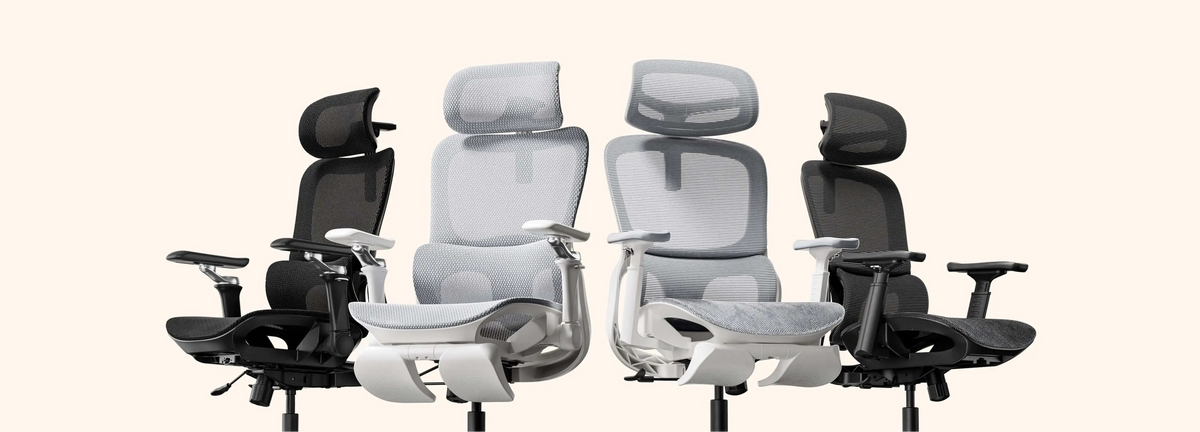
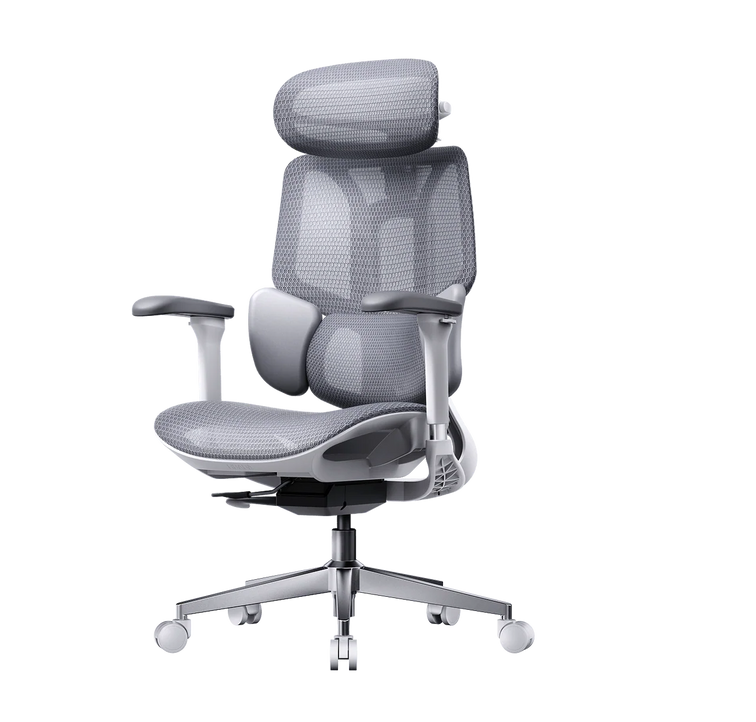
- HBADA E3 Pro (The Focus Master): Purpose-built for professionals spending 8+ hours in intense upright focus modes. It delivers core AI Lumbar Tracking and 4D armrests for elite posture alignment.
- HBADA E3 Ultra (The Mixed-Use Comfort): Upgrades your experience with 3-Zone Floating Lumbar Support and a deep adaptive recline. Perfect for those who alternate between typing, video calls, and relaxing.
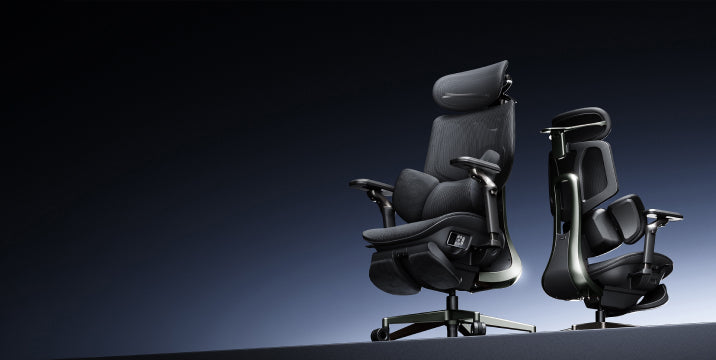
- HBADA X7 (The Intelligent Flagship): The pinnacle of HBADA craftsmanship. Built with our most advanced responsive adaptive chassis and an innovative under-seat active cooling fan to completely eliminate heat buildup during marathon sessions.
How do I adjust my HBADA chair to immediately relieve back strain?
If you are experiencing sudden lower back fatigue, follow this quick-correction routine to optimize your HBADA chair immediately:
- Pelvic Stabilization: Adjust the seat height until your feet rest completely flat on the floor, allowing your knees to form a relaxed 90-degree angle.
- Decompress the Thighs: Slide the seat depth so there is a 5-7 cm gap between the edge of the cushion and the back of your knees to keep blood flowing freely.
- Engage the Lumbar Tracking: Unlock the backrest tilt, lean back fully, and let the spring-loaded tracking pad self-calibrate to your L4-L5 vertebrae.
- Relax the Shoulders: Adjust the 4D armrests until your elbows rest comfortably at 90 degrees, parallel to your desk surface. This instantly removes the pulling stress from your upper neck and trapezius muscles.